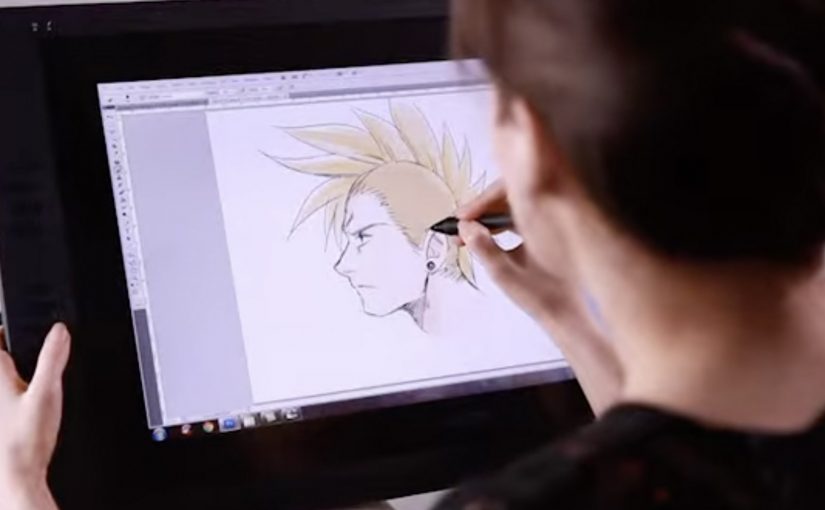
Wacom is launching a cool new digital sketch pen for artists called the Inkling. This unique pen allows artists to draw or sketch on a standard piece of paper and then automatically have a digital version created.
The trick is that Inkling pairs a real ink pen with a small receiver that clips to your paper and records your strokes as you draw, so you can plug it into a computer later and bring the sketch into your digital workflow.
What Inkling changes in a familiar habit
Most artists already start with pen and paper because it is fast, portable, and forgiving. Inkling keeps that behaviour intact, but removes the “scan it later” step by capturing the drawing while it happens.
How the capture works in practice
- Draw normally. You sketch with an actual ballpoint pen on regular paper.
- Record quietly. The clipped receiver tracks each stroke and stores the sketch.
- Transfer when ready. You connect the receiver to your computer and import the captured file for editing.
- Refine digitally. The value shows up when you want to iterate, clean up, or reuse elements without redrawing from scratch.
In creative and design workflows, bridging paper-first sketching to digital editing keeps momentum for artists who think with their hands.
The real question is whether you can keep paper-first speed while still landing in edit-ready digital files.
Why it lands: it removes one of the most annoying handoffs
The friction is never “making the sketch”. The friction is getting that sketch into the tools where it becomes a layout, a storyboard, an illustration draft, or a presentation asset. Inkling makes the handoff feel like part of the act of drawing, not a separate job you do later.
Extractable takeaway: If you remove one ugly handoff between a familiar analog habit and a digital toolchain, you get adoption without asking creators to change how they start.
What Wacom is really selling here
This is not just a new pen. It is a bridge product that expands Wacom’s relevance beyond tablets and into the earliest moment of creation, when ideas are still raw and fast. A bridge product connects a trusted old workflow to a newer one, so users can cross without friction. Wacom is right to focus on the handoff, not on adding more pen features. If the first capture happens with Wacom, the next steps in the workflow are more likely to happen with Wacom-friendly tools too.
Takeaways for marketing creator tools
- Respect existing habits. Do not force a new behaviour when the old one already works.
- Remove a single painful step. “No scanning” is a clearer benefit than a long list of features.
- Sell the workflow, not the gadget. The story is speed from idea to editable file.
- Show the before and after. Demos work best when viewers can see the exact handoff being eliminated.
A few fast answers before you act
What is Wacom Inkling?
It is a digital sketch pen system that lets you draw on regular paper with real ink while capturing a digital version of the sketch for later transfer to a computer.
Do you need special paper to use Inkling?
No. The idea is that you sketch on standard paper while a clipped receiver records your strokes.
How do you get the sketch onto your computer?
You connect the receiver to your computer and import the stored sketch so it can be edited digitally.
What is the main benefit compared to scanning?
You skip the “capture later” step. The sketch is already recorded as you draw, which makes it faster to move from rough idea to editable file.
Who is this best suited for?
It fits artists and designers who start on paper for speed, then want to refine, iterate, or reuse parts of the sketch digitally without redrawing everything.