Google ATAP builds what people actually use
Google ATAP is tasked with creating cool new things that we’ll all actually use. At the recently concluded Google I/O event, they showcase Project Soli. A new kind of wearable technology that wants to make your hands and fingers the only user interface you’ll ever need.
This is not touchless interaction as a gimmick. It is a rethink of interface itself. Your gestures become input. Your hands become the control surface.
The breakthrough is radar, not cameras
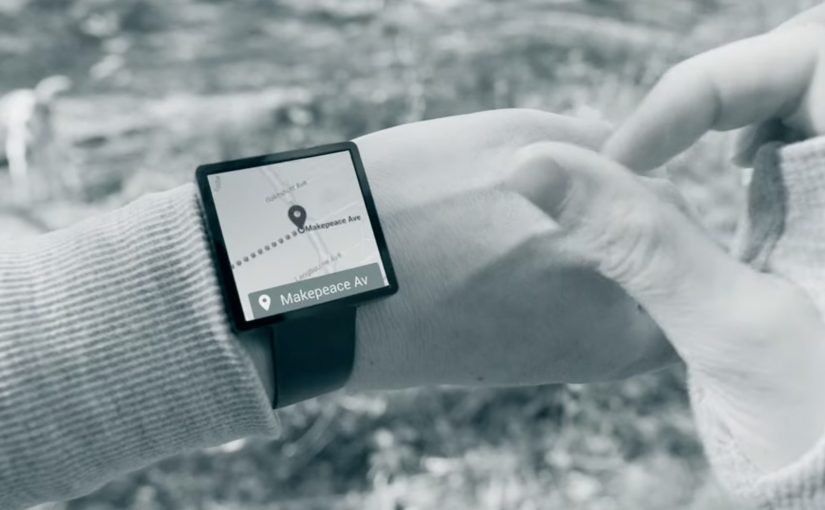
To make this possible, Project Soli uses a radar that is small enough to fit into a wearable like a smartwatch.
The small radar picks up movements in real time and interprets how gestures alter its signal. This enables precise motion sensing without relying on cameras or fixed environmental conditions.
In wearable computing and ambient interfaces, the real unlock is interaction that works in motion, without relying on tiny screens.
The real question is whether wearables can move beyond miniaturized apps and make interaction work in motion, without a screen-first mindset.
The implication is straightforward. Interaction moves from screens to motion. User interfaces become something you do, not something you tap.
Why this matters for wearable tech
Wearables struggle when they copy the smartphone model onto tiny screens. Wearable UX should treat the screen as optional, not primary.
Extractable takeaway: When the screen becomes the bottleneck, shift the interface to sensing and interpretation, then keep the gesture vocabulary small enough to learn fast.
Instead of shrinking interfaces, it removes them. The wearable becomes a sensor-driven layer that listens to intent through movement.
If this approach scales, it changes what wearable interaction can be. Less screen dependency. More natural control. Faster micro-interactions.
What Soli teaches about hands-first UX
- Start with intent, not UI. Define the handful of moments where a gesture is faster than hunting for a screen.
- Design for motion. Favor interactions that work while walking, commuting, or doing something else with your attention.
- Keep the gesture set teachable. A small, consistent vocabulary beats a large library that nobody remembers.
A few fast answers before you act
Is Project Soli just gesture control?
It is gesture control powered by a radar sensor small enough for wearables, designed to make hands and fingers the primary interface.
Why use radar instead of cameras?
Radar can sense fine motion without relying on lighting, framing, or line-of-sight in the same way camera-based systems do.
What is the real promise here?
Interfaces that disappear. Interaction becomes physical, immediate, and wearable-friendly.
What should a product team prototype first?
Pick one high-frequency moment where a quick gesture could replace a screen tap, and test whether the sensing feels reliable in motion.
What is the biggest adoption risk?
If gestures feel inconsistent or hard to learn, people will default back to the screen. The bar is effortless, not novel.