
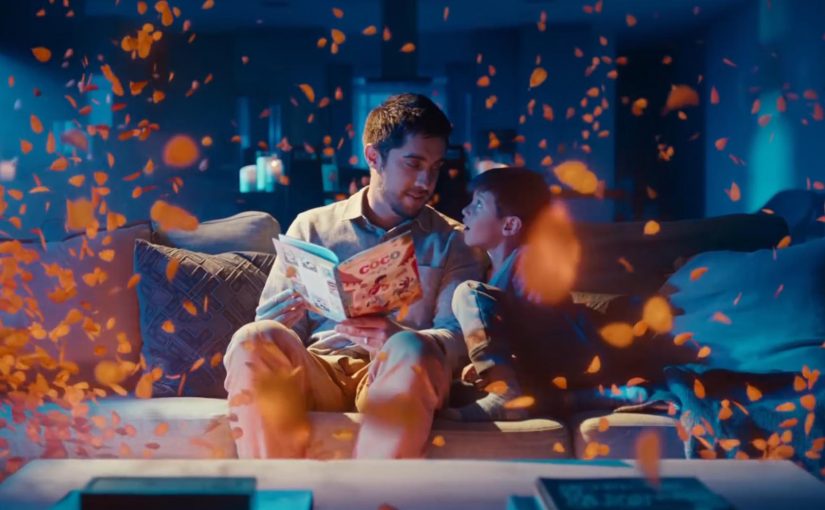
You start reading a Disney Little Golden Book out loud, and your Google Home joins in. Sound effects land on cue. The soundtrack shifts with the scene. The story feels produced, not just read.
The partnership. Disney storybooks with an audio layer
Google and Disney bring select Disney Little Golden Books to life by letting Google Home add sound effects and soundtracks as the story is read aloud.
How it works. Voice recognition that follows the reader
The feature uses voice recognition to track the pacing of the reader. If you skip ahead or go back, the sound effects adjust accordingly. If you pause reading, ambient music plays until you begin again. Because it can follow your pacing in real time, the audio can land on cue without you triggering effects manually.
Why it lands. Produced storytime without a screen
In family living-room media, the win is turning passive reading into a shared, timed audio experience without adding another screen. The listener hears the same beats the reader sees, so the room stays in one moment instead of splitting attention across devices.
Extractable takeaway: When you add an audio layer to an analog ritual, sync it to human pacing rather than button presses, so the experience feels guided while staying hands-free.
The real question is whether the audio layer earns its place by deepening the ritual, not by adding novelty.
This is a strong pattern for smart speakers because it increases interactivity without pulling a family into more screen time.
How you start. One voice command
To activate it, say, “Hey Google, let’s read along with Disney.”
Always listening during the story
Unlike typical commands, the smart speaker’s microphone stays on during the story so the device can follow along and add sound effects in the right moments.
Privacy note in the product promise
To address privacy concerns, Google says it does not store the audio data after the story has been completed.
Where it works
This feature works on Google Home, Home Mini, and Home Max speakers in the US.
What to copy for read-along audio experiences
- Anchor to a ritual. Start with something people already do, then add audio that fits the habit.
- Follow the human pace. Track reading speed, pauses, and backtracking so timing feels natural.
- Keep it screen-free. Make the audio layer the enhancement, not a gateway to another display.
- State the privacy posture. If the mic stays on, explain clearly what is and is not retained.
A few fast answers before you act
What is “Read along with Disney” on Google Home?
It is a Google and Disney feature that adds sound effects and music to select Disney Little Golden Books while you read aloud.
How does it stay in sync with the reader?
Voice recognition follows the pacing of the read-out-loud audio and adjusts if you pause, skip ahead, or go back.
How do you start it?
Use the voice command shown in the post, then begin reading the supported book out loud so the speaker can follow along.
What is the key experience detail that makes it feel “produced”?
The audio layer lands on cue as you read, so the story rhythm feels guided without the reader needing to trigger effects manually.
What is the stated privacy promise during the story?
The product promise described here is that audio is used to follow the reading experience and is not kept after the story completes.