A near-future that blends text and screens
Text, video, audio and several other interaction types become a common part of media. Everything blends between the visual and the textual and back again. We are surrounded with multi-touch media that uses highly engineered displays and companion technologies.
Samsung Display created the video below to share its vision of the future and to show how its panels could be implemented across consumer and enterprise markets.
What the film is really selling
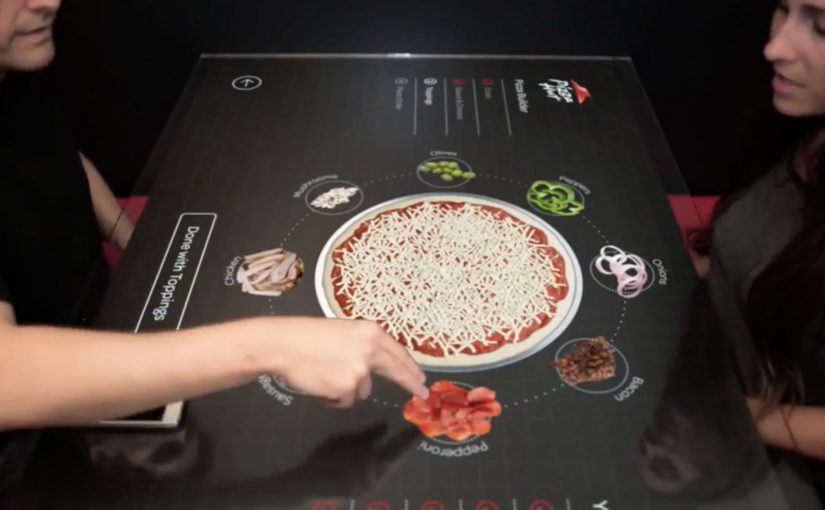
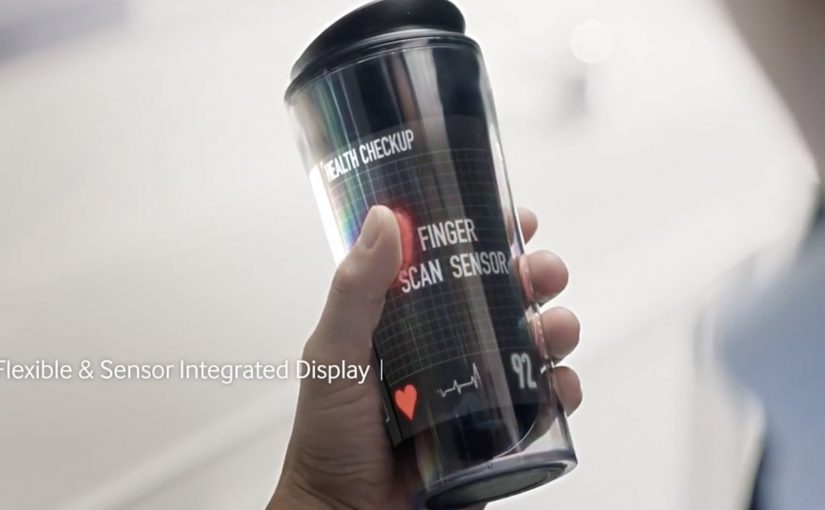
The premise is not “better screens.” The premise is “more surfaces become screens.” Here, a display-centric world means a world where screens become the default surface for access, guidance, and collaboration across daily tasks. The film repeatedly puts interactive display surfaces into everyday moments. Cafés, classrooms, retail, commuting, and healthcare all become scenarios where information appears in place, on demand, and in the exact format that fits the situation.
Samsung Display originally presented this concept film as part of its Analyst Day 2013 narrative. The message is clear. When displays get thinner, lighter, and more flexible, the interface stops being a device and starts being the environment.
In consumer electronics and enterprise IT, display surfaces are becoming the default interface between data, services, and people.
Why it lands
Vision films work when they turn a technology roadmap into felt moments. Here, the “wow” is not a single gadget. It is the continuity of interaction. You move between surfaces without re-learning the interface, and information follows you in a way that feels natural rather than like a series of app launches. It works because repeated interaction across familiar settings makes the future feel less like a prototype and more like a habit.
Extractable takeaway: The fastest way to make an emerging technology believable is to show the same interaction pattern repeated across multiple contexts, until it reads like an everyday habit.
The hidden dependencies behind a display-centric world
A world full of screens implies a stack of enabling layers that the film only hints at. Sensors to understand context. Identity and handoff to move work between surfaces. Content designed for glance, touch, and collaborative viewing. And a trust model that makes people comfortable when “the room” is also an interface.
The real question is what workflows get simpler when the display is no longer tied to a single endpoint. If you watch it as an enterprise leader, that is where the real productivity story starts.
What to borrow from Samsung’s interface vision
- Prototype interactions, not products. A single interaction pattern shown in five contexts communicates strategy better than five unrelated gadgets.
- Make “handoff” the hero. The magic is continuity. Show how content moves between surfaces and people without friction.
- Design for groups, not just individuals. Many enterprise use cases are collaborative. Surfaces that support shared viewing and shared input are the point.
- Pressure-test trust. If your interface becomes ambient, you need explicit cues for privacy, control, and intent.
A few fast answers before you act
What is “Display Centric World” by Samsung Display?
It is a concept film that imagines a near-future where interactive displays are embedded into many everyday surfaces, making screens a pervasive interface rather than a single device.
What is the core idea the film communicates?
That as display tech becomes thinner, lighter, and more flexible, the interface shifts from dedicated hardware to the surrounding environment, with consistent multi-touch interaction across contexts.
Why do these “future vision” videos matter for brands and enterprises?
They translate a technology roadmap into concrete usage scenarios, which helps teams align on what to build, what to partner for, and what behaviors they are trying to create.
What are the key dependencies a display-centric world requires?
Context sensing, identity and handoff, content designed for multiple viewing distances and collaboration, and a trust model that makes ambient interfaces feel safe and controllable.
What is the most transferable lesson for product teams?
Build and communicate around repeatable interaction patterns and seamless handoffs. Products change quickly, but interaction habits scale across devices and surfaces.