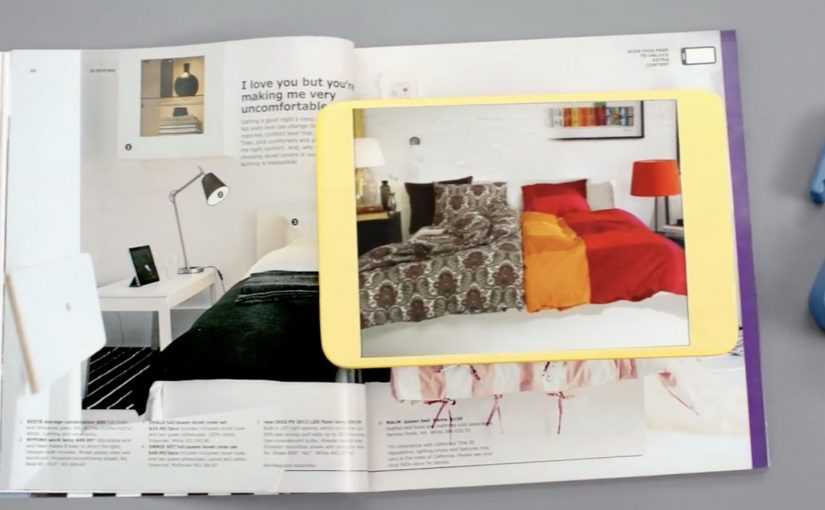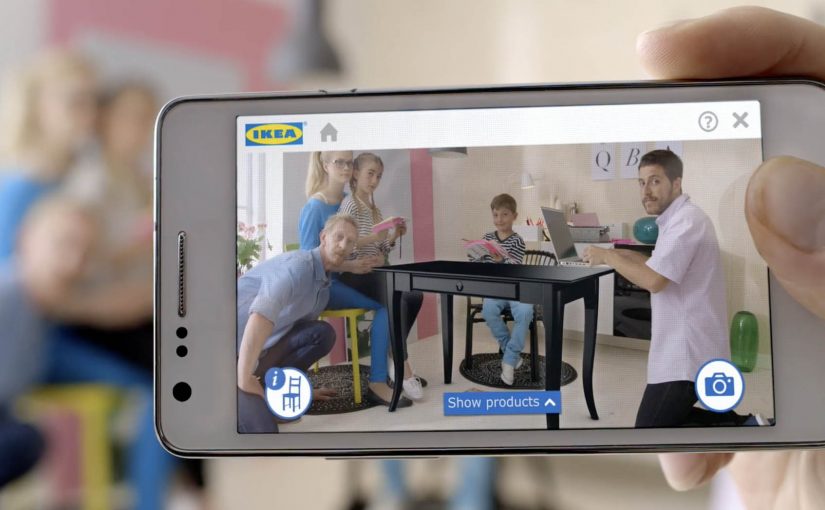
Last year Ikea re-imagined their catalog via a visual recognition app that brought its pages to life through inspirational videos, designer stories, “x-ray” views that peek inside furniture, and more.
Now, for the 2014 IKEA catalogue, they push that idea into something far more useful: you can place virtual furniture directly into your home by putting the printed IKEA catalogue where you want the furniture to appear, then viewing the result through your phone or tablet using augmented reality (AR), meaning digital objects layered onto a live camera view of your real space.
The simple mechanic that makes a paper catalogue feel like a showroom
The experience design is almost disarmingly straightforward. The catalogue is not just media. It becomes the physical reference point that tells the app where “here” is, and roughly how big “life-size” should be. Because that reference point anchors position and scale, the placement feels believable enough to support a buying decision.
- Open the IKEA catalogue app on a phone or tablet.
- Scan a supported product page.
- Close the catalogue and place it on the floor (or surface) where you want the item to “live.”
- Watch the furniture appear in-context, then explore alternatives by browsing within the app.
In global retail and consumer brands, this kind of print-to-mobile AR, where the printed catalogue acts as the marker for the AR view, works because it turns “can you picture it?” into “can you see it here?” at the exact moment people are deciding.
Why it lands: utility beats novelty
AR marketing often dies as a gimmick because the “reveal” is entertaining but irrelevant. Here, the reveal is practical: scale, placement, and fit are exactly what shoppers worry about most.
Extractable takeaway: If emerging tech does not reduce a real decision friction, treat it as a distraction, not a strategy.
Even when the rendering is not perfect, the direction is clear. Reduce uncertainty. Help people make a confident choice. And if it cuts down on “it looked smaller online” returns, that utility is measurable, not just shareable.
What IKEA is really doing with this catalogue
This is a classic “bridge” play, a deliberate handoff between inspiration and purchase. IKEA keeps the reach and habit of a paper catalogue, then uses mobile interactivity to remove friction at the decision stage.
The real question is whether it removes enough doubt to change a purchase decision, not whether the AR looks impressive.
AR is worth investing in when it behaves like decision support, not when it just decorates a story.
It also quietly reinforces a brand position: IKEA is not only about affordable design. It is also about smart, accessible tools that help you plan and live better at home.
How to design an AR catalog people reuse
- Make the printed piece part of the interface. Treat paper as a trigger, a marker, a controller. Not a dead-end.
- Reward the scan with decision support. The “wow” should reduce doubt: sizing, configuration, compatibility, placement, or proof.
- Design for fast repetition. The real value comes when people try multiple options in minutes, not once for curiosity.
- Keep the action close to purchase. The best AR demos shorten the path from consideration to “yes” without feeling like a hard sell.
A few fast answers before you act
What is IKEA doing differently with the 2014 catalogue?
They extend the catalogue beyond scan-to-watch content by letting people place virtual furniture into their real home environment using AR.
How does the AR placement work in simple terms?
You scan a supported page, place the physical catalogue where you want the item to appear, and the app overlays a furniture model into the live camera view.
Why is a printed catalogue useful in an AR flow?
The catalogue becomes a physical reference point for position and approximate scale, making placement feel more believable than a free-floating 3D object.
What business problem does this help solve?
It reduces purchase hesitation by letting people judge fit and placement earlier, and it can help lower the risk of dissatisfaction and returns.
What’s the key lesson for marketers using emerging tech?
Build the experience around utility that supports a decision. Novelty may earn a try. Utility earns repeat use and moves people toward purchase.