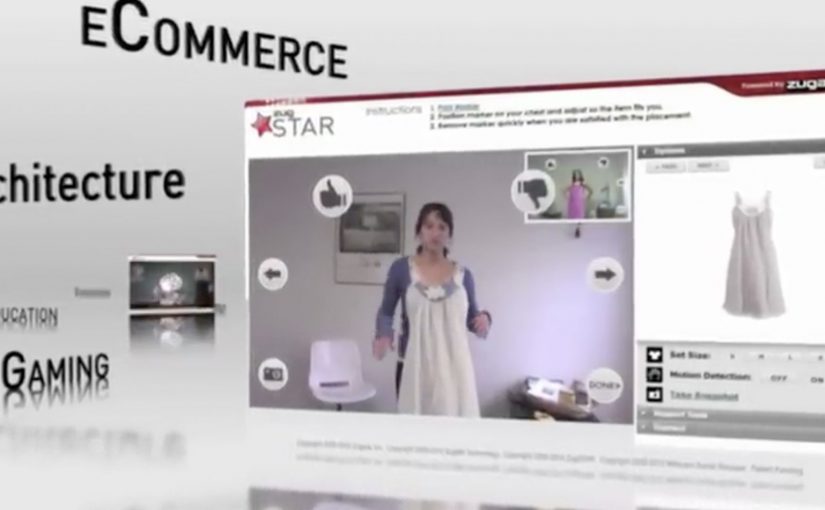
The AT&T banner brings you right into the game, using Zugara’s augmented reality motion capture technology called ZugMO. Here, “augmented reality” means webcam-based motion capture with game graphics layered over live camera input. ZugMO translates head movement into game input. You use your webcam to “head” crosses toward goal, with five shots to score as many as possible. There isn’t much more to it than that. But it is a very cool concept, especially because it is described as having run as a banner placement on ESPN.com with BBDO and Zoic Studios involved.
Why this banner feels different to click on
Most banners ask for a click and then try to convince you after the fact. This one flips the sequence. It gives you a tiny game first, then lets AT&T benefit from the time, focus, and small dopamine hit that comes from trying to score.
Extractable takeaway: A playable banner works when the mechanic is instantly legible, the interaction is frictionless, and the reward arrives fast enough that people try “just one more shot.”
What “augmented reality” means here
In this execution, “augmented reality” is less about 3D worlds and more about webcam-based motion capture layered with game graphics. Your movement is the controller. The screen overlays the ball path and goal feedback on top of live camera input, so the interaction feels physical even though you are still inside a standard banner unit.
The mechanic is the message
There are only a few moving parts. A webcam feed. Face and head tracking. A corner-kick animation. A simple scoring loop with five attempts. That minimalism matters because banners do not have time for onboarding. If the player cannot understand it in one glance, the banner has already lost.
In performance-driven digital advertising, the fastest way to earn attention is to let people experience the message with their own body in seconds.
The real question is whether your ad can earn five seconds of voluntary play without explaining itself.
Playable banners are worth doing when the first interaction is immediate, legible, and ends quickly enough to invite a replay.
The business intent behind the “cool concept”
Positioned around football attention, the deeper message is speed and responsiveness. Not by claiming it, but by making the ad itself respond to you. It is a small but smart translation of “fast network” into an experience you can feel.
Steal this pattern for playable banners
- Design for zero instructions. If the mechanic cannot be understood instantly, simplify it.
- Use the body as the controller. Webcam motion beats mouse clicks when you want memorability, not just reach.
- Keep loops short. Five shots is a clear session boundary. It invites replay without feeling endless.
- Make the feedback loud. Clear “goal” and “miss” cues turn confusion into compulsion.
- Let the format prove the claim. If your message is speed, make the interaction snappy and responsive.
A few fast answers before you act
What is a “playable banner”?
A playable banner is a display ad that includes a lightweight interactive experience, usually a mini game, inside the ad unit itself. The goal is to trade passive impressions for active participation.
Why does webcam motion capture increase engagement?
Because it turns the user from a viewer into the controller. When your body movement drives the outcome, attention becomes harder to drop and easier to remember.
What makes this AT&T banner easy to understand?
The interaction maps to a real-world action. You head the ball. The scoring loop is obvious. The session is short. That combination removes the need for instructions.
What is ZugMO in simple terms?
ZugMO is Zugara’s webcam-based motion capture layer that detects user movement and converts it into game input. In this case, it translates head movement into a “header” action.
What is the biggest failure mode for interactive banner ads?
Too much friction. If the ad requires setup, permissions confusion, slow loading, or unclear controls, most people leave before the first reward moment arrives.