Hyundai: Virtual Guide AR App for Owners

An owner’s manual you point at the car

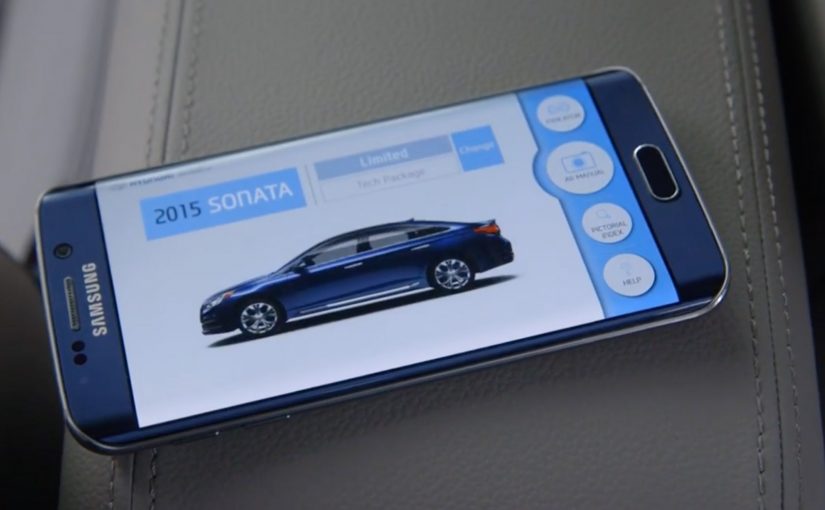
To make life easier for car owners, Hyundai has built an augmented reality app called the Virtual Guide. It allows Hyundai owners to use their smart phones to get more familiar with their car and learn how to perform basic maintenance without delving into a hundred page owner’s manual.

Here is a short demo video of the app from The Verge at CES 2016.

The clever part: help appears exactly where you need it

Instead of searching through pages, you point your phone at the car and learn in-context. That one shift. From reading about a feature to seeing guidance on the actual part. Makes learning faster and less frustrating.

Why this is a big deal for everyday ownership

Most drivers do not ignore manuals because they do not care. They ignore them because the effort is too high at the moment they need help. AR lowers that effort by turning “How do I…?” into a quick visual answer while you are standing next to the car.

What Hyundai is really building here

Fewer support moments, fewer avoidable service misunderstandings, and a smoother owner experience that strengthens trust in the brand long after purchase.

What to steal if you design product help

  • Move instruction from documentation into the environment. In-context guidance beats search.
  • Design for the real moment of need. Standing next to the product, phone in hand.
  • Make “basic maintenance” feel doable. Confidence is a retention lever.

The Virtual Guide app will be available in the next month or two for the 2015 and the 2016 Hyundai Sonata and will come to the rest of the Hyundai range later on this year.


A few fast answers before you act

What is Hyundai Virtual Guide?

An augmented reality app that helps Hyundai owners learn car features and perform basic maintenance using a smartphone instead of relying on the printed owner’s manual.

How does it work in practice?

You use your phone to view parts of the car and get guidance designed to help you understand features and maintenance steps in context.

Which models does the post say it supports first?

The post says it will be available first for the 2015 and 2016 Hyundai Sonata, then expand across the Hyundai range later in the year.

Where was the demo shown?

The post references a demo video from The Verge at CES 2016.
Volvo HoloLens Showroom: Virtual Dealership

The showroom no longer needs cars

Car dealerships traditionally depend on physical inventory.

Space, logistics, and availability limit what customers can see, touch, and configure. That constraint disappears when Volvo introduces a showroom experience powered by Microsoft HoloLens.

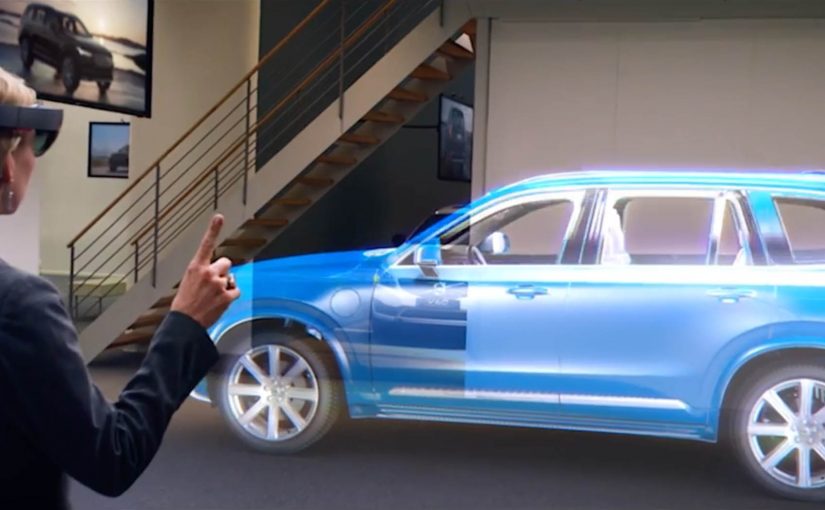
Instead of walking around parked cars, customers step into a virtual environment where full-size vehicles appear as holograms.

How the HoloLens showroom works

Using HoloLens, customers explore Volvo cars at real scale.

They walk around the vehicle. Look inside. Inspect details. Colors, trims, and configurations change instantly. The experience feels physical, even though no car is present.

The showroom becomes software-driven. Inventory becomes optional.

In high-consideration retail, the job is helping people visualize options confidently before commitment, even when the product is not physically present.

Why this matters for automotive retail

This is not a gimmick.

Virtual showrooms reduce the need for large floor space and allow dealerships to showcase the full portfolio, including models and options that are rarely stocked physically.

For customers, the experience becomes calmer and more focused. There is less pressure. More exploration. Better understanding before committing.

Experience beats inventory

The deeper shift is about control.

Customers explore at their own pace. Sales staff guide rather than push. The conversation moves from availability to preference.

The dealership turns into a configuration studio, not a warehouse.


A few fast answers before you act

Is this replacing test drives?

No. It improves decision-making before a physical test drive happens.

What is the real business benefit?

Lower inventory cost, higher configuration clarity, and better use of showroom space.

Why does mixed reality fit automotive retail?

Because cars are high-consideration purchases. Visualization matters as much as specification.

Microsoft HoloLens. The Next Step of Computing

Microsoft brings holograms into the real world

At Microsoft’s Windows 10 event, the company unveils a new augmented reality experience for the platform called HoloLens.

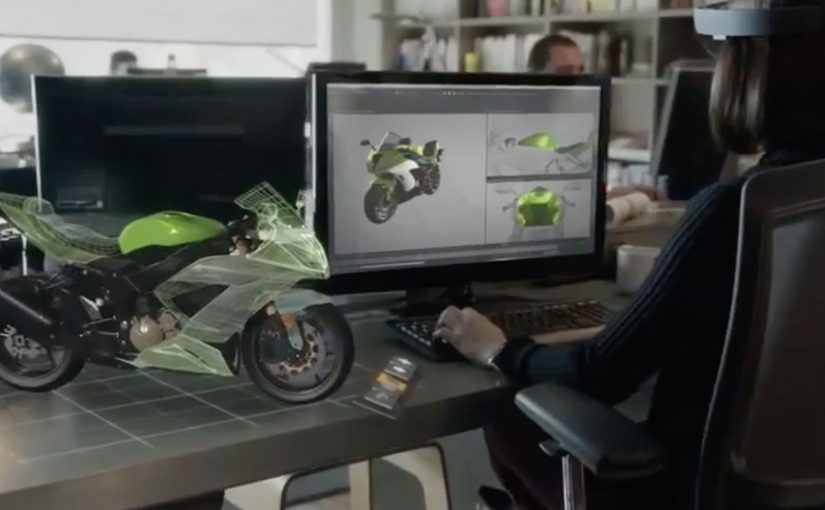
Using a special holographic headset, Windows 10 users can make holograms appear in real life. Not on a screen. In the room, anchored to space.

This is the kind of step-change that reframes computing from something you look at to something you live inside.

What makes HoloLens different

HoloLens is positioned as an untethered augmented reality experience, built to feel like a real device rather than a lab prototype.

The device is said to use:

  • See-through lenses
  • Spatial sound
  • Advanced sensors
  • A dedicated holographic processing unit

Together, these elements aim to deliver a state-of-the-art mixed reality experience without cables or external trackers.

Why this matters

HoloLens signals a shift in interface design.

Instead of dragging windows around a flat screen, digital objects become part of physical space. Apps turn into holograms. Workflows become spatial. Interaction becomes more natural because it maps to how people already understand the world.

This is not augmented reality as a feature. It is AR as a new computing layer.


A few fast answers before you act

Is HoloLens virtual reality?
No. It is augmented reality using see-through lenses that overlay holograms onto the real world.

What is the key technical promise?
Untethered, spatially aware holograms powered by sensors, spatial sound, and a dedicated holographic processing unit.

What makes this the next step of computing?
The interface moves off the screen and into physical space, changing how we build, learn, collaborate, and create.