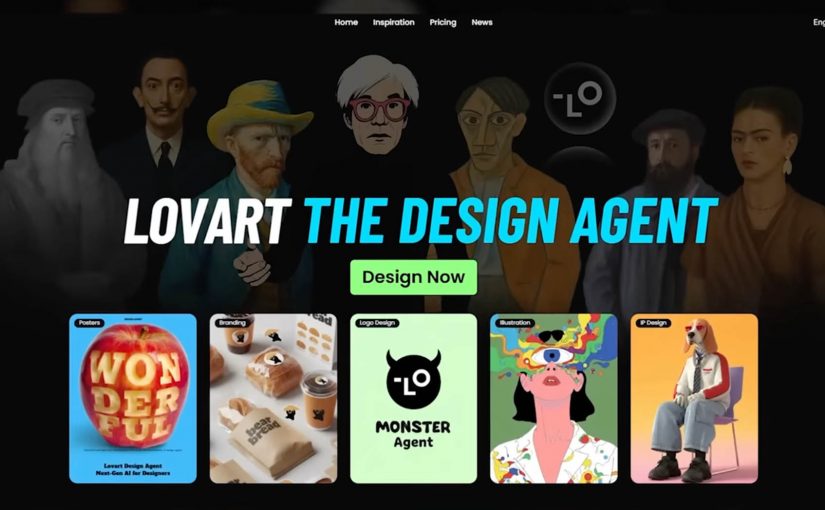
The Lovart AI ‘designer for everyone’ moment just got real
For decades, creative software demanded expertise. Layers. Masks. Rendering. Color theory. Not because it was fun, but because the tools were built for specialists.
Lovart frames a different future. Instead of learning the tool, you describe the outcome, and an AI design agent orchestrates the work across assets and formats.
What Lovart is really selling. Creative output as an agent workflow
The shift is not “design got easier”. The shift is that the workflow collapses into intent. You type what you are trying to achieve, and the system produces a coordinated set of outputs.
In the positioning and demos around Lovart, the promise is that you can move from a prompt to a usable bundle of creative. Brand identity elements. Campaign assets. Even video outputs. Without tutorials, plugins, or the classic “maybe I will learn Photoshop someday” hurdle.
By “agentic design tools,” I mean systems that plan and execute multi-step creative work across assets and formats, not just generate a single output.
In enterprise brand teams, the main unlock from agentic design tools is faster option generation while governance and taste still decide what ships.
Why Photoshop starts to feel like Microsoft Paint
This is not a diss on Photoshop. It is a reframing of value.
When an agent can produce a coherent set of assets quickly, the advantage shifts away from operating complex software and toward higher-order thinking:
- What is the offer.
- What is the story.
- What is the differentiation.
- What should the system optimize for. Consistency, conversion, memorability, or speed.
If everyone can generate assets, the edge belongs to people who can direct the system with clarity and taste, not just execute.
The real constraint moves upstream. Taste, strategy, and governance
The future hinted at here is not “more content”. It is content creation that behaves like a pipeline, which raises two practical questions that matter more than the wow factor:
Extractable takeaway: When production gets cheap, the advantage shifts to upstream constraints. A shared definition of “good”, plus guardrails and review rhythms, beats faster output alone.
- How do you keep quality high when output becomes abundant.
- How do you keep brand coherence when anyone can spin up campaigns in minutes.
The real question is whether you can define “good” once and enforce it consistently when output becomes abundant.
Brand teams should treat agentic design as a governance problem first, not a production shortcut.
This is where the craft does not disappear. It relocates. From hands-on production to creative direction, guardrails, and decision-making.
Directing agentic design without losing the brand
Lovart is a signal that creative tooling is becoming agentic. The barrier is no longer the interface. The barrier is how well you can articulate what “good” looks like, and how consistently you can repeat it across channels.
- Write the brief like a spec. Describe the offer, the audience, the constraints, and what “good” looks like before you generate.
- Decide the guardrails up front. Clarify what must stay consistent across assets, and what can vary for speed and experimentation.
- Keep humans as the decision layer. Use the agent for options and iteration, then apply taste and governance to choose what ships.
The future is not coming. It is already here. Are you ready?
A few fast answers before you act
What is Lovart in one sentence?
Lovart is a design-oriented agent experience that turns a brief into a guided workflow. It plans, generates, and iterates across assets, rather than handing you a blank canvas.
How is this different from using Photoshop plus AI tools?
The difference is orchestration. Instead of switching between tools and prompts, the workflow becomes “brief to deliverables” with the system managing steps, versions, and outputs.
Does this replace designers?
It can replace some production tasks and speed up concepting. It does not replace taste, direction, brand judgment, and the ability to decide what is worth making.
What should brand teams watch closely?
Brand safety, rights and provenance, and consistency. Faster creation increases the need for clear guardrails, review, and a shared definition of “good.”
What is the simplest way to test value?
Pick one repeatable asset type, run the same brief through the workflow, and compare speed, quality, and revision cycles against your current process.