
Corning: A Day Made of Glass 2

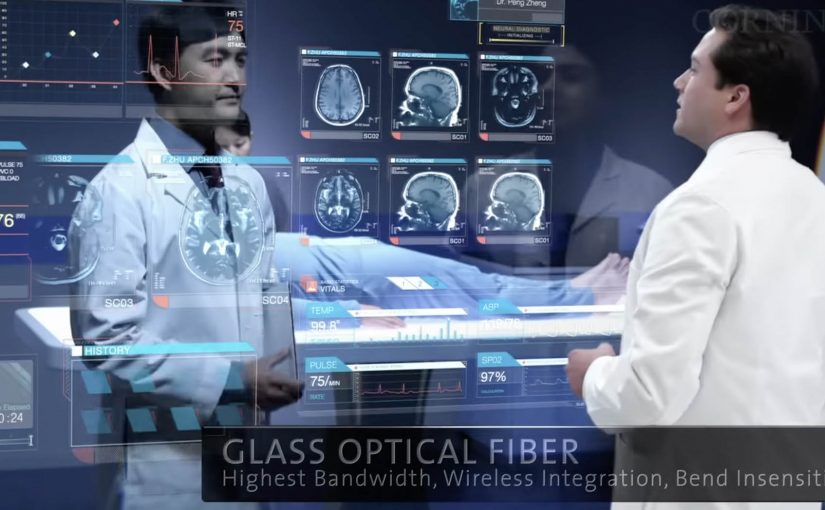
Corning is best known as a high-tech glass manufacturer. Their Gorilla Glass is used across a huge number of smartphones. In March last year they released “A day made of glass”. A futuristic look at glass technology.

Now they are back with an expanded vision for the future of glass technologies. This video continues the story of how highly engineered glass, with companion technologies, will help shape our world.

What’s new in the expanded vision

The core mechanic stays the same. Glass is no longer a cover. It becomes the interface. The expansion is about reach and density. More environments. More surfaces. More moments where information appears “in place” and responds directly to touch.

In consumer electronics, automotive interiors, and collaborative workplaces, the real shift is treating surfaces as shared touch-first interfaces rather than single-purpose screens.

The interaction pattern underneath the glass

Strip away the material science and you can see a product blueprint. Persistent identity across contexts. Content that follows the user. Direct manipulation as the default. And big surfaces that invite more than one person to participate at the same time.

In global enterprise and consumer-tech product teams, smart-surface visions only pay off when the interaction rules stay coherent across devices and contexts.

Why this vision sticks

It sells immediacy. You touch the thing you mean. You get feedback where your eyes already are. There is less “device ceremony”, meaning fewer unlocks, app switches, and mode changes, and more task flow. Because the interaction is direct and feedback stays in place, the experience feels faster and more trustworthy, which is why these concept films can persuade even before the enabling tech is fully mainstream. These concept films are worth using, but only if you translate them into interaction rules you can actually prototype. The real question is whether you can keep those rules coherent across surfaces once the demo glow fades.

Extractable takeaway: When you are designing a future-facing experience, define the interaction grammar first, meaning the repeatable set of gestures, feedback cues, and handoffs that make the experience feel consistent. If the same gestures, feedback, and handoffs work across two form factors, your concept has legs. If they don’t, the material is just a costume.

Steals from the smart-surface UX model

  • Prototype the handoffs early. Moving from phone to wall to table is where visions usually collapse. Test that seam before you polish anything else.
  • Design for two people, not one. Large surfaces create collaboration by default. Add rules for turn-taking, ownership, and conflict resolution.
  • Keep data anchored to the decision. The strongest moments are when information shows up exactly where action happens, not in a separate dashboard.
  • Make “glanceable” a first-class mode. If the surface is always there, the experience must work in 2-second looks, not only long sessions.

A few fast answers before you act

What is “A Day Made of Glass 2” actually demonstrating?

It demonstrates an interface direction. Glass surfaces behave like interactive displays, so information can appear in place and be manipulated directly by touch.

Is the value here the glass technology or the UX model?

The transferable value is the UX model. Direct manipulation, seamless handoffs, and multi-user surfaces. The materials enable it, but the interaction design makes it believable.

What is the biggest risk in “smart surfaces everywhere” thinking?

Interface overload. If every surface can talk, the environment becomes noisy. The discipline is deciding when to stay quiet and when to surface the one next action.

How do you scope a first prototype so it stays realistic?

Pick one job-to-be-done, two surfaces, and a single handoff. Then enforce a small set of interaction rules so you can observe friction before you add polish.

What is one practical next step after watching the video?

Write down the 6 to 10 interaction rules you believe the film is using. Then build a rough prototype that applies those rules in two contexts, such as phone plus kiosk, or tablet plus meeting room display.
Corning: A Day Made of Glass

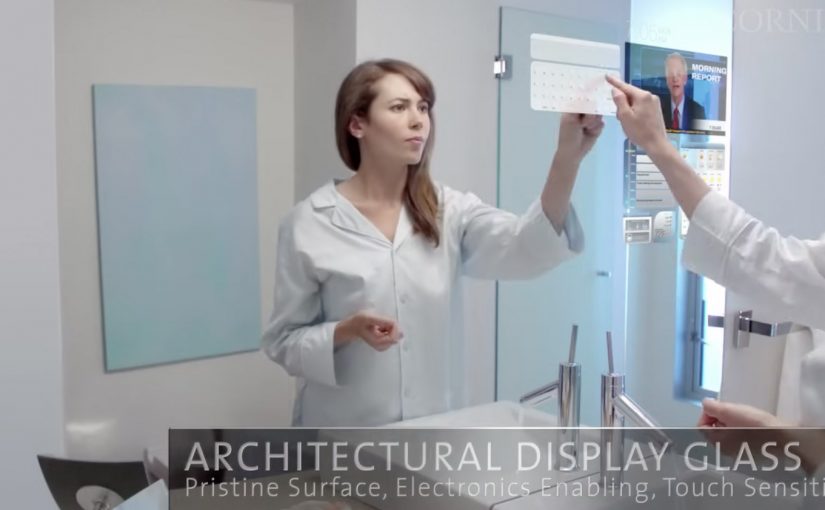
Here is a future vision video by Corning, on where they see multi-touch digital displays over the next few years. Multi-touch means the surface can track several fingers or hands at once, so gestures like pinch, rotate, and shared interaction become natural.

What the film is really demonstrating

The core mechanic is simple. Turn glass from “protective cover” into “primary interface”. Every surface becomes a screen. Every screen becomes responsive to direct manipulation. Information follows you across contexts, from home to school to office, with the same touch-first language, meaning a shared set of gestures and feedback that stays consistent across devices.

In consumer electronics and workplace IT, concept films like this are used to align designers, suppliers, and product teams around a shared interface direction.

The real question is whether your interaction language can stay consistent as screens spread across surfaces and contexts.

Treat the glass as incidental. The interaction model is the product.

Why it lands

It removes the usual friction between people and devices. No boot-up rituals, no “find the remote,” no hunting through menus. You touch the thing you want to change, and the system answers in place. That immediacy is the real promise, not the glass itself. Because the system responds at the point of intent, it reduces both cognitive load and coordination cost in multi-screen tasks.

Extractable takeaway: When you are pitching a new interface paradigm, show behavior before hardware. Make the gestures, feedback loops, and handoffs between screens unmistakable, so the idea remains valuable even if the materials and form factors change.

What to steal for your own work

  • Design the interaction language first. Define the small set of gestures and responses that can travel across surfaces, sizes, and contexts.
  • Keep information anchored to the object or task. The winning moments happen when data appears exactly where the decision is being made.
  • Plan for multi-user moments. Big surfaces invite collaboration. Design for two people at the same time, not just one user plus spectators.
  • Prototype the “seams.” The handoff between phone, table, wall, and car is where most visions break. That is the first place to test.

A few fast answers before you act

What is “A Day Made of Glass” trying to communicate?

It is a vision of glass becoming an interactive medium, where touch-first displays move from dedicated devices into everyday surfaces.

What’s the practical value of watching concept videos like this?

They are useful for spotting interface patterns early, then translating the patterns into near-term prototypes and roadmap language for teams and partners.

What’s the biggest product risk in “glass everywhere” thinking?

Over-indexing on the surface and under-investing in the interaction model. If the gestures, feedback, and context switching are weak, the material does not matter.

What is one immediate takeaway a UX or product team can apply?

Write a short “interaction grammar” for your experience, then test it across at least two form factors. If the grammar does not travel, the concept will not scale.

Who should use this kind of vision film internally?

Use it when you need to align design, product, and IT partners on a shared interaction direction before you lock hardware decisions.

Adidas: adiVerse Virtual Footwear Wall

A footwear wall that behaves like ecommerce

The future of instore displays is here. With this example you will see how today’s instore displays are evolving to meet our online experiences.

Adidas has created an in-store digital experience that was described at the time as showcasing over 8,000 Adidas shoes. The technology can be easily deployed to allow almost any retailer to sell the entire Adidas product range without having to be a flagship store in a major city.

How the adiVerse wall runs in-store

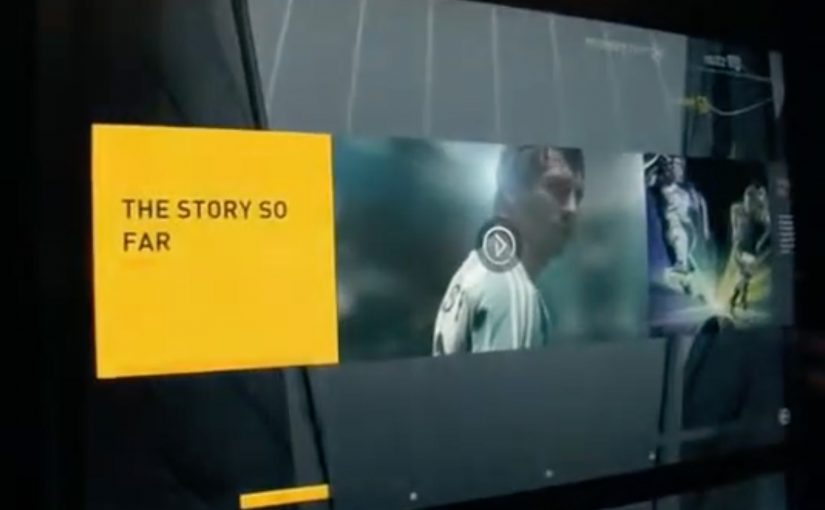
The experience is defined by a large footwear wall, made of multiple LCD touch screens that use facial recognition to detect a customer’s gender on approach to the wall. The adiVerse virtual footwear wall then customizes the product experience for that gender, and helps guide them to the perfect shoe.

Alternatively it lets them browse the entire range of products, with each shoe rendered in real-time 3D.

Endless aisle is a retail setup where a store sells the full catalogue digitally, even if only a fraction of it is physically stocked on the shelf.

Why it feels like online shopping, only bigger

This is essentially ecommerce browsing translated into a shared physical surface. You can scan, filter, compare, and inspect details, but the store controls the pacing and the context. The mechanism that matters is the blend of quick orientation plus depth on demand, and it works because shoppers can get to “relevant enough” fast, then only spend time on richer 3D detail when they care. In multi-brand sporting goods retail, bridging endless-aisle breadth with guided discovery is the difference between “too much choice” and “the right choice”.

Extractable takeaway: On any shared in-store screen, optimize for fast orientation first, then unlock depth only after the shopper signals intent.

The real question is whether your wall can move shoppers from browsing to a confident shortlist without turning discovery into an endless scroll.

Content depth for the winners, speed for everything else

The most popular products in the range get the full content play, including videos, game stats, product specs and even twitter feeds. Everything else stays light, so browsing does not become slow or confusing.

This “tiered content” approach is a practical way to keep performance high while still making hero products feel premium.

The retail play hiding inside the screens

In the end customers can add their selected product into a virtual cart, and check out via an iPad that the store sales staff would have.

That last step is the business intent. Sell the long tail without expanding floor space, while keeping checkout and assistance inside the store experience. Retailers should treat the wall as an assisted-selling surface, not a self-serve kiosk.

The adiVerse Virtual Footwear Wall is an in-store touchscreen wall that lets shoppers browse a large adidas shoe catalogue, inspect products in real-time 3D, and hand selections to store staff for checkout via tablet.

Patterns worth copying for your digital wall

  • Build an endless aisle that feels curated. Offer the full catalogue, but guide to a shortlist fast.
  • Use tiered content deliberately. Deep media for hero products. Lightweight data for everything else.
  • Make staff checkout the final bridge. Tablets in hand keep conversion human and immediate.
  • Design for “public browsing”. Big screens invite group decisions. The UI should support that.

A few fast answers before you act

What is the adiVerse Virtual Footwear Wall?

It is an in-store wall of touchscreen displays that lets shoppers browse a large adidas shoe catalogue, inspect products in real-time 3D, and pass selections to staff for checkout via tablet.

What does “endless aisle” mean in this context?

It is a retail setup where a store can sell the full catalogue digitally, even if only a fraction is physically stocked on the shelf. It expands choice without expanding floor space.

How does it personalize the experience?

It uses facial recognition to detect gender on approach and adapts the interface to that mode, while still allowing shoppers to browse the full range if they prefer.

Why does real-time 3D matter on a digital wall?

Because it supports confident decision-making in-store. Shoppers can inspect details quickly and compare options without needing a physical sample of every model.

What is “tiered content”, and why is it useful?

Hero products get rich media like video and deeper specs, while the long tail stays lightweight. This keeps browsing fast while still making winners feel premium.

How does checkout work in the flow?

Selections are handed to store staff who complete checkout on a tablet. That keeps conversion human and immediate, instead of pushing shoppers to leave the store journey.