
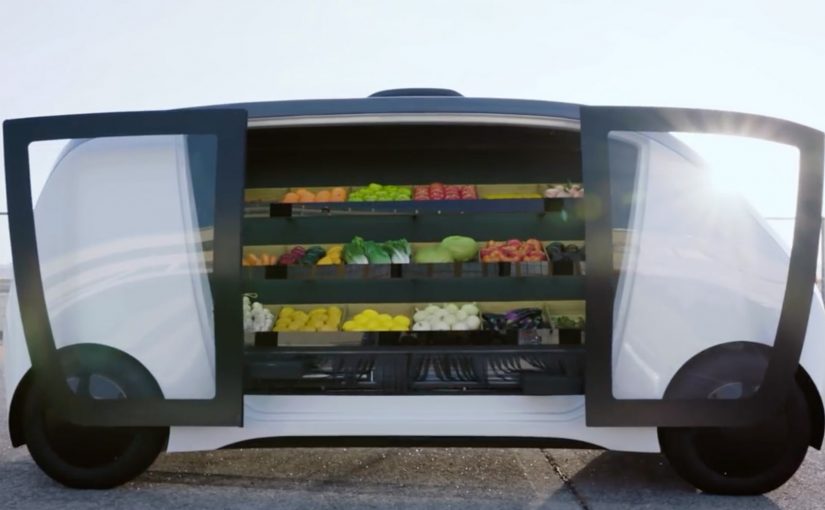
Robomart: driverless grocery at your door

Robomart: driverless grocery at your door

A mobile grocery store pulls up outside your door. You unlock it with a code, step up to the vehicle, pick what you want from everyday items and meal kits, and you are done. This spring, Robomart, a California-based company, teams up with grocery chain Stop & Shop to trial what it positions as a driverless grocery store service in Boston, Massachusetts.

What Robomart is solving in grocery

Grocery is often described as a roughly $1 trillion market, yet only a small fraction of spend moves online. Two frictions dominate. On-demand delivery is expensive for retailers to fund sustainably. And for many shoppers, the moment that matters is still the same: picking your own food.

How the Robomart experience works

The flow is designed to feel like the convenience of the old door-to-door model, updated with autonomous tech.

  1. You summon the mobile store using a mobile app.
  2. When it arrives outside your door, you enter a code to unlock the doors.
  3. You grab what you want from the on-board selection of everyday items and meal kits.

In this post, “driverless” is shorthand for a self-serve visit where the customer interaction is handled by software, not a human driver at the door.

In US metro areas where time-poor households do quick top-up shops, a curbside micro-store can trade delivery labor for self-serve convenience.

Why the code-unlock handoff feels trustworthy

The mechanism is simple: you physically see the inventory, you choose the exact item, and you only open what you are entitled to via an authenticated code. Because the handoff is “pick it yourself” instead of “accept a substitution,” the model reduces the trust and quality anxiety that makes grocery delivery feel risky for fresh and high-preference items.

Extractable takeaway: If you want on-demand convenience without paying full delivery labor, move the last meter of work back to the shopper, but keep the moment of choice in their hands.

The bigger pattern: autonomy scales door-to-door retail

For decades, consumers have enjoyed the convenience of a local greengrocer, milkman, or ice-cream vendor coming door to door. It rarely makes economic sense to scale. The claim here is that autonomous driving changes the cost equation enough to make the model viable at scale. The vehicle becomes a moving retail shelf, and the app becomes the “front door” that controls access and payment.

This model succeeds when autonomy removes labor cost, while shopper control stays high on selection, timing, and authentication.

For digital and retail leaders, the key design move is the same across variants. Make the pickup moment fast, self-serve, and verifiably secure. The rest is unit economics, route density, and replenishment discipline.

A second proof point: Nuro and Kroger’s autonomous lockers

A similar model shows up in summer 2018, when Nuro teams up with supermarket giant Kroger for autonomous grocery delivery in Scottsdale, Arizona. The mechanics differ. It is not a roaming mini-store. It is pre-picked orders loaded into secure lockers. But the handoff is the same. A code unlocks your groceries.

  • Customers place an order with Kroger via a smartphone app.
  • Staff load the autonomous pod’s secure lockers with the customer order at the depot.
  • When the “R1” autonomous delivery pod arrives, the customer enters a code to open the locker and access their groceries.

The two examples illustrate a useful split. Robomart maximizes shopper choice at the vehicle. Nuro and Kroger maximize efficiency by pre-picking, then making the handoff secure and low-touch.

What to steal for retail and CX teams

  • Design for viewer control at the moment of choice. If customers cannot see and select, they will demand tighter guarantees on substitutions, freshness, and refunds.
  • Make access visibly secure. Code-based access is not just a security control. It is a trust signal that “this is yours” and that the inventory is protected.
  • Keep the interaction time-boxed. The value proposition collapses if a “2-minute pickup” becomes a 10-minute browse, and route plans start to break.
  • Instrument the handoff, not just the app. Track unlock success, dwell time, abandoned sessions, and replenishment accuracy. That is where the model wins or dies.
  • Decide what you are scaling. If you scale choice, accept more on-vehicle assortment and replenishment complexity. If you scale efficiency, accept more pre-pick labor and substitution policy.

A few fast answers before you act

What is Robomart, in this post?

A “store on wheels” experience you summon via app, then unlock with a code so you can pick items directly from the vehicle.

Where does the Stop & Shop trial take place?

Boston, Massachusetts.

Why has grocery been slow to move online?

Retailers struggle to fund on-demand delivery economics, and many consumers prefer to pick their own food, especially for fresh and high-preference items.

What is the comparable example mentioned?

Nuro and Kroger’s autonomous grocery delivery service in Scottsdale, Arizona, using secure lockers opened by code on an “R1” pod.

What has to be true for this model to scale?

High route density, fast and reliable unlock-and-pickup flows, disciplined replenishment, and clear policies for availability, substitutions, and refunds.
Google Home Mini: Disney Little Golden Books

Google Home Mini: Disney Little Golden Books

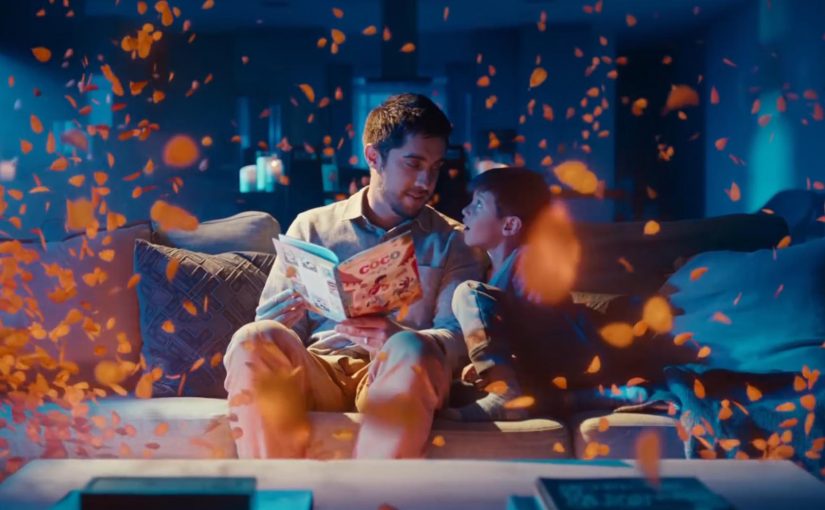
You start reading a Disney Little Golden Book out loud, and your Google Home joins in. Sound effects land on cue. The soundtrack shifts with the scene. The story feels produced, not just read.

The partnership. Disney storybooks with an audio layer

Google and Disney bring select Disney Little Golden Books to life by letting Google Home add sound effects and soundtracks as the story is read aloud.

How it works. Voice recognition that follows the reader

The feature uses voice recognition to track the pacing of the reader. If you skip ahead or go back, the sound effects adjust accordingly. If you pause reading, ambient music plays until you begin again. Because it can follow your pacing in real time, the audio can land on cue without you triggering effects manually.

Why it lands. Produced storytime without a screen

In family living-room media, the win is turning passive reading into a shared, timed audio experience without adding another screen. The listener hears the same beats the reader sees, so the room stays in one moment instead of splitting attention across devices.

Extractable takeaway: When you add an audio layer to an analog ritual, sync it to human pacing rather than button presses, so the experience feels guided while staying hands-free.

The real question is whether the audio layer earns its place by deepening the ritual, not by adding novelty.

This is a strong pattern for smart speakers because it increases interactivity without pulling a family into more screen time.

How you start. One voice command

To activate it, say, “Hey Google, let’s read along with Disney.”

Always listening during the story

Unlike typical commands, the smart speaker’s microphone stays on during the story so the device can follow along and add sound effects in the right moments.

Privacy note in the product promise

To address privacy concerns, Google says it does not store the audio data after the story has been completed.

Where it works

This feature works on Google Home, Home Mini, and Home Max speakers in the US.

What to copy for read-along audio experiences

  • Anchor to a ritual. Start with something people already do, then add audio that fits the habit.
  • Follow the human pace. Track reading speed, pauses, and backtracking so timing feels natural.
  • Keep it screen-free. Make the audio layer the enhancement, not a gateway to another display.
  • State the privacy posture. If the mic stays on, explain clearly what is and is not retained.

A few fast answers before you act

What is “Read along with Disney” on Google Home?

It is a Google and Disney feature that adds sound effects and music to select Disney Little Golden Books while you read aloud.

How does it stay in sync with the reader?

Voice recognition follows the pacing of the read-out-loud audio and adjusts if you pause, skip ahead, or go back.

How do you start it?

Use the voice command shown in the post, then begin reading the supported book out loud so the speaker can follow along.

What is the key experience detail that makes it feel “produced”?

The audio layer lands on cue as you read, so the story rhythm feels guided without the reader needing to trigger effects manually.

What is the stated privacy promise during the story?

The product promise described here is that audio is used to follow the reading experience and is not kept after the story completes.

Mercedes-Benz: Yes, A.I. Do

Mercedes-Benz: Yes, A.I. Do

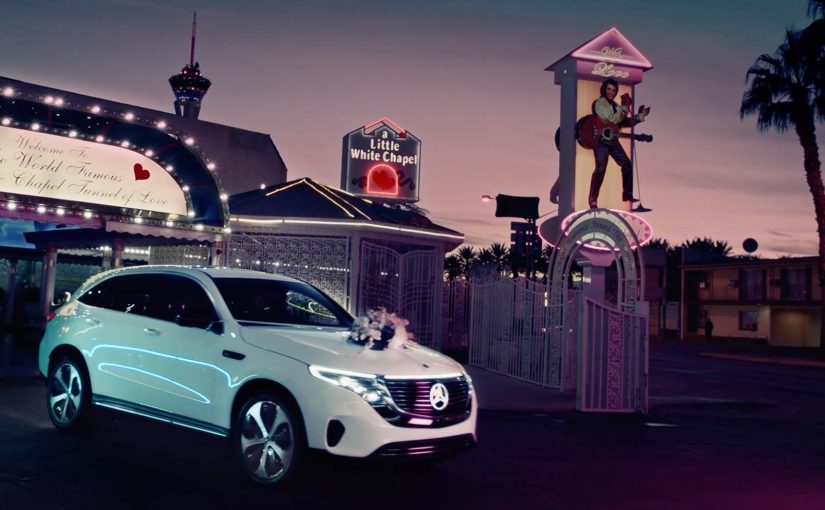
For the world premiere of their new Mercedes-Benz EQC at CES 2019 in Las Vegas, Mercedes transformed their new model into a wedding carriage. Four lucky couples were invited to test drive the new Mercedes-Benz EQC on the roads of Las Vegas and experience its special A.I. features first hand. In this context, “A.I. features” refers to the in-car intelligent functions Mercedes chose to demonstrate during the drive.

The real question is how you make a new, tech-heavy product feel experienceable in minutes, not explainable in slides.

Why this launch twist works

By wrapping a CES tech premiere in a wedding ritual and putting couples behind the wheel, Mercedes turns abstract capability into visible behavior. The ritual creates instant stakes and attention, so the A.I. moments are noticed as part of a real drive, not as claims.

Extractable takeaway: If your features are hard to describe, borrow a human ritual people already recognize so the experience carries the technology.

  • It turns a product reveal into a story. A “wedding carriage” reframes a tech premiere into an experience people immediately understand.
  • It makes A.I. tangible. Instead of describing features on a stage, it puts them into a real drive where reactions matter.
  • It earns attention without shouting. The setup is unusual enough to travel, while still keeping the car at the center.

In consumer-tech and automotive launches where attention is fragmented and skepticism is high, familiar rituals help audiences grasp “what is happening” before they judge “what it does”.

Steal the ritual frame for launches

Wrap a launch moment in a simple, human ritual. Then invite a small group to experience the product in-context so the story carries the technology, not the other way around.

  • Pick a ritual that already means something. Use a simple human frame to make the launch instantly legible.
  • Let real use do the persuading. Put the product into an in-context experience so reactions carry more weight than narration.
  • Keep the product as the stage. The theme should guide attention toward the product experience, not away from it.

A few fast answers before you act

What happened in the Mercedes-Benz “Yes, A.I. Do” activation?

For CES 2019 in Las Vegas, Mercedes used the EQC premiere as a wedding-carriage themed experience and invited four couples to test drive the car and experience its A.I. features first hand.

Why use couples and a wedding theme for a car launch?

It creates an instantly recognizable narrative frame, which makes the activation easier to remember and easier to share than a standard demo.

What is the main takeaway for product launches?

Give the viewer a clear story hook, then let the product prove itself through a real experience rather than through claims.

How do you keep a stunt from overshadowing the product?

Make the product the “stage”. The theme should guide attention toward the experience of the product, not away from it.