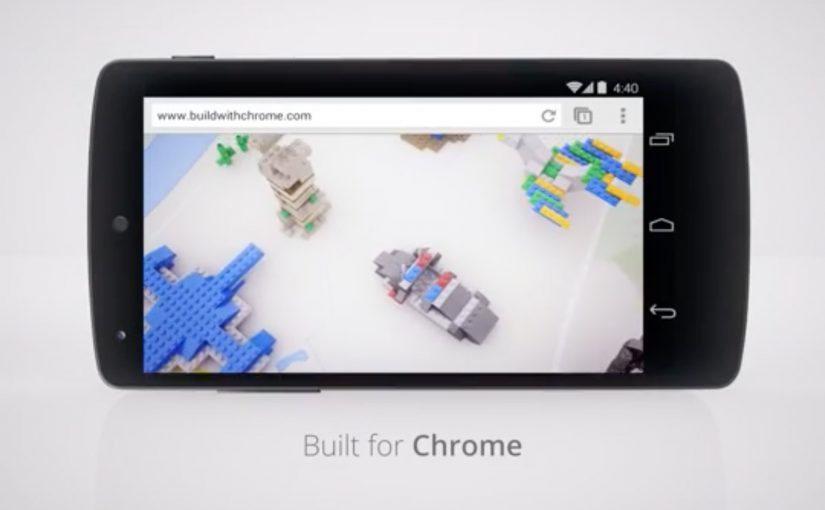
Google earlier this week released their latest Chrome Experiment in partnership with LEGO called “Build with Chrome”. In this case, a Chrome Experiment is a browser-based interactive demo built to show what Chrome can do.
Now anybody who visits www.buildwithchrome.com via their Chrome browser can use their mouse or touchscreen to build something out of the virtual LEGO bricks and share them directly on Google+.
Why this is a smart Chrome Experiment
This is a simple product demonstration disguised as play. It shows off what the browser can do by putting it in service of something people already understand. Building with LEGO.
Extractable takeaway: when you want people to remember a platform capability, attach it to a familiar action so the technology explains itself through use.
The real question is whether the experience makes the browser capability memorable by turning it into something people instantly know how to do.
- Low learning curve. If you can drag and drop, you can participate.
- Touch-ready by design. Mouse and touchscreen both make sense for “building”.
- Social distribution baked in. Sharing is part of the experience, not an afterthought.
For digital teams building interactive brand work, the useful pattern is to turn a technical capability into a familiar act people want to repeat and share.
What Google is really demonstrating here
The business intent is bigger than a playful LEGO build. Google is using a familiar creative act to position Chrome as a browser that feels interactive, responsive, and socially connected without needing to make that case through technical claims.
That matters because people rarely remember feature lists, but they do remember the tool that let them make something quickly and show it to others. The mechanism works because the act of building becomes the proof of the platform.
What to take from this if you are building interactive brand work
This is worth stealing because the experience stays focused on one clear behavior, then lets that behavior carry the product story.
- Make the capability tangible. Don’t explain performance. Let people feel it.
- Choose a familiar metaphor. Familiar mechanics reduce friction and increase time spent.
- Design sharing as a natural next step. If the output is personal, people want to show it.
- Keep the experience single-purpose. One clear activity beats a feature kitchen sink.
A few fast answers before you act
What is “Build with Chrome”?
It is a Google Chrome Experiment built with LEGO that lets people create virtual LEGO models in the browser using a mouse or touchscreen, then share them online.
Why partner with LEGO?
Because LEGO is an instantly understood building system. It makes the digital interaction feel intuitive, playful, and worth sharing.
What is the core marketing mechanic here?
Hands-on participation. The experience turns a browser capability into a personal creation that people can publish socially.
What makes a Chrome Experiment effective?
It demonstrates a technology through an interaction people enjoy, without requiring explanation, and it encourages sharing through an output people feel ownership of.
What is the transferable lesson for digital teams?
If you want people to remember a platform capability, wrap it in a simple activity that creates something personal and shareable.