
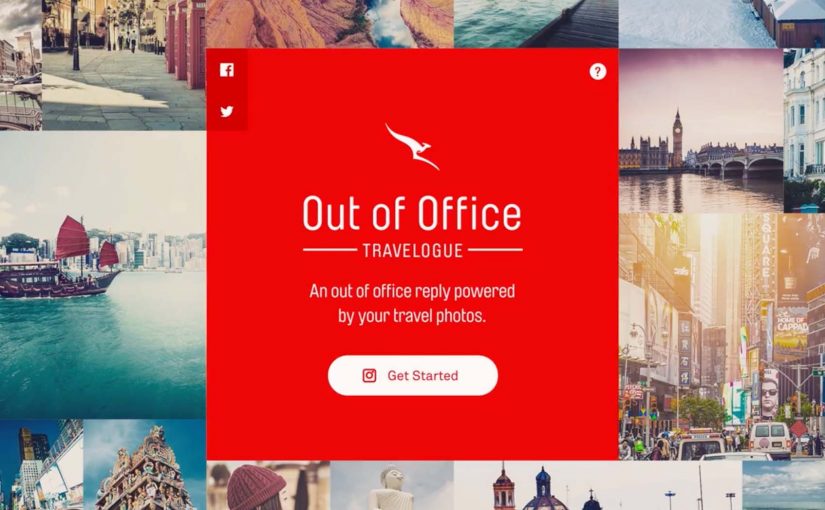
Qantas Out Of Office Travelogue

Qantas, Australia’s national airline, wants a new way to inspire travel with an increasingly younger audience. Their answer is a smart twist on a familiar behaviour. The out-of-office email. Instead of the usual “I’m away” message, Qantas turns it into a personalised travelogue powered by the user’s Instagram photos.

The mechanism is simple and effective. Qantas’ research shows that tips from friends and colleagues are a major driver for choosing the next holiday. So the brand uses Instagram’s API to transform a mundane autoresponder into something people actually want to read. A short visual story of where you are, what you are doing, and why it might be worth visiting.

What elevates the idea is the commercial bridge. The email does not just inspire. It incentivises recipients to book flights directly from the out-of-office message. This is social proof plus direct response, built into a format people already accept as normal workplace etiquette. The business intent is clear. Convert social inspiration into attributable flight demand inside the same interaction.

As a result, users created over 10,000 Out of Office Travelogues. The activity generated 100 million media impressions worldwide for Qantas.

Why this works as modern email strategy

Most marketing emails fight for attention in an overcrowded inbox. This one arrives with a built-in reason to be opened and read. It is a message you expect when you email someone who is travelling.

Extractable takeaway: When a brand can place a commercial message inside a communication people already expect, the marketing feels useful before it feels promotional.

It also uses the strongest distribution channel many brands overlook. People’s real networks. When your colleague shares their trip, even passively via an autoresponder, it carries more credibility than a brand-led destination ad.

This is one of the smarter ways to turn routine email behaviour into demand generation because it adds commerce without breaking the social norm that makes the message welcome.

The real innovation is the data-to-story pipeline

At a tactical level, the campaign is “just” an API integration. In practice, it is a reusable pattern. Here, data-to-story pipeline means turning user-owned content and simple signals into a coherent, bookable story unit.

  • Pull customer-owned content from a platform they already use.
  • Convert it into a lightweight narrative unit that fits a communication norm.
  • Add a clear, transactional next step without breaking the tone.

If you can operationalise that pattern, you can treat email not as static creative, but as a dynamic surface where personal context becomes relevant storytelling. Because the story is generated from a person’s real context, it feels more relevant and more trustworthy than static promotional creative.

In travel and hospitality categories where peer recommendation shapes intent, that makes email a distribution surface, not just a notification channel.

The real question is how far a brand can turn trusted everyday communication into measurable distribution without damaging the trust that makes it work.

What to watch if you replicate this pattern

The moment you use personal photos and automated messaging, the trust layer matters.

  • Permissioning and transparency. Make it obvious what is being pulled and why.
  • Control. Users need an easy way to curate what appears.
  • Brand safety. You need guardrails so the travelogue stays on-message without becoming intrusive.

What to steal for email-powered demand generation

  • Hijack a legitimate email type. Out-of-office replies get opened because the recipient expects them.
  • Turn personal content into a controlled story unit. User photos feel authentic, but only work when users can curate the output.
  • Embed the commercial action inside the narrative. Inspiration and booking sit in the same interaction, so intent has no time to cool down.
  • Use networks as distribution, not “audiences”. Colleagues and friends are higher trust than any destination banner.

A few fast answers before you act

What is the Qantas Out of Office Travelogue?

A personalised out-of-office email reply powered by the user’s Instagram photos, designed to inspire travel and drive bookings.

Why is the out-of-office format such a good carrier?

It arrives with intent and legitimacy. People expect it, and it is naturally tied to travel.

What is the core growth loop?

One person travels. Their network sees the travelogue via everyday email behaviour. The recipient gets inspired, and is pushed toward booking directly from the message.

What has to be true for this to scale?

Users need clear permissioning, easy curation, and a direct booking path that feels like a natural next step rather than a hard sell.

What results does Qantas report?

Over 10,000 travelogues created and 100 million media impressions worldwide.
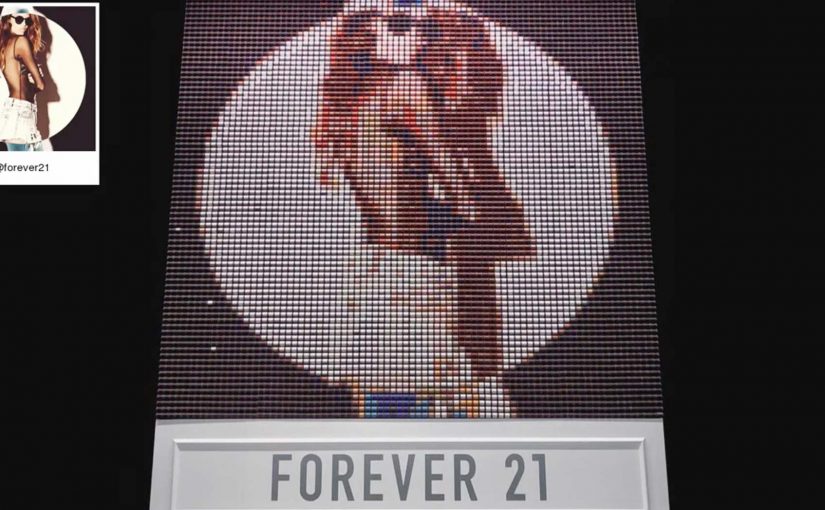
Instagram Powered Thread Screen by Forever 21

The F21 Thread Screen is a 2,000 pound machine that uses 6,400 mechanical spools of thread to display Instagrams hashtagged with #F21ThreadScreen. Melding fashion and technology, the Thread Screen is truly beautiful and unique. Hashtag an Instagram of you and your friends and see yourselves in a way unlike anything you’ve seen before…

Why this installation is so compelling

The idea is simple. Post with a hashtag. But the output is unexpected. Instead of a screen showing pixels, you get a physical, mechanical interpretation that feels handcrafted, even though it is powered by a heavy machine.

Extractable takeaway: When a familiar action produces a materially different output, people stop, watch, and share the surprise.

Because the installation turns a normal Instagram post into a moving, thread-based image, the same content earns attention as an in-store spectacle.

  • Digital input, physical output. A social post becomes a tangible display.
  • Participation is effortless. The only requirement is a hashtag, which fits existing behavior.
  • It creates a new kind of “share”. People share twice. First on Instagram. Then again when the installation shows them back in a surprising format.

In retail environments, where foot traffic is finite and attention is fragmented, turning social participation into a physical moment can convert passers-by into participants.

How to reuse the Thread Screen pattern

The real question is how you take a familiar social mechanic and make the payoff feel materially different in the real world.

Retail and fashion brands should not just “display social” in-store. They should translate participation into a physical moment people want to watch and capture.

  • Change the medium of the reward. Keep the action familiar (a hashtag), but make the output unexpected enough to feel handcrafted.
  • Design for dwell time. Here, dwell time means the extra time people stay near the installation to see themselves appear and change.
  • Build in the second share. Give people a reason to post again, because the physical result looks nothing like a normal screen.

A few fast answers before you act

What is the Forever 21 Thread Screen?

It is a large-scale mechanical installation that uses thousands of thread spools to display Instagram posts tagged with #F21ThreadScreen as a physical, moving thread-based image.

How does a visitor participate?

They post an Instagram photo with the hashtag #F21ThreadScreen, which the installation then pulls into the display.

Why is this effective for retail and fashion brands?

It turns social participation into an in-store spectacle, giving people a reason to engage, watch, and share again from the physical experience.

What is the key takeaway?

Do not just “display social”. Transform it. The more unexpected the medium, the more memorable the experience becomes.

Ikea PS 2014 Instagram Website

You open Instagram and land on Ikea_ps_2014. The grid does not look like a typical brand feed. Each tile behaves like a navigation button. Benches. Tables. Storage. You tap a category image, reveal hidden tags, and jump straight into product views. Instagram becomes the website.

The idea. A catalog built inside Instagram

Ikea has made a name for itself as a trustworthy and affordable source of stylish home decor. In Russia, to promote the PS 2014 collection, Ikea teams up with Moscow-based agency Instinct to approach Instagram in an entirely new way.

How it works. Categories in the grid, products in the tags

The Ikea_ps_2014 Instagram account serves as the campaign website. Each post represents a product category like benches or tables. When you tap a category image, hidden tags reveal “links” to the products within that category.

Here, “hidden tags” are simply Instagram photo tags used as tap targets, so navigation stays inside native Instagram behavior.

Every one of the 34 items in the collection also receives its own Instagram account. For example ps_laptop_station and ps_side_table.

The real question is whether you can turn a platform habit into structured product discovery without forcing people out of the app.

In consumer brands promoting a collection across many items, this pattern uses a social grid as a lightweight category tree.

Why it matters. An app used beyond its intended design

The Instagram app is certainly never meant to be an Ikea catalog website. The mechanism is simple: category posts behave like menu tiles, and tags behave like links, so thumbs do what they already do in Instagram. That is why the experience feels like browsing, not “clicking out”. This is worth copying when the native UI can carry the journey end-to-end, not when you need heavy comparison, configuration, or checkout.

Extractable takeaway: If a platform already has a grid, a tag system, and a tap habit, you can repurpose those primitives into navigation and keep discovery inside one familiar surface.

Where it connects. Earlier “feed as experience” examples

Earlier this year, Mazda and JWT Canada turned the car-maker’s Instagram feed into an interactive road trip, replacing specs with images and videos that followed the vehicle on an epic adventure. Over the course of four months, the campaign “Long Drive Home” helped grow Mazda Canada’s Instagram following by more than 300%.

Similarly, the Toronto Silent Film Festival turned its feed tsff2014 on its side, creating an interactive timeline complete with factoids and video clips to celebrate Charlie Chaplin’s 100 years on film.

What to copy from this build

  • Start with categories. Treat the grid as a menu so users can self-select a path.
  • Use tags as links. Turn existing tap targets into jumps to deeper product views.
  • Keep the journey native. Let the platform’s follow, view, and tag behaviors do the work.
  • Design for scan first. Make each tile legible as navigation, not just as content.

A few fast answers before you act

What is the Ikea PS 2014 Instagram website?

A campaign that uses an Instagram account as a navigable catalog. Grid posts act as categories, and photo tags act as links to product accounts.

How do people navigate it?

Users tap category images in the grid, reveal the photo tags, and jump to specific product pages inside Instagram.

What is the key execution detail?

Each PS 2014 product gets its own Instagram account, so exploration happens via Instagram’s native follow, view, and tag behaviors.

Why does this work on mobile?

It turns a familiar mobile habit, browsing a feed, into structured discovery without forcing users into a new interface.

What is the transferable pattern?

Treat platform constraints as UI elements. Build navigation out of what the platform already provides instead of fighting it.