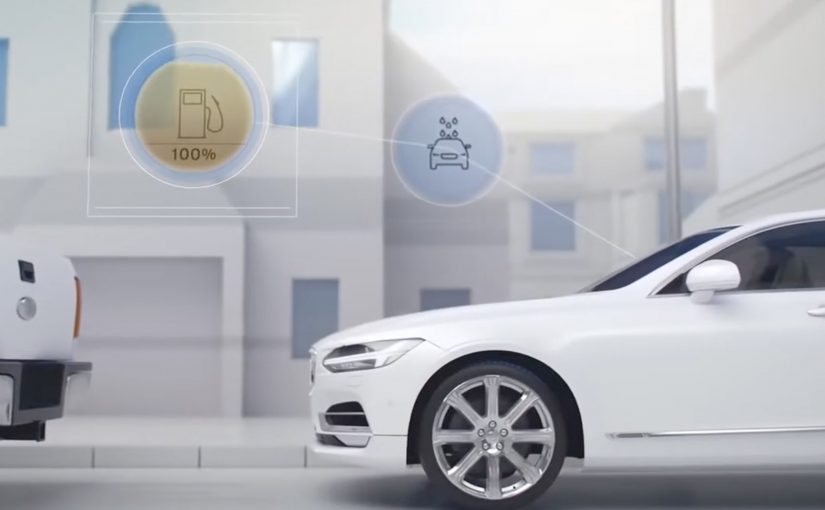
Volvo is actively experimenting with moving beyond simply building and selling cars. With Volvo Keyless Cars and Volvo In-Car Delivery, the direction is clear. Build a service layer around the vehicle. Volvo’s latest effort creates a concierge-style service ecosystem that gives customers access to third-party service providers who can remotely refuel the car, run a car wash, handle servicing, and more. Here, “concierge” means services happen while the car is parked, without the owner being present.
The heart of Volvo Concierge Services is the digital key. A one-time-use, location- and time-specific key that gives an approved service provider access to the vehicle. That matters because it keeps the car secure and removes the need for the owner to meet someone and physically hand over keys. Whether the supplier is a refuelling company, a valet parking attendant, or Volvo itself for maintenance, the provider uses an app to remotely unlock the car and allow the engine to turn on.
The Volvo Concierge Services are currently being tested in the San Francisco Bay Area with owners of the new Volvo XC90 SUVs and S90 sedans.
The digital key is the unlock. The services are the business model
This is not just about convenience. It is a structural shift. Once access becomes software, it can be controlled precisely. Who gets access. For how long. Where. For what purpose. Because access can be time-bound, location-bound, and single-use, you can reduce handover friction without opening the vehicle to broad, persistent access. That is the foundation you need to turn a connected car into a platform for partners and post-sale services.
In connected-car programs, the hardest step is making third-party access both permissioned and low-friction for owners.
The real question is whether you treat the digital key as a convenience feature, or as the control plane for a partner service layer.
Why “remote access without handover” changes behaviour
Traditional servicing and add-on services create friction. Scheduling. Meeting. Waiting. Key logistics. Concierge Services reduces that friction by making the car addressable when it is parked, and by making access safe enough to involve third parties.
Extractable takeaway: If you can grant narrowly scoped, auditable access without coordination, a parked asset becomes an addressable surface for services.
What to pressure-test before you scale a service ecosystem
- Trust and governance. Who qualifies as an approved provider. What is logged. What can be revoked instantly.
- Edge cases. What happens if something goes wrong mid-service. What support paths exist for customer and provider.
- Consistency of experience. If third-party services vary in quality, the brand still owns the perception.
- Security by design. One-time, time-bound, location-bound access is powerful. It has to be implemented rigorously.
A few fast answers before you act
What is Volvo Concierge Services?
A service ecosystem around Volvo cars that enables approved third-party providers to refuel, wash, service, and handle other tasks with controlled remote access to the vehicle.
What enables the service providers to access the car?
A one-time-use, location- and time-specific digital key that unlocks the vehicle through an app without physical key handover.
Where is it being tested?
The service is being tested in the San Francisco Bay Area, with owners of Volvo XC90 SUVs and S90 sedans.
What is the core strategic takeaway?
When access becomes software, the car can support a partner service layer that keeps creating value after purchase.