Most coverage of AI image tools still reads like a model beauty contest. One tool wins on realism, another on style, another on speed, and the audience gets the usual low-value conclusion: try them all and see what sticks.
That is not how serious content teams operate. Julia McCoy’s walkthrough is useful because it puts seven popular image tools in one frame, but the more commercially useful lens is different. The job is not to admire outputs. It is to identify which image model helps a team move from prompt to publish with the least waste.
Identifying image models that can actually ship assets
Most teams do not need the most impressive image model in the abstract. They need the right model for the job in front of them, which means matching the tool to the asset type, approval risk, speed requirement, and downstream workflow.
The missing discipline is model-fit. Model-fit is the discipline of choosing an image generator based on what the asset needs to do in production, not just how good the first output looks on screen.
In enterprise content operations, the winning model is usually the one that survives review, resize, and reuse without spawning manual cleanup. At enterprise scale, the issue is not just image quality. It is whether the asset can move cleanly into DAM, CMS, localization, and approval workflows without creating governance exceptions.
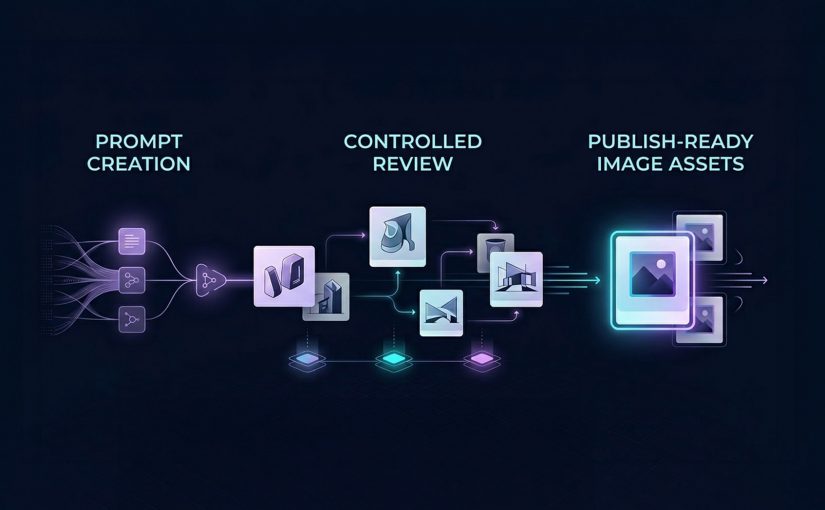
The right image model is the one that reduces production friction, preserves brand control, and helps teams ship usable assets. The real question is not which model looks best in a demo, but which one moves a team from prompt to publish with the least waste.
What each image tool is really good at
DALL-E 3 in ChatGPT: Best when teams need fast branded content
DALL-E 3 is best understood as a conversational image generator inside a broader workflow. Its advantage is not just image creation. It is the ability to iterate in natural language, refine outputs quickly, and adapt formats without breaking flow. That makes it especially useful for social graphics, rough branded concepts, and content support assets where speed matters as much as polish.
This is where operator value shows up. If a team can move from idea to usable asset in one conversational environment, production friction drops. The catch is that text rendering can still be unreliable, which means it should support content production, not replace design QA.
Midjourney Alpha: Best when the brief needs visual drama
Midjourney Alpha is a high-detail image model built for stronger visual impact. Its web interface makes the workflow cleaner than the old Discord-first experience, but the reason teams use it is simpler. It produces more dramatic, presentation-friendly imagery when the brief needs mood, depth, or aesthetic intensity.
That makes it a fit for keynote headers, thought-leadership visuals, blog hero art, and concept-led storytelling. The trade-off is practical. High aesthetic quality does not always translate into reliable likeness, identity accuracy, or brand-safe precision.
Meta AI: Best when speed of iteration matters more than finish
Meta AI is most useful as a fast iteration tool. Its strength is responsiveness. It lets users shape and reshape images quickly while prompting, which makes it valuable for early concept exploration and low-friction experimentation.
For content teams, that matters when the task is not final asset creation but directional testing. It is less useful when the workflow depends on reference-image fidelity or more controlled production behavior.
Microsoft Designer: Best for learning prompts and creating simple content fast
Microsoft Designer is less about highest-end image quality and more about accessibility. It helps users understand what prompt ingredients influence outputs, which makes it useful for beginners or teams building prompt literacy.
That makes it a practical choice for low-risk social content, internal creative exploration, or teams still learning how to brief image models effectively. The limitation is consistency. What helps teams learn does not always help them ship premium assets.
Canva Magic Media: Best when generation needs to flow straight into design
Canva Magic Media matters because it sits inside a design workflow marketers already use. That is its real advantage. The value is not only the image. It is the reduced distance between generation, editing, background removal, layout, and final export.
For marketers and in-house content teams, that can matter more than absolute model quality. If the asset is headed straight into campaign design or social production, workflow integration often beats raw creative range.
Adobe Firefly: Best when style control and enterprise workflow matter
Adobe Firefly is the most relevant tool here for teams that care about stylistic control and closer alignment with professional creative workflows. Its strength is not just generation. It is controlled generation inside a broader production ecosystem.
That makes it more commercially useful for teams already operating in Adobe-heavy environments. The value is greater when governance, consistency, and downstream editing matter more than novelty.
My Mood AI: Best when the brief depends on face fidelity
My Mood AI is not really competing for the same role as the broader image generators. It is a likeness-focused workflow built for personal headshots, creator-style visuals, and portrait-led use cases where the face is the asset.
That distinction matters. When the task is human likeness, general-purpose image models still break too often. A specialist approach makes more sense because the commercial requirement is not “make an image.” It is “make this person usable on-brand.”
Why workflow fit matters more than model hype
A lot of teams still talk about AI image tools as if the whole story is creative novelty. That undersells the real business value. The gain is operational.
When the brief is routed to the right model, review cycles shorten, manual cleanup falls, and more assets make it through approval into live use.
That is why workflow fit matters more than model hype. DALL-E 3 compresses ideation inside chat. Canva and Microsoft reduce handoff friction for everyday content creation. Adobe Firefly is stronger when generation needs to stay connected to a broader creative stack. Midjourney is more useful when visual impact is the point of the asset, not just a nice bonus.
The business mistake is trying to standardize on one “best” image model. The better move is to standardize on routing logic. Which briefs need speed. Which need design-system continuity. Which need strong hero visuals. Which need face fidelity. Which need heavy post-generation editing. That is the difference between tool sampling and commercially useful transformation.
A practical image stack teams can actually use
If I were setting this up for a content organization, I would not start by asking which single image tool to buy into. I would map asset demand first, then assign model lanes around asset class, approval risk, editing depth, and likelihood of reuse. Used properly, this is a governed routing layer, not an experimentation sandbox. Teams need approved tools by asset type, defined QA gates, and clear escalation when briefs require design, legal, or brand review.
Start with DALL-E 3, Meta AI, Microsoft Designer, and Canva for fast ideation and everyday content support. Move to Midjourney Alpha and Adobe Firefly when visual finish or downstream creative control matters more. Keep My Mood AI for portrait-led work where recognizability is the requirement rather than a nice-to-have. That routing model is more useful than forcing every brief through one “best” tool, because it cuts waste where content teams usually lose time: revision, cleanup, and rework.
A few fast answers before you act
Which AI image tool is best for fast branded content?
DALL-E 3 is the cleanest fit when the team wants conversational prompting and quick variations inside ChatGPT, while Canva and Microsoft Designer are stronger when the asset needs to move immediately into design or presentation workflows.
Which tool is best for presentation-grade visual impact?
Midjourney Alpha is the strongest fit when the asset needs mood, detail, and visual drama to carry the message. It is the best choice here when aesthetic intensity is part of the business value.
Which image tool fits marketers already working in design platforms?
Canva is the easiest fit for fast marketing production, while Adobe Firefly becomes more relevant when the team already works inside a professional Adobe-centered creative environment.
Can one image model cover every content use case?
No. The smarter operating model is to assign different tools to different jobs instead of pretending one model should own social content, hero art, headshots, and design-integrated production all at once.
What usually breaks before publish?
The failure point is usually not whether the tool can generate an image. It is whether the image survives review, edit depth, channel adaptation, and stakeholder scrutiny without creating more cleanup than value.
How should teams evaluate AI image tools commercially?
Evaluate them by prompt-to-publish fit. Look at production friction, brand control, workflow integration, face fidelity where needed, and how much manual rework the tool creates before an asset can ship.