Burger King Burn that Ad

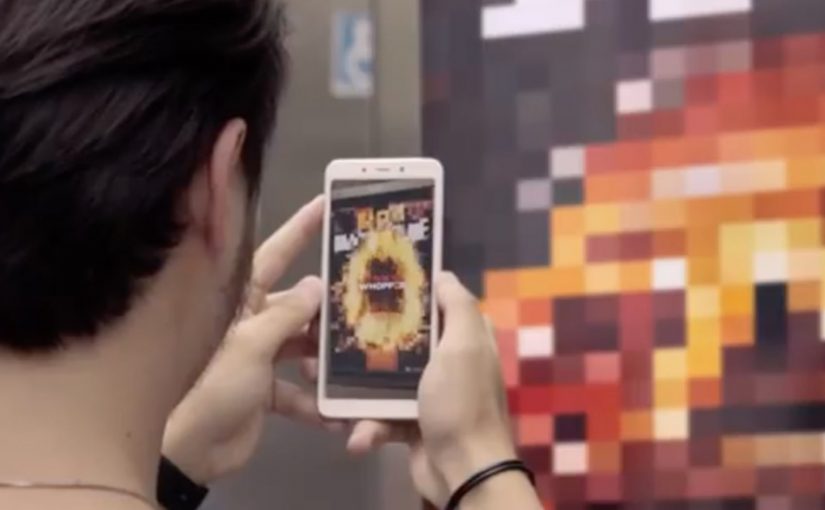
In Brazil, Burger King and ad agency David SP use augmented reality to “burn” competitors’ ads through consumers’ mobile phones. The reward is simple and immediate. Participate, and you earn a free Whopper.

Burger King expects to give away 500,000 Whoppers through the promotion, pushing more people to use Burger King Express, the service that lets customers pre-order food for pickup.

How “Burn that Ad” works

The mechanic turns rival advertising into a trigger. You point your phone at a competitor’s ad, the experience “burns” it in AR, and the payoff is a Whopper coupon. It is a direct, product-first incentive tied to a single action.

Why the reward is the strategy

This is not a brand-film play. It is a behavioural exchange. The customer does something specific in the moment, and Burger King pays them back with something they value immediately. That makes participation scalable beyond the novelty of AR.

The operational goal: Burger King Express

The giveaway is not only about footfall. It is designed to drive adoption of pre-order pickup via Burger King Express. The campaign builds a reason to try the service, not just the product.

What to steal

  • Turn a competitor’s presence into your acquisition trigger, without relying on complicated steps.
  • Keep the action simple and the reward tangible.
  • Link the incentive to an operational behaviour you want to scale, such as pickup pre-order adoption.

A few fast answers before you act

What is “Burn that Ad”?

A Burger King Brazil promotion that uses augmented reality to “burn” competitors’ ads on mobile phones and reward participants with a free Whopper.

What is the incentive?

A free Whopper, delivered via the promotion’s reward mechanic.

How many Whoppers does Burger King plan to give away?

500,000.

What business behaviour does it push beyond the giveaway?

Using Burger King Express to pre-order food for pickup.
Robomart

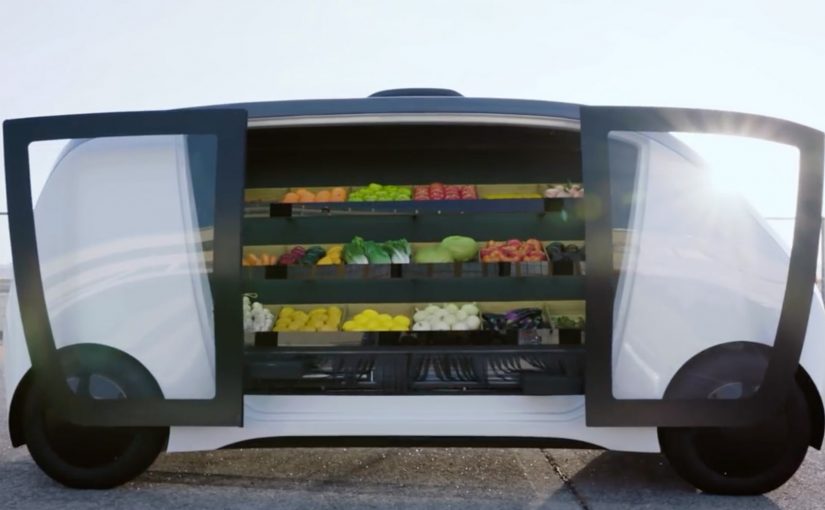
A mobile grocery store pulls up outside your door. You unlock it with a code, step up to the vehicle, pick what you want from everyday items and meal kits, and you are done. This spring, Robomart, a California-based company, teams up with grocery chain Stop & Shop to trial what it positions as a driverless grocery store service in Boston, Massachusetts.

What Robomart is solving in grocery

Only a tiny fraction of the $1 trillion grocery market moves online. Two reasons dominate. On-demand delivery is prohibitively expensive for retailers. And for many shoppers, it matters to pick their own food.

How the Robomart experience works

The flow is designed to feel like the convenience of the old door-to-door model, updated with autonomous tech.

  1. You summon the mobile store using a mobile app.
  2. When it arrives outside your door, you tap in a code to unlock the doors.
  3. You grab what you want from the on-board selection of everyday items and meal kits.

The bigger pattern. Autonomy makes “door-to-door” scalable

For decades, consumers have the convenience of a local greengrocer, milkman, or ice-cream vendor coming door to door. It rarely makes economic sense to scale. The claim here is that driverless technology changes the cost equation enough to make the model viable at scale.

A second proof point. Nuro and Kroger’s autonomous lockers

A similar model shows up in summer 2018, when Nuro teams up with supermarket giant Kroger for autonomous grocery delivery in Scottsdale, Arizona. The mechanics differ. It is not a roaming mini-store. It is pre-picked orders loaded into secure lockers. But the handoff is the same. A code unlocks your groceries.

  • Customers place an order with Kroger via a smartphone app.
  • Staff load the autonomous pod’s secure lockers with the customer order at the depot.
  • When the “R1” autonomous delivery pod arrives, the customer taps in a code to open the locker and access their groceries.

A few fast answers before you act

What is Robomart, in this post?
A driverless grocery store service you summon via app, then unlock with a code to pick items directly from the vehicle.

Where does the Stop & Shop trial take place?
Boston, Massachusetts.

Why has grocery been slow to move online?
On-demand delivery is expensive for retailers, and consumers often prefer to pick their own food.

What is the comparable example mentioned?
Nuro and Kroger’s autonomous grocery delivery service in Scottsdale, Arizona, using an “R1” pod with secure lockers opened by code.

Google Home Mini: Disney Little Golden Books

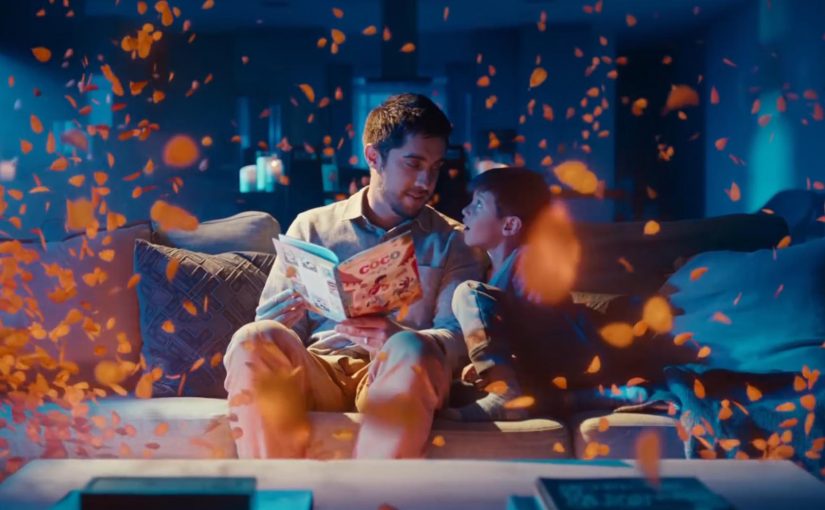
You start reading a Disney Little Golden Book out loud, and your Google Home joins in. Sound effects land on cue. The soundtrack shifts with the scene. The story feels produced, not just read.

The partnership. Disney storybooks with an audio layer

Google and Disney bring select Disney Little Golden Books to life by letting Google Home add sound effects and soundtracks as the story is read aloud.

How it works. Voice recognition that follows the reader

The feature uses voice recognition to track the pacing of the reader. If you skip ahead or go back, the sound effects adjust accordingly. If you pause reading, ambient music plays until you begin again.

In family living-room media, the win is turning passive reading into a shared, timed audio experience without adding another screen.

How you start. One voice command

To activate it, say, “Hey Google, let’s read along with Disney.”

Always listening during the story

Unlike typical commands, the smart speaker’s microphone stays on during the story so the device can follow along and add sound effects in the right moments.

Privacy note in the product promise

To address privacy concerns, Google says it does not store the audio data after the story has been completed.

Where it works

This feature works on Google Home, Home Mini, and Home Max speakers in the US.


A few fast answers before you act

What is “Read along with Disney” on Google Home?

It is a Google and Disney feature that adds sound effects and music to select Disney Little Golden Books while you read aloud.

How does it stay in sync with the reader?

Voice recognition follows the pacing of the read-out-loud audio and adjusts if you pause, skip ahead, or go back.

How do you start it?

Use the voice command shown in the post, then begin reading the supported book out loud so the speaker can follow along.

What is the key experience detail that makes it feel “produced”?

The audio layer lands on cue as you read, so the story rhythm feels guided without the reader needing to trigger effects manually.

What is the stated privacy promise during the story?

The product promise described here is that audio is used to follow the reading experience and is not kept after the story completes.