The restaurant of the future is a technology experience
Restaurants of the future are no longer defined only by food, service, or ambiance.
They become technology-driven environments, where digital interfaces blend directly into the dining experience.
Smartglasses, augmented reality, gesture-based interfaces, customer face identification, avatars, and seamless wireless payments begin to coexist at the table.
The result is not a single gadget. It is a fully integrated experience.
When dining becomes augmented
In the restaurant of the future, the menu does not need to live on paper or even on a phone.
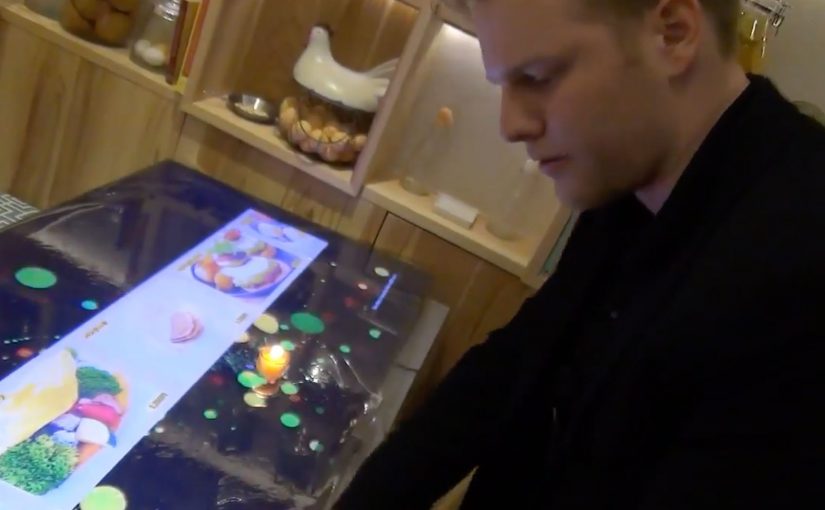
Information can appear in front of the guest through smartglasses or augmented displays. Dishes can be visualized before ordering. Nutritional details, origin stories, or preparation methods can surface on demand.
Gestures replace clicks. Presence replaces navigation.
The dining experience becomes interactive without feeling mechanical.
Identity replaces interaction
Face recognition and customer identification change how restaurants think about service.
Returning guests can be recognized instantly. Preferences, allergies, and past orders can be recalled automatically. Avatars and digital assistants can guide choices or explain dishes without interrupting human staff.
The restaurant adapts to the guest, not the other way around.
Payment disappears into the experience
Wireless payment technologies remove the most artificial moment in dining.
There is no need to ask for the bill. No waiting. No interruption.
Payment happens seamlessly as part of the experience, triggered by confirmation, gesture, or departure. Money moves, but attention stays on dining.
Mirai Resu. Japan’s restaurant of the future
To illustrate this vision, a short video from Mirai Resu in Japan shows what a fully integrated restaurant experience can look like.
Smartglasses, augmented visuals, gesture-based interaction, avatars, and invisible payment mechanisms come together into a single flow.
This is not a concept mock-up. It is a concrete glimpse into how dining, technology, and experience design merge.
In hospitality experience design, technology only “wins” when it fades into the flow and makes the human experience feel more effortless.
In experience-led hospitality brands, the winning AR layer is the one that keeps guests present while the service logic runs quietly in the background.
The real shift. Experience over interface
The most important takeaway is not the individual technologies. It is the shift away from explicit interfaces toward ambient interaction. By ambient interaction, I mean in-context cues and hands-free inputs that let guests act without hunting through screens. Restaurants should use this pattern to remove friction in ordering and paying, not to turn the table into a device demo. The real question is whether the tech can disappear enough that guests remember the meal, not the UI. Because the interaction happens in the moment and stays tied to the table, it keeps attention on dining, which is why it feels like hospitality rather than software.
Extractable takeaway: If an experience needs a screen to be understood, it is still an interface. The closer interaction stays to the real-world moment, the more it reads as service.
Steal this from AR dining
- Prototype the full flow, not a feature. Order, identity, assistance, and payment should feel like one service journey.
- Keep interaction in-context. Use gestures and overlays only when they reduce steps and keep guests present.
- Make personalization explicit and optional. Recognition only lands when guests understand the trade and can opt out.
A few fast answers before you act
Is this about replacing staff with machines?
No. The value is removing friction so staff can focus more on hospitality and less on transactional steps.
Why does augmented reality matter in dining?
It can add information and interaction in-context, without pulling guests out of the moment or forcing phone-first behavior.
What does the Mirai Resu example actually demonstrate?
It demonstrates orchestration. Multiple technologies can be combined into one coherent service flow, rather than isolated gimmicks.
Where does “customer identification” fit in this vision?
It enables recognition on approach and service personalization, but it only works when guests understand the trade and feel in control.
What is the design principle to steal?
Design for experience continuity. Keep attention on dining, and make technology support the flow rather than interrupt it.