
Playable Music Posters: Tap to Hear

Borders between media are blurring. Books are being swiped, magazines digitally scrolled and even in print one can today occasionally navigate. So it is no surprise when regular paper posters come to life on being combined with bluetooth, conductive ink, sensors and speakers.

Paper as an interface, not a surface

The mechanism is straightforward. Conductive ink turns parts of a poster into touch-sensitive zones. Sensors detect taps, knocks, or touch patterns. Bluetooth and small speakers, or a paired phone, provide the audio output. The poster stops being an image and starts behaving like a controller.

In public retail and event environments, touch-based posters only work when people feel safe and permitted to interact.

In consumer marketing and live environments, interactive print means print that senses touch and triggers a digital response. It is a way to turn passive out-of-home into a touchpoint that behaves like a device.

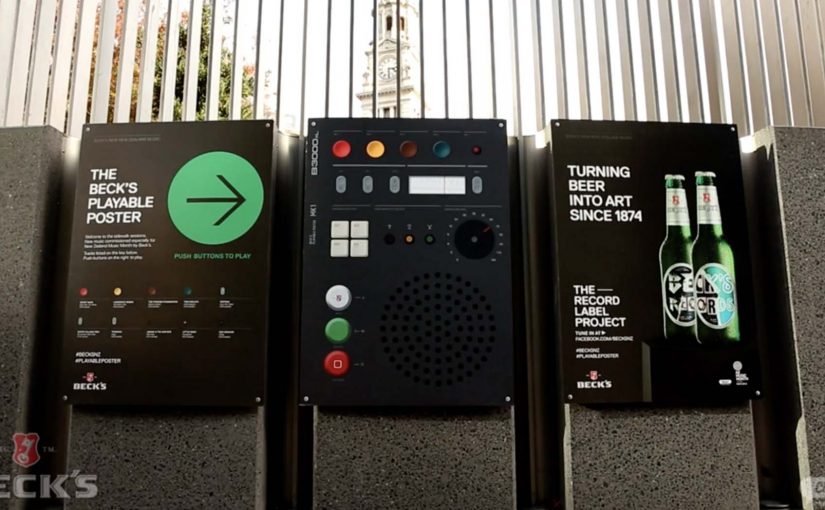
Beck’s Playable Poster

Looking for an innovative way to mark New Zealand’s Music Month, Beck’s partnered with Shine to design a playable poster. Using conductive ink and speakers the posters were made playable with a simple tap of the finger.

The Sound of Taste

Herb and spice brand Schwartz is all about flavour. So to dramatise flavour which was invisible and silent, they got print tech collective Novalia and ad agency Grey London to collaborate on an interactive poster. The poster used conductive ink to turn the surface area of the paper into an interactive interface that also connected to the viewers smartphone to deliver a richer experience.

Change the tune

Agency Republic from UK created a poster with an embedded sensor which when knocked changed the song being played on the agencies shared sound system.

Why these work: the demo happens in your hands

Each example keeps the interaction legible. Tap to trigger sound. Touch to explore flavour as audio. Knock to skip a track. The poster does not ask people to learn a new behavior. It hijacks an existing one, touching a surface, and rewards it instantly.

Extractable takeaway: When you want print to feel alive, make one obvious gesture trigger one immediate reward, and let the brand message ride on that moment of viewer control.

The real question is whether the interaction earns enough memorability to justify the added production. If the payoff is not instant and on-message, do not build it. Because the audience causes the outcome with a simple touch, the message sticks.

Practical patterns for interactive print

  • One interaction, one reward. Do not overload the surface with too many modes.
  • Make the “how” obvious. A tap zone, a knock cue, a simple instruction. Then deliver instantly.
  • Use phones as infrastructure. If pairing adds depth, let the phone do what paper cannot, audio, saving, sharing.
  • Design for public confidence. People will only touch a poster if it feels safe, clean, and socially acceptable.

A few fast answers before you act

What is “conductive ink” doing in these posters?

It creates touch-sensitive paths on paper, so taps or touches can be detected and mapped to actions like playing audio.

Do these posters need special printing like QR codes?

They still require specialist production, but the interaction can be integrated invisibly into the design. The poster itself becomes the control surface rather than carrying visible codes.

Why add Bluetooth to print?

Bluetooth allows paper to trigger sound through a phone or external speaker, which is essential when the content is audio or when you want richer layers than print can carry.

What makes an interactive poster feel “worth it” to a passer-by?

Immediate payoff and low friction. If the result is instant and satisfying, people will try it. If setup or pairing is slow, they walk past.

Where does this format fit best?

In environments where people have dwell time and curiosity, festivals, transit hubs, retail windows, office interiors, and brand experiences where interaction is socially normal.
Foxtel: The Alert Shirt

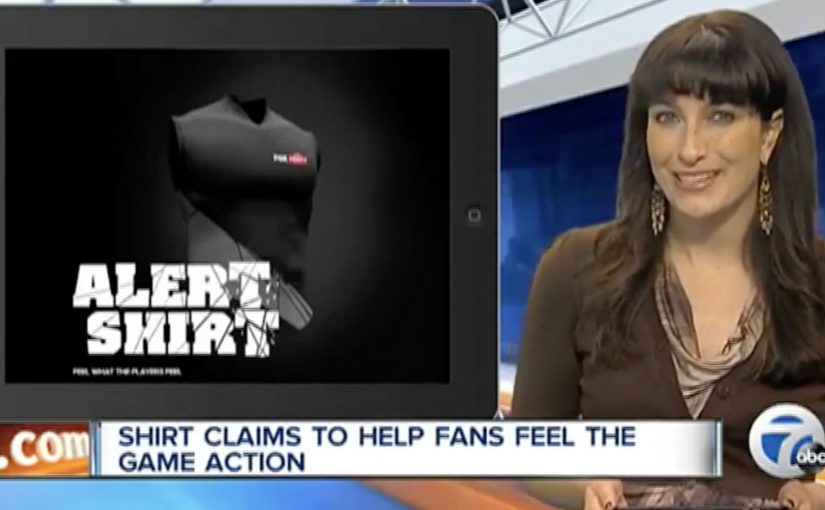
In September 2012, London fashion house CuteCircuit launched a wearable, sharable, programmable tshirt. Then in 2013, Durex Australia unveiled their wearable electronic underwear that allowed touch to be transferred over the internet. Now joining this growing trend of wearable electronic clothing is the Alert Shirt from Australian telecommunications company Foxtel.

Loyal Foxtel customers can use this special shirt to experience in real time some of the physical sensations their favorite players have on the field, including:

  • Pressure: A thumping heartbeat
  • Impact: The shock of a big hit
  • Adrenalin: An intense rush of blood
  • Exhaustion: Lungs burning with effort
  • Despair: A sudden sinking feeling

The data is transmitted via Bluetooth from smartphone app, and the shirt is powered by a lithium polymer cell battery.

From second-screen to second-skin

The mechanism is a clean translation layer. Live game moments are captured as data, the app receives them, and the shirt turns those signals into physical feedback. The experience is not about watching harder. It is about feeling the sport in parallel with the broadcast.

In subscription sports media, the strategic job is retention. The best fan experiences make the service feel like access to something you cannot get anywhere else.

Why it lands

This idea works because it turns fandom into a bodily cue, not just a viewing habit. It also frames “technology” as something you wear once, then forget. When it is working, the interface disappears and the sensation becomes the message.

Extractable takeaway: If you want to deepen engagement, do not add more features to the screen. Translate key moments into a new sensory channel that runs alongside the core experience, and make activation as close to effortless as possible.

What Foxtel is really testing

Beyond the spectacle, this is a trial of emotional stickiness. By emotional stickiness, the point is simple: give fans a stronger felt reason to come back for the live broadcast. The real question is whether that added intensity is strong enough to make Foxtel feel like the only place to experience the match properly. If the shirt can make a live match feel more intense at home, it creates a reason to watch live, to watch longer, and to choose the broadcast that supports the experience.

What sports broadcasters can steal from this

  • Design the sensation vocabulary. Map data to feelings in a way users can understand instantly.
  • Make the phone a bridge, not the destination. Use the app to pair and translate, then let the wearable carry the moment.
  • Keep the promise specific. Heartbeat, hit, exhaustion. Concrete signals beat vague “immersive” claims.
  • Build for live viewing. The value rises when timing is tight and the feedback feels synchronous.

A few fast answers before you act

What is the Foxtel Alert Shirt?

It is a connected shirt that receives live match signals via a Bluetooth smartphone app and converts them into physical sensations so fans can feel key moments in real time.

What problem does it solve for a broadcaster?

It makes the broadcast feel exclusive and more emotionally intense, which can support loyalty and repeat live viewing.

Why use physical sensations instead of more on-screen stats?

Because sensations do not compete with the main viewing experience. They add a parallel layer without asking the fan to look away.

What makes this kind of wearable feel credible?

Clear mappings between events and sensations, low setup friction, and tight timing so feedback feels connected to the moment.

How can another brand apply the pattern?

Choose a live experience with high emotion, capture a small set of meaningful signals, then translate them into a simple, repeatable sensory vocabulary.

The Adaptive Storefront: BLE Retail Display

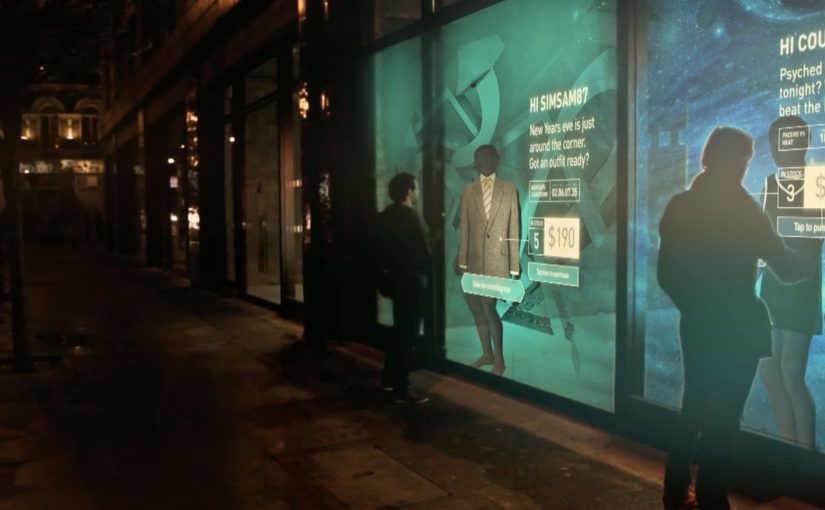
Shop windows, billboards, bus stops, and car showrooms do not have to be passive experiences. In the video below, a prototype interactive digital display adapts to whoever stands in front of it.

The display identifies shoppers using Bluetooth Low Energy (BLE) and reacts to personal data stored on the shopper’s mobile device, such as shopping habits and preferences. Shoppers can swipe through personalised content, place items in a virtual shopping cart, and purchase straight from the display.

When glass turns into a shoppable interface

This “adaptive storefront” concept takes a familiar retail surface and makes it behave like a storefront UI. Here, “adaptive storefront” means the window can recognise a nearby device via BLE and change what it shows based on data available on that device. Not a poster. Not a looped video. A live interface that changes per person and lets you complete an action while you are still in that high-intent moment of attention.

How the prototype behaves in front of a shopper

  • Detect. BLE proximity is used to recognise that a specific shopper is present.
  • Adapt. The display adjusts what it shows based on data available on the shopper’s phone.
  • Let the shopper drive. Swiping changes what is on screen, rather than forcing a fixed sequence.
  • Close the loop. Items can be added to a cart and purchased directly from the display.

In physical retail environments, the storefront is the first high-attention interface a brand controls before a shopper reaches the shelf.

Why it lands

Because the display can recognise a nearby device and accept input on the surface, it compresses discovery, consideration, and purchase into one interaction. The value is not the novelty of a “smart window”. It is the reduction of steps between interest and action, while the shopper’s intent is still fresh. The real question is whether you can do that with clear permission and control, not silent personalisation.

Extractable takeaway: A surface becomes valuable when it combines context with immediate action. Personalisation only earns its keep when it removes friction and helps a shopper decide faster, not when it merely looks clever.

What it is really trying to unlock for brands

Behind the demo is a clear ambition. Turn high-footfall surfaces into conversion surfaces. If the experience is permissioned and useful, it can bridge the gap between physical browsing and digital checkout without forcing a shopper to open an app, search, and start over.

That also hints at a measurement upgrade. A storefront that can be interacted with can be instrumented. What people swipe. What they ignore. What they add. Where they drop. That is a very different feedback loop than counting impressions.

Practical takeaways for adaptive storefronts

  • Start with one job-to-be-done. For example, “help me shortlist”, “show me what is in stock”, or “let me buy in two taps”.
  • Make control obvious. If swiping is the interaction, design the UI so people understand it in one second.
  • Keep data minimal and on-device. Use only what is needed to improve relevance, and avoid making the experience feel intrusive.
  • Design for the environment. Glare, distance, dwell time, and group behaviour change everything compared to mobile UX.
  • Plan the opt-in moment. The experience works best when the shopper understands why the screen adapts and what they get in return.

A few fast answers before you act

What is an “adaptive storefront” in plain terms?

It is a storefront display that changes what it shows based on who is standing in front of it, and lets the shopper interact and buy directly on the surface.

Why use BLE for this type of experience?

BLE enables low-power proximity detection, so a display can recognise a nearby device and trigger the right experience without requiring scanning a code each time.

What data is needed to personalise the display?

Only enough to improve relevance. For example, stated preferences, browsing history, or saved items, ideally kept on the shopper’s phone and shared with clear permission.

What makes this feel useful instead of creepy?

Permission, transparency, and value. The shopper should understand what is happening, control it, and get something meaningfully better than a generic screen.

What should you measure in a pilot?

Opt-in rate, interaction rate, add-to-cart rate, conversion rate, and whether the experience reduces time-to-decision without increasing drop-off.