WWF: The .wwf Unprintable PDF Format

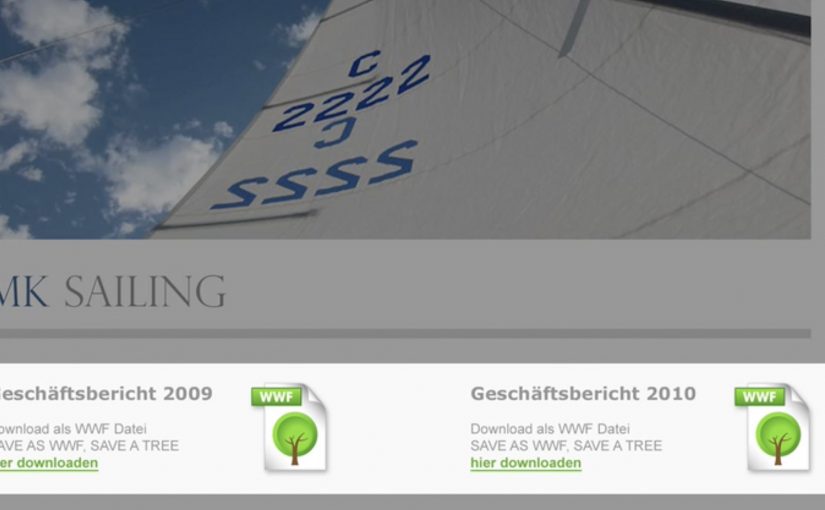
German ad agency Jung von Matt is back with another stellar idea. A new green file format called .WWF.

The WWF format is a PDF-like document that is designed not to print. The point is simple: avoid unnecessary printing by making the “do I really need paper for this?” decision explicit at the moment you save or share a file.

How the .wwf idea works

At the center is a small tool that lets you “save as WWF”. The resulting file behaves like a regular PDF for reading and sharing, but the print option is blocked by design. In other words, it is a familiar format with one permission deliberately switched off.

WWF frames this as a practical nudge within its broader “think before you print” message. It is not trying to shame printing. It is trying to stop the default reflex of printing what never needed to exist on paper in the first place.

In document-heavy organizations, small defaults like a print-disabled file option reduce waste because they change the decision moment without changing the workflow.

Why this lands beyond the gimmick

It turns a values statement into a product behavior. Plenty of sustainability campaigns ask people to care. This one asks people to choose differently in a place they already spend time: saving, sharing, and circulating documents.

It preserves user choice. The format does not decide what “should” be printed. It pushes the decision back to the sender, who knows the context. That framing matters, because it avoids the “policy tool” vibe and keeps it as a lightweight, voluntary habit.

It spreads by forwarding. A file format is distribution. When people send documents around, the format travels with the content and keeps reintroducing the idea in a natural, non-media-buy way.

What to steal for your own work

  • Change the default, not the lecture. If you want different behavior, move the intervention into the everyday step where the behavior happens.
  • Make the “good choice” feel like a normal choice. Keep the action one click away and compatible with existing habits.
  • Design for shareability. Tools and formats can be media when they travel inside the work people already exchange.
  • Define the mechanism in one sentence. “A .wwf file is essentially a PDF with printing permissions locked, saved under a different extension to force a conscious print decision.”

A few fast answers before you act

What is a .wwf file, in plain terms?

A .wwf file is a PDF-style document saved with a different extension and configured so that printing is blocked by default.

Is it truly impossible to print a .wwf document?

The intent is to block the normal print command, not to claim physical impossibility in every edge case. The point is to remove the easy, mindless print path.

How is this different from just using a “do not print” note?

A note is social friction. A format change is functional friction. The latter works even when people ignore instructions.

Where does this work best?

In teams that pass around drafts, read-only decks, internal updates, agendas, and reference documents. Anywhere printing is mostly habit, not requirement.

What is the real behavior change goal?

To make printing a deliberate act again. The win is fewer automatic prints, not zero printing.

Yellow Pages: Location Based Banner

Here is the next generation of interactive web banners. Tel Aviv agency Shalmor Avnon Amichay/Y&R promoted the Yellow Pages augmented reality location-based app by creating a banner that does the same thing.

The banner opens your webcam and lets you see the businesses around you. Wave your hand to switch between businesses. Click a business to jump straight to its Yellow Pages listing.

A banner that behaves like the product

The clever part is that this is not “interactive” for decoration. It is a working demo of the core value proposition. If the app helps you find what is near you, the banner proves that promise immediately, inside the placement, without asking you to imagine anything.

The mechanic: webcam as context, hand wave as UI

The flow is intentionally simple. Turn on the camera. Overlay nearby business options. Use a wave to move through results. Use a click to convert curiosity into action via the listing page.

In local discovery experiences, the strongest persuasion is a live, context-matched preview of usefulness rather than a feature claim.

Why it lands: it removes the “so what” gap

Most directory and local-search advertising dies in the space between promise and proof. This banner collapses that gap. You see your own context first, then you see results, then you can act. The interaction is the explanation.

Standalone takeaway: The fastest way to make a utility app feel essential is to let people experience the “aha” moment before they ever leave the page they are on.

What Yellow Pages is really trying to achieve

The business intent is to reposition Yellow Pages as modern, digital, and situationally useful, not just a legacy directory brand. The banner also creates a clear performance path. Engagement inside the unit, then click-out to a listing that can drive calls, visits, or follow-on app consideration.

What to steal from this execution

  • Mirror the product in the ad. If the product is a tool, make the ad behave like the tool.
  • Use one gesture people understand. A wave as “next” is instantly legible. No tutorial needed.
  • Keep the ladder of commitment short. Preview. Browse. Click through. No extra steps.
  • Make the experience readable for bystanders. In shared environments, obvious motion plus clear on-screen change sells the mechanic.
  • Watch privacy optics. If you turn on a camera, be explicit that it is for interaction and context, not identification.

A few fast answers before you act

What is a “location based banner”?

It is a banner ad that adapts its content to the user’s situation, typically location or environment cues, so the ad can show relevant nearby options instead of generic messaging.

How does this Yellow Pages banner work?

It opens a webcam view, overlays nearby business options, lets you wave to cycle through businesses, and lets you click a result to open the corresponding Yellow Pages listing.

Why use a webcam at all?

Because it makes the experience feel immediate and personal. The ad becomes a live “finder” interface rather than a static claim about finding things.

What makes gesture-controlled banners risky?

Friction and variability. If the gesture detection fails or is unclear, users assume the ad is broken. The interaction must be forgiving and the feedback must be instant.

What is the safest way to replicate the idea today?

Keep the mechanic to one simple input, provide clear on-screen feedback, and ensure the user can still get value even if they do not enable the camera.

Making Future Magic

Dentsu London has made two new films with Berg as a part of an ongoing series of collaborations bringing to life the ideas behind their strategy Making Future Magic.

Both videos show the growing number and variety of media surfaces as a canvas…

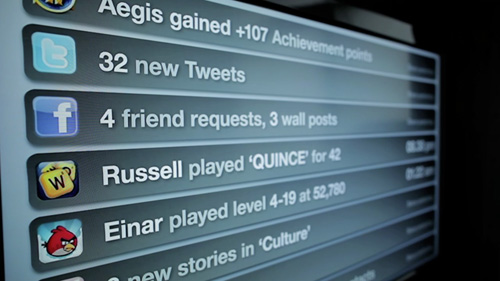
“Incidental Media” demonstrates a vision for a future in which media surfaces are everywhere, but are used to be playful, informative and to better connect you to your friends and family.

“The Journey” focuses on some of the opportunities around travel in stations and on trains.