McDonald’s Happy Table

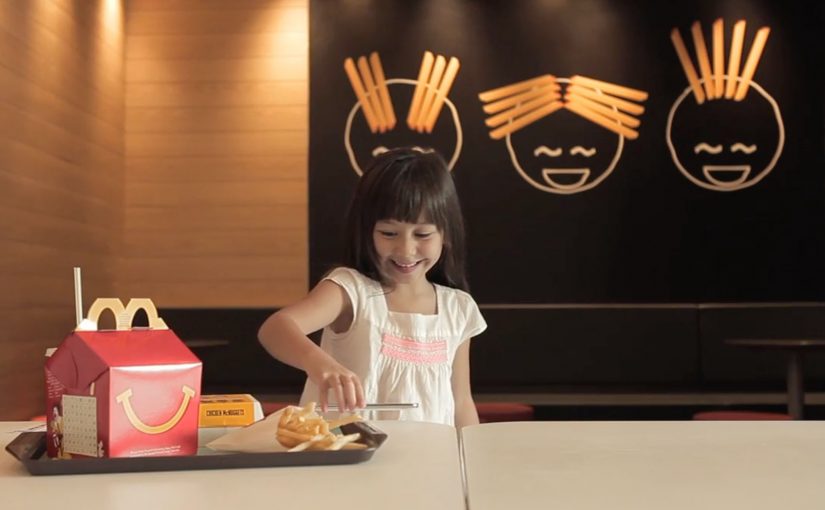
A child sits down in a McDonald’s Singapore restaurant, opens the McParty Run app on an NFC-enabled smartphone, and places the phone on a marked spot on the table. The tabletop immediately becomes the playfield. A McDonaldLand-style racing track appears around the phone, and the whole table turns into a shared game surface.

The idea. Turning a restaurant table into play

McDonald’s Singapore introduces Happy Table as an interactive dining concept that converts an ordinary in-store table into a digital playground for kids. Instead of handing out a traditional toy, the experience uses mobile technology to project a short, location-based game onto the table itself.

Here, “interactive dining” means the table is the shared surface for a short in-restaurant moment, and the phone is only the trigger.

How it works. McParty Run plus NFC

The mechanic is simple and deliberately physical:

  • Customers download the McParty Run mobile app.
  • The phone needs to be NFC-enabled.
  • The customer places the phone on a designated table inside the outlet.
  • Once the table detects the device, the tabletop becomes a virtual racing track, with animated characters and objects appearing around the surface.

Kids move around the table to control the game, racing to collect burgers and fries while avoiding familiar McDonald’s characters like the Hamburglar and Captain Crook. The table is the center of interaction, so the gameplay is naturally shared and social.

In family-oriented quick-service restaurants, the table is the shared touchpoint everyone already gathers around.

Why this is interesting in-store

Happy Table shifts the experience away from passive, individual screen time and toward a shared activity that fits the restaurant context. The game is anchored to the location and to a physical object. The table becomes the shared interface, and the phone becomes the trigger. Because the table is the interface, participation becomes social by default.

Extractable takeaway: If you want digital play to feel additive in a physical venue, make the venue the interface and keep the phone as the on-ramp.

The real question is whether you can turn waiting time into a branded group moment without making the meal feel harder for parents.

This pattern is worth copying when the interaction is optional, short, and anchored to a shared surface people already use.

What brands can take from this pattern

A few practical takeaways that translate beyond fast food:

  • Make the physical environment do the work. When the venue becomes the interface, the digital layer feels less like an add-on.
  • Design for group behavior, not solo attention. A shared surface encourages participation and reduces the “everyone disappears into their own screen” effect.
  • Keep it short and contextual. A quick, playful moment that fits waiting time is more natural than a long-form experience that competes with eating.
  • Use familiar brand assets in motion. McDonald’s characters and food cues make the experience instantly legible to kids.

Happy Table is created by the DDB Group and runs as a pilot at select outlets across Singapore.


A few fast answers before you act

What is McDonald’s Happy Table?

An interactive dining concept in McDonald’s Singapore that turns an in-store table into a digital game surface for kids.

What do you need to use it?

The McParty Run app and an NFC-enabled smartphone, placed on a designated table inside the outlet.

What is the gameplay?

A McDonaldLand-style racing experience where kids move around the table to collect burgers and fries while avoiding characters such as the Hamburglar and Captain Crook.

What makes it different from a typical mobile game?

The table is the shared interface. The experience is designed to be physical and social, centered on a real-world location and group play.

Where is it running?

As a pilot in select McDonald’s outlets across Singapore.
Hellmann’s: Recipe Receipt to Recipe Cart

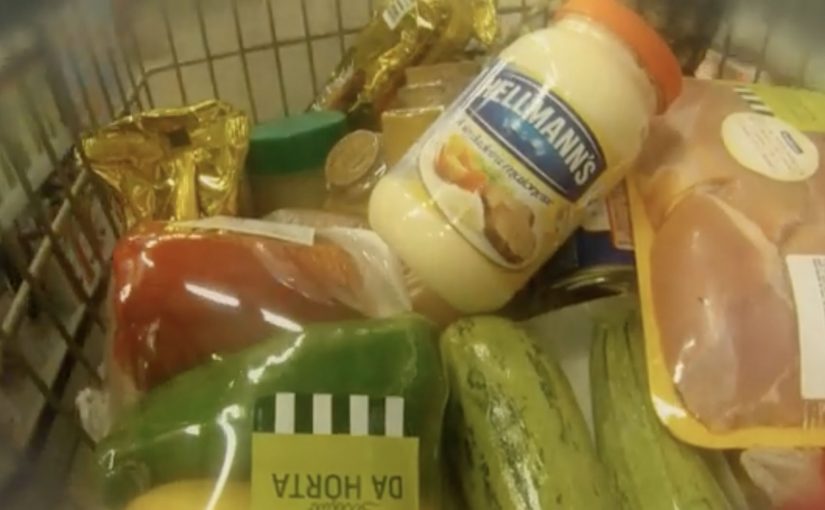
Last year Hellmann’s in Brazil came up with a novel way to encourage consumers to use their mayonnaise for more than just sandwiches. The brand teamed up with supermarket chain St Marche to install special software in 100 of its cash registers. When Hellmann’s is scanned, the system matches the rest of the basket to a recipe, then prints it directly on the receipt at checkout. In the first month of the three-month experiment, sales reportedly increased by 44%.

Now, for their new campaign, shopping carts at Pão de Açúcar in São Paulo are mounted with NFC-enabled touchscreen devices. As consumers move through aisles, the touchscreen detects nearby shelf zones and suggests a relevant recipe that uses Hellmann’s. If a recipe is liked, customers can interact with the display to locate ingredients in-store, or share the recipe with friends via email. The activation reportedly involved 45,000 customers, and sales rose by almost 70%.

Two in-store recipe engines, two different moments

The first mechanic works at the end of the trip. It uses the checkout scan as the trigger, then turns the receipt into a personalized cooking prompt based on what you already bought. The second mechanic works during the trip. It uses aisle-level detection to suggest ideas while shoppers are still deciding what to put in the basket, then helps them navigate to the ingredients needed to complete the recipe.

In FMCG shopper marketing, the strongest in-store activations change behavior at the exact point where choices are made.

The real question is whether you can turn a passive product scan into a contextual meal decision while the shopper still has momentum.

When the goal is basket expansion, the in-aisle version is the pattern worth prioritizing because it intervenes before the choice is locked.

Why it lands

Both ideas attack the same barrier. People know mayonnaise, but they default to a narrow usage script. By “usage script” I mean the default, almost automatic way shoppers think a product is used. These executions widen the script with immediate utility, not persuasion. They do not ask shoppers to “remember later.” They hand them a meal idea in the moment, using their own basket and their current aisle as the context. This works because the suggestion arrives at the moment of intent, so the shopper can act immediately instead of relying on memory.

Extractable takeaway: If you want to grow usage occasions, embed the suggestion inside an existing retail behavior. The basket scan, the aisle browse, the store navigation. Then deliver a next-best action that is specific, contextual, and instantly doable.

What to steal for your own retail activations

  • Anchor to a hard trigger. Checkout and aisle location are reliable moments. Build the experience around signals that already exist.
  • Make relevance visible. Recipes work because the shopper can see why this suggestion fits. It uses what they are holding, or what is right in front of them.
  • Keep the interaction short. In-store attention is scarce. One clear suggestion beats ten options and a browsing experience.
  • Close the loop with navigation. A recipe is only valuable if the shopper can find the missing ingredients quickly.
  • Design for shareable utility. Email sharing is not a gimmick here. It turns a private meal problem into a social handoff.

A few fast answers before you act

What is the difference between Recipe Receipt and Recipe Cart?

Recipe Receipt triggers at checkout and prints a recipe based on the basket. Recipe Cart triggers in-aisle and suggests recipes based on where the shopper is, while helping locate ingredients in-store.

Why does this work better than a normal coupon or promotion?

Because it delivers practical utility tied to the shopper’s context. It expands how people use the product by giving a specific meal idea, not just a price incentive.

What data does a concept like this actually need?

Only basket contents at checkout, or aisle location for the cart experience, plus a curated recipe database that can match ingredients to suggestions.

What is the biggest execution risk?

Low relevance. If the suggested recipes feel generic or mismatched to what shoppers are buying and seeing, the experience becomes noise and loses trust fast.

What is the simplest version to pilot first?

Pilot one trigger and one matching rule set, then measure whether shoppers actually add missing ingredients. Start with whichever moment you can instrument cleanly, checkout or aisle.

Lexus GS: NFC-Enabled Print Ad in WIRED

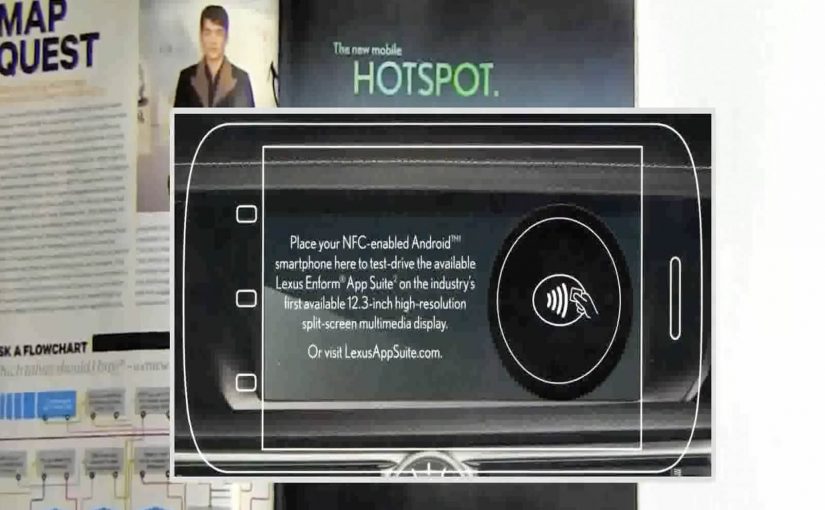
A print ad sits inside WIRED, but it behaves like a link. Hold an NFC-enabled phone (NFC is short for near-field communication) to the page and a Lexus GS demo opens on your device, without scanning a code or typing a URL.

Brands like Mercedes Benz, Reporters Without Borders, Volkswagen etc have all been working hard to create clutter breaking and engaging print ads.

In this latest example of an interactive print ad, WIRED magazine and Lexus have teamed up to create what they describe as the first mass-produced print ad embedded with an NFC tag. The ad, reported as appearing in 500,000 subscriber copies of WIRED’s April issue, lets readers with NFC-enabled phones access a demo of the Lexus GS 2013’s Enform App Suite simply by holding their phone up to the ad.

A tap replaces the scan

The mechanism is straightforward. An NFC tag is embedded into the page, and the phone reads it when placed close to the printed area. That single “tap” launches a mobile experience that can demonstrate features and apps without requiring camera alignment or extra steps. Because the tap collapses multiple steps into one, the handoff feels effortless.

In global publishing and automotive marketing, bridging print to mobile works best when the handoff is faster than habit, and simple enough to do without thinking.

Why this matters for print innovation

Most interactive print relies on behavior people already associate with effort, like scanning codes or typing. NFC flips that. The interaction feels like “just place phone here”, which is closer to natural curiosity than task completion.

Extractable takeaway: NFC works in print when it replaces effort with instinct. Design the handoff as a single tap that proves value immediately.

Definition-tightening: NFC tags in print are typically passive. The page is not powered. The phone provides the energy and reads a short payload that triggers a destination on the device.

What Lexus is really buying

This is a modern product story told through a legacy medium. The GS positioning leans into connected experiences, so demonstrating an app suite through a connected print interaction reinforces the message at the exact moment of discovery.

The real question is whether the tap reinforces the product promise at the moment of discovery.

Steal this pattern for interactive print

  • Design for one gesture. If it takes more than a tap, many readers will not try.
  • Reward instantly. The first screen after the tap should feel like a payoff, not a loading screen.
  • Make the print do real work. Print should provide context and desire. Mobile should provide depth and demonstration.
  • Plan for non-NFC readers. If the print idea relies on a capability not everyone has, ensure there is still a clear alternate path.

A few fast answers before you act

What makes this WIRED ad “interactive”?

The page contains an embedded NFC tag. Tapping an NFC-enabled phone to the ad launches a Lexus GS mobile demo experience.

Why use NFC instead of a QR code?

NFC removes the camera step. A tap is faster and tends to feel easier than scanning, which can increase participation.

Do you need a special app to use an NFC print ad?

Typically no. If NFC is enabled, the phone reads the tag and opens the linked mobile experience using standard system behavior.

What is the key benefit for the advertiser?

A lower-friction bridge from print attention to a measurable digital demo, without breaking the reading flow as aggressively as “go type this URL”.

What is the biggest execution risk?

Compatibility and clarity. If readers do not have NFC, or do not understand where to tap, the interaction collapses back into a normal print ad.