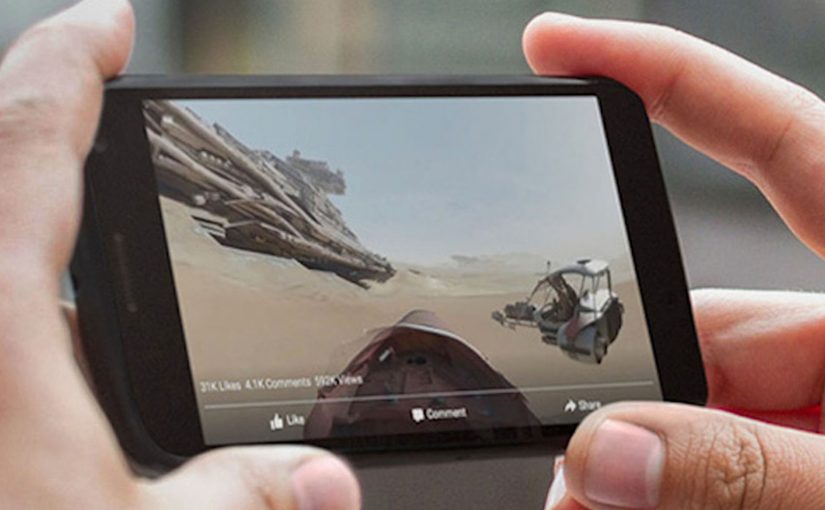
Disney drops you into the Star Wars universe. You can pan around the scene and explore the world in 360 degrees as part of the launch hype for The Force Awakens. It is one of the first big brand uses of Facebook’s new 360-degree video support.

(View the video directly on Facebook by clicking on the above image.)
Next, GoPro pushes the same format into action sports. A 360-degree surf film with Anthony Walsh and Matahi Drollet lets you experience the ride in a more immersive, head-turning way than a standard clip.
(View the video directly on Facebook by clicking on the above image.)
Facebook makes 360 video a native format
In September, Facebook launches 360-degree video support. That matters because it turns a niche format into a platform behaviour. Here, “platform behaviour” means a default interaction the feed makes effortless for viewers. Because the interface gives viewers control over where to look inside the post, the format can carry discovery without asking people to install anything new.
For global brands publishing inside feed-first social platforms, distribution mechanics shape the creative more than the other way around.
Mobile rollout is the unlock
Facebook announces that 360 video support is rolling out to mobile devices, so it is no longer limited to desktop viewing. That is the moment the format becomes mainstream.
Brands should plan 360 video as a mobile-first unit of viewer control, not a desktop novelty.
The real question is whether your story still works when the viewer can look anywhere, not only where your edit points them.
Why brands care. Distribution scale
Facebook’s own numbers underline why marketers pay attention. The platform cites more than 8 billion video views from 500 million users on a daily basis (as referenced in the Q3 2015 earnings context). If 360 video becomes part of that daily habit, it is a meaningful new canvas for storytelling and experience marketing.
Extractable takeaway: When a platform makes a format native and mobile-first, distribution scale, not production polish, becomes the main differentiator for whether your experiment turns into repeatable marketing.
Facebook supports creators with a 360 hub
To accelerate adoption, Facebook launches a dedicated 360 video microsite with resources like upload guidelines, common questions, and best practices.
Practical moves for Facebook 360 video
- Design for discovery: Assume the viewer will look away from the “main” action, so build the story world to reward exploration.
- Make mobile the default: Treat handheld viewing and quick replays as the baseline, not an adaptation.
- Ship where the habit already lives: Prioritize platform-native distribution over bespoke experiences that require new installs.
- Plan guidance for creators early: If your team is producing the format repeatedly, document capture and upload rules so it stays scalable.
A few fast answers before you act
What launches the 360 format on Facebook in this post?
Facebook adds native support for 360-degree video, making it publishable and viewable directly in the feed.
Which two examples headline the post?
Disney promoting Star Wars: The Force Awakens, and GoPro publishing a 360 surf video featuring Anthony Walsh and Matahi Drollet.
What changes when mobile support rolls out?
360 viewing is no longer limited to desktop, so the format becomes accessible in everyday mobile usage.
What scale stats are cited to show why this matters?
More than 8 billion video views from 500 million users on a daily basis, cited in the Q3 2015 earnings context.
Where does Facebook publish creator guidance?
Facebook points creators to a dedicated 360 video microsite with upload guidelines, common questions, and best practices.