
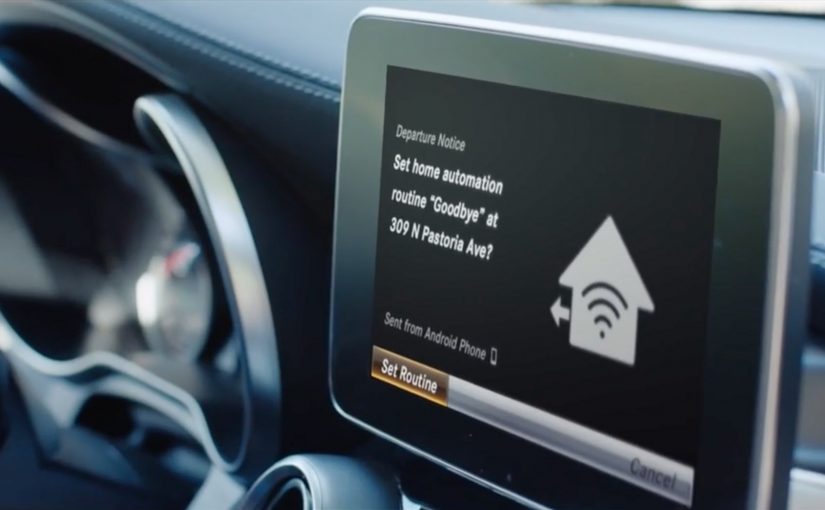
The intelligent car from Mercedes-Benz

Mercedes-Benz announces that its 2016 and 2017 vehicles in the US can connect with Amazon Echo and Google Home. With that integration in place, owners can remotely start or lock their vehicle, and they can send an address from home straight into the car’s in-car navigation.

The real question is: how do we make connected features actually adopted and used repeatedly?

What makes this interesting is not the novelty of voice commands. It is the direction. The car starts behaving like a node in a wider home automation ecosystem, not a standalone product you only interact with once you sit behind the wheel. You speak to your assistant at home. The car responds. The boundary between “home experience” and “driving experience” gets thinner.

The ecosystem move, not a feature add-on

A single capability like “remote start” is useful. But the strategic move is building an intelligent ecosystem around the car, using third-party voice assistants people already trust and use daily. That lowers adoption friction and accelerates habit formation.

By “intelligent ecosystem”, I mean a set of authenticated, reliable, cross-device flows where a home assistant can trigger vehicle actions and pre-driving tasks via the car’s connected backend, not just a few isolated voice shortcuts.

Third-party assistant integrations should be treated as a habit and distribution layer for connected services, not as a feature checklist item.

In global automotive and mobility brands, the fastest adoption lever is piggybacking on the household’s existing voice-assistant routines, not inventing a new in-car habit.

This also shifts expectations. Once the car is connected into the household’s digital layer, people start wanting context-aware flows. Context-aware flows mean the action is triggered in the right moment in a larger routine, like “leaving home” or “planning a trip”, not as a standalone command. Because the assistant already sits inside daily routines, routing car actions through it reduces cognitive load and raises repetition. That is why this integration is more likely to stick than another “connected car” toggle buried in an app.

Why this actually gets used

Customers do not adopt “capabilities”. They adopt reliable routines. If the assistant is already the control surface for lights, heating, music, and reminders, adding the car becomes a low-effort extension of an established behavior. The psychological win is familiarity plus predictability. The product win is fewer new interaction patterns to teach.

Extractable takeaway: The adoption flywheel for connected products is not “more features”. It is “fewer new habits”. Attach your service to an existing routine and a trusted control surface, then make it work every single time.

Mercedes is not alone in spotting the pattern

Mercedes-Benz is not the first automaker to recognise the potential of third-party voice assistants. At CES earlier this year, Ford unveiled plans to roll out Alexa-equipped vehicles. Around the same time, Hyundai announced a partnership with Google to add voice control through Google Home.

The competitive question becomes simple. Who turns the car into a meaningful part of the customer’s everyday digital routines first, and who reduces the connected car to a checklist feature.

Steal this pattern for your roadmap

  • Pick one routine (leaving home, arriving home, trip planning) and design an end-to-end flow around it.
  • Design for trust by default: explicit permissioning, clear confirmation, and an audit trail for remote actions.
  • Make reliability a feature: treat uptime, latency, and failure-handling as first-class product work.
  • Start upstream: focus on “before you drive” moments like destination sending, pre-conditioning, and readiness checks.
  • Measure repetition, not activation: weekly active use of the routine beats “connected feature enabled”.
  • Keep the command surface consistent: do not fork the experience across assistant, app, and in-car UI without a clear ownership model.
  • Ship the smallest lovable flow, then expand: one routine, one set of permissions, one predictable outcome.

A few fast answers before you act

What does Mercedes-Benz enable through Alexa and Google Home?

Mercedes-Benz enables owners to remotely start or lock the vehicle and to send an address from home directly into the car’s navigation.

Why is this bigger than “voice control in the car”?

It connects the car to an existing smart home ecosystem, which makes the vehicle addressable before you drive and pushes value into planning and daily routines.

What is the “intelligent car” in one sentence in this context?

In this context, an “intelligent car” is a connected vehicle that can be addressed from outside the cockpit as part of authenticated, cross-device routines.

What should product, CX, and marketing teams watch closely?

Teams should watch which routines become habitual, how permissions and confirmations are handled, and whether end-to-end reliability is strong enough for repeat use.

What should you measure to prove value beyond “connected” activation?

You should measure repeat usage of the routine, task completion success rate, latency, failure recovery, and downstream outcomes like reduced support contacts or higher service attach.

What is the strategic takeaway in one line?

The “intelligent car” story is increasingly an ecosystem story, meaning the battle is about where the car lives inside the customer’s broader digital routines.
The world’s first emotionally powered store

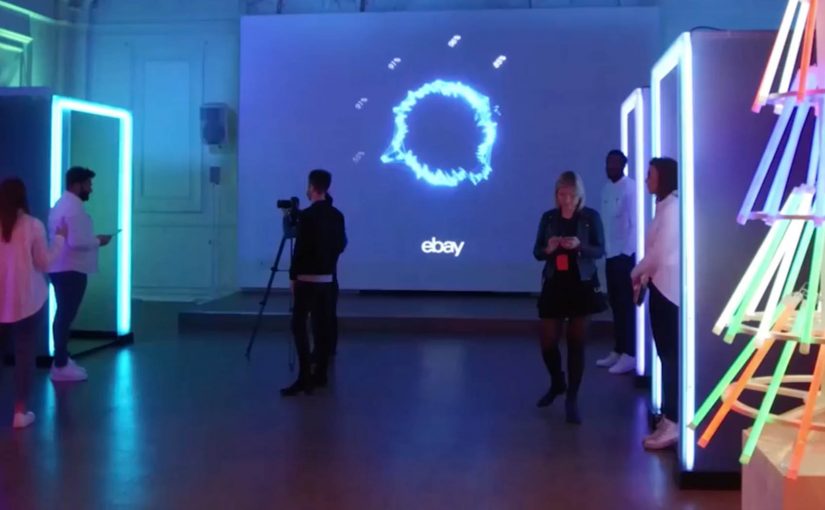
You step into a pop-up store in central London because Christmas shopping feels like a chore. You sit down, look at product ideas on a screen, and the system watches your face as you react. Not in a creepy sci-fi way, but in a deliberately framed “let’s reconnect with the emotional spirit of giving” way. Your expressions become signals. The store turns those signals into a personal report, then suggests the gift that triggers the strongest “this feels right” response.

That is the idea behind eBay’s “emotionally powered store,” created with American technology firm Lightwave. Using intelligent bio-analytic technology and facial coding, eBay records which products provoke the strongest feelings of giving. Here, “facial coding” means software that classifies facial expressions into emotion signals. Then, through personalised emotion reports, it suggests the gift that stirs the most feeling.

What eBay is actually testing here

This is not only a seasonal stunt. It is a test of whether emotion can be treated as data in a retail environment, and whether that data can be turned into a better decision loop.

Treating emotion as data is compelling when it reduces stress and strengthens intent, not when it becomes a gimmick.

The store reframes the problem:

  • the problem is not “too little choice”
  • the problem is decision fatigue, stress, and loss of motivation
  • the solution is not more filters, it is faster emotional clarity

The mechanics. Simple, but provocative

At the core is a clean input-output system:

  • Input. A sequence of gift ideas shown in a tight flow.
  • Measurement. Facial coding and bio-analytic signals that infer which moments create the strongest emotional engagement.
  • Output. A personalised emotion report that recommends the gift that creates the strongest “giving” response.

The tech is almost secondary. The real innovation is the framing. A store that does not just sell products. It guides you toward the gift that feels most meaningful.

Because the flow turns in-the-moment reaction into a clear recommendation, it aims to cut decision fatigue and restore motivation.

In consumer retail and gifting contexts, the win is turning anxious browsing into a confident choice.

Why this matters for next-generation shopping environments

A lot of “next-gen retail” bets on bigger screens, more sensors, and more automation. This one bets on something more human.

Extractable takeaway: When people feel stuck choosing, experience design should optimize for emotional clarity and confidence, not just more options.

It treats the emotional state of the shopper as a first-class design constraint:

  • reduce stress
  • re-anchor the experience in intent and empathy
  • make the decision feel more satisfying, not just more efficient

That is a powerful signal for any brand that sells gifts, experiences, or anything identity-driven. The product is rarely the only thing being purchased. The feeling of choosing it matters.

The leadership question sitting underneath the pop-up

The real question is whether you want your retail experience to optimize for emotional confidence, or pure conversion efficiency.

If you can capture emotional response at the moment of choice, you can start redesigning:

  • the sequence in which products are presented
  • the language and imagery that drives confidence
  • the point at which a recommendation should trigger
  • the moment where a shopper’s motivation drops, and how to recover it

That is where this moves from a pop-up into a capability.

What to copy from this pop-up

  • Design for intent first. Frame the experience around the feeling the shopper wants to deliver, not the catalog size.
  • Shorten the path to “this feels right”. Use tight sequencing and clear prompts that reduce choice overload.
  • Make feedback immediate. Turn reactions into a simple, understandable next step, not another dashboard.
  • Measure to support, not to impress. Keep the technology secondary to the human framing that builds confidence.

A few fast answers before you act

What is an “emotionally powered store”?

An “emotionally powered store” is a retail concept that uses facial coding and bio-analytic signals to infer emotional reactions, then recommends products based on the strongest response.

What is eBay trying to solve with this experience?

The experience targets Christmas gift-buying stress and decision fatigue. It is designed to reconnect shoppers with the emotional spirit of giving.

What role does Lightwave play?

Lightwave provides the technology support for the bio-analytic and facial coding layer used in the pop-up.

What is the output for the shopper?

The output is a personalised emotion report and a gift recommendation based on the products that provoke the strongest feelings of giving.

What is the broader takeaway for retail innovation?

The broader takeaway is that emotion becomes a measurable input for experience design, not just a brand aspiration.

Gatebox: The Virtual Home Robot

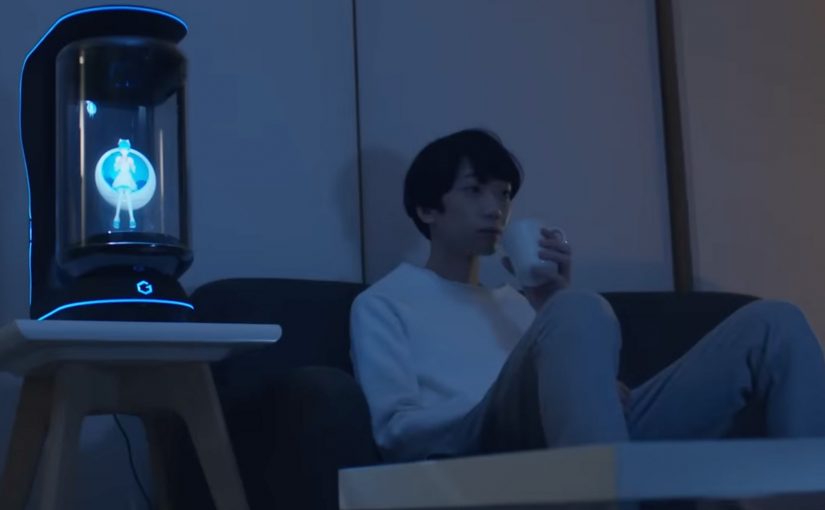
You come home after work and someone is waiting for you. Not a speaker. Not a disembodied voice. A character in a glass tube that looks up, recognizes you, and says “welcome back.” She can wake you up in the morning, remind you what you need to do today, and act as a simple control layer for your smart home.

That is the proposition behind Gatebox. It positions itself as a virtual home robot, built around a fully interactive holographic character called Azuma Hikari. Here, “virtual home robot” means a stationary device that uses a character interface to run simple routines and smart home control, rather than a mobile physical robot. The pitch is not only automation. It is companionship plus utility. Face recognition. Voice recognition. Daily routines. Home control. A “presence” that turns a smart home from commands into a relationship.

What makes Gatebox different from Alexa, Siri, and Cortana

Gatebox competes on a different axis than mainstream voice assistants.

Voice assistants typically behave like tools. You ask. They answer. You command. They execute.

Gatebox leans into a different model:

  • Character-first interface. A persistent persona you interact with, not just a voice endpoint.
  • Ambient companionship. It is designed to greet you, nudge you, and keep you company, not only respond on demand.
  • Smart home control as a baseline. Home automation is part of the offer, not the story.

The result is a product that feels less like a speaker and more like a “someone” in the room.

In consumer smart homes, the interface layer matters as much as the devices, because it shapes whether automation feels like commands or companionship.

Why the “holographic companion” framing matters

A lot of smart home innovation focuses on features. Gatebox focuses on behavior. By keeping a persistent character in your peripheral vision, it turns prompts into small social cues, which is why it can feel relational rather than transactional.

Extractable takeaway: If you want technology to be used every day, design for a lightweight loop of interaction that stays alive between commands, not just for perfect answers on demand.

It is designed around everyday moments:

  • waking you up
  • reminding you what to remember
  • welcoming you home
  • keeping a simple loop of interaction alive across the day

That is not just novelty. It is a design bet that people want technology to feel relational, not transactional.

What the product is, in practical terms

At its most basic, Gatebox:

  • controls smart home equipment
  • recognizes your face and your voice
  • runs lightweight daily-life interactions through the Azuma Hikari character

It is currently available for pre-order for Japanese-speaking customers in Japan and the USA, at around $2,600 per unit. For more details, visit gatebox.ai.

The business bet behind a companion interface

The real question is whether your home interface should be a command surface, or a companion that maintains a simple relationship across the day.

The intent is straightforward: keep the interaction loop alive so “smart home control” becomes a daily habit, not a feature you try once and forget.

Character-first companions are a stronger interaction bet than voice-only assistants when you want sustained engagement, as long as utility stays the default.

The bigger signal for interface design

Instead of:

  • screens everywhere
  • apps for everything
  • menus and settings

It bets on:

  • a single persistent companion interface
  • a character that anchors interaction
  • a device that makes “home AI” feel present, not hidden in the cloud

That is an important shift for anyone building consumer interaction models. The interface is not the UI. The interface is the relationship.

Four patterns to borrow for companion interfaces

  • Design for in-between moments. Build a lightweight loop of greetings, nudges, and routines that persists between explicit commands.
  • Make utility the baseline, not the punchline. The companion framing works only if home control and reminders stay reliable and fast.
  • Anchor interaction in one persistent “someone”. A stable persona reduces friction compared to hopping between apps, menus, and settings.
  • Use presence to change behavior. A visible, ambient interface shifts usage from “ask when needed” to “engage because it is there”.

A few fast answers before you act

What is Gatebox in one sentence?

Gatebox is a virtual home robot that combines smart home control with a holographic companion character, designed for everyday interaction.

Who is Azuma Hikari?

Azuma Hikari is Gatebox’s first character, presented as an interactive holographic girl that acts as the interface for utility and companionship.

What can it do at a basic level?

At a basic level, it can control smart home equipment, recognize face and voice, and run daily routines like wake-up, reminders, and greetings.

Why compare it to Alexa, Siri, and Cortana?

The comparison helps clarify positioning. Gatebox frames itself as more than a voice assistant, using a character-first, companion-style interface instead of a purely voice-first tool.

What is the commercial status?

It is described as available for pre-order for Japanese-speaking customers in Japan and the USA, at around $2,600 per unit.