Volvo Keyless Cars

For decades, drivers have been accustomed to accessing and driving cars with physical keys. But no longer. In a ground-breaking move for the automotive industry, Volvo Cars plans to become the world’s first car manufacturer to offer cars without keys from 2017.

Volvo customers will be offered an application for their mobile phones to replace the physical key with a digital key. The innovative Bluetooth-enabled digital key technology, will offer Volvo customers far more flexibility, enabling them to benefit from entirely new ways to use and share cars.

The new Volvo app would enable the digital key on the customer’s mobile phone to do everything a physical key currently does, such as locking or unlocking the doors or the trunk and allowing the engine to be started.

Volvo plans to roll out the technology to a “limited” number of commercially available cars in 2017 and will test it in the real world from spring 2016 via its car sharing firm Sunfleet, stationed at Gothenburg airport, Sweden. Physical keys will continue to be offered for people who want them.

Nivea Second Skin Project

Christmas is a time for love and affection, and what better way to to show it than with a hug?

So Nivea Crème and Leo Burnett Madrid unveiled the “Second Skin Project” – a technological development that not only helped bring a mother and son together just in time for the holidays, but also showed the importance of human touch.

With the help of nanotechnology experts they used a fabric that simulated human skin and at the same time transmitted the sense of touch over a long distance. Then they got Laura and Pablo to test the product. The results…

Volkswagen Trailer Assist

The Trailer Assist feature allows Volkswagen cars to park semi-autonomously using the rear backup camera. To promote this feature in Norway, Volkswagen created a stunt where a driver backed up his car and trailer in high speed through parking lots, roundabouts and intersections…

Hyundai Virtual Guide

To make life easier for car owners, Hyundai has built an augmented reality app called the Virtual Guide. It allows Hyundai owners to use their smart phones to get more familiar with their car and learn how to perform basic maintenance without delving into a hundred page owner’s manual.

Here is a short demo video of the app from The Verge at CES 2016…

The Virtual Guide app will be available in the next month or two for the 2015 and the 2016 Hyundai Sonata and will come to the rest of the Hyundai range later on this year.

The Battle for Christmas Morning

Star Wars is a marketing phenomenon every brand wants to be part of. Disney infact signed up seven brands for what they called an expansive, historic promotional campaign. The brands included Covergirl, Max Factor, Duracell, FCA US, General Mills, HP, Subway and Verizon who all developed custom campaigns for Star Wars: The Force Awakens.

Since Star Wars is the biggest and most talked about event of 2015, I thought it would also make the perfect last post of the year for Ramble. 😎 So enjoy this lovely Star Wars TV ad from Duracell, it has already generated over 15 million views on YouTube…

May the force be with you.

Volvo In-Car Delivery

Swedish carmaker Volvo is launching a new in-car delivery service for customers who subscribe to the Volvo On Call telematics service and live in Gothenburg (Sweden).

This Christmas, customers who meet these basic requirements of the Volvo in-car delivery service will be able to have their packages delivered directly to their car, rather than their house. The only catch being that the packages must be ordered from online retailers Lekmer.com and Mat.se.

The package will be delivered by communications and logistics company PostNord, who will find the customers car and use a special one-time access digital key to open the car and drop the package in the boot.

In-car delivery is a good example of how carmakers are experimenting with new ways to move beyond simply building and selling cars. Tapping into connected technologies will help car companies like Volvo make money off customers long after they drive away from the dealership.

Volvo HoloLens Showroom

Car companies today are relying more and more on augmented and virtual reality to help visualize their work. And for about six months now, Microsoft and Volvo have been working on a way to incorporate a “mixed reality” into the process of choosing a car. Now with the help of Microsoft’s HoloLens technology they have successfully put together a car showroom straight out of science fiction.

The below video shows how car buyers will be able to check out useful features that are often overlooked because they no longer read car manuals. This detailed mixed reality visualization will also help buyers understand how the respective features work in various scenarios.

Black Bar Donation

Videos that are recorded vertically and then posted on YouTube, generally have black bars on either sides. Lots of viewers find this waste of space annoying. So JWT Brazil came up with the “Black Bar Donation” campaign that allowed people with vertical videos to donate their black bars to NGO’s who needed help promoting themselves.

On visiting the campaign microsite, people could select the video to upload, tag it with the NGO of choice and then have it directly published to their YouTube channel.

The Cleanest Twitter Account

Twitter is one of the most used social networks worldwide. With billions of tweets being generated everyday, Spontex, a French homecare brand found it to be a mess.

To fight dirt online and at the same time have the cleanest Twitter account in the world, they created @SpontexFrance and started tweeting in white. This not only gave their Twitter timleine a spotless look, it got people talking about their unique Twitter account.

At first glance, the tweets from the account seemed to be blank. Clicking the tweets unlocked the secret messaging behind them. In some cases the first person to favourite the tweet won free products from Spontex.

Inspiration Corridor

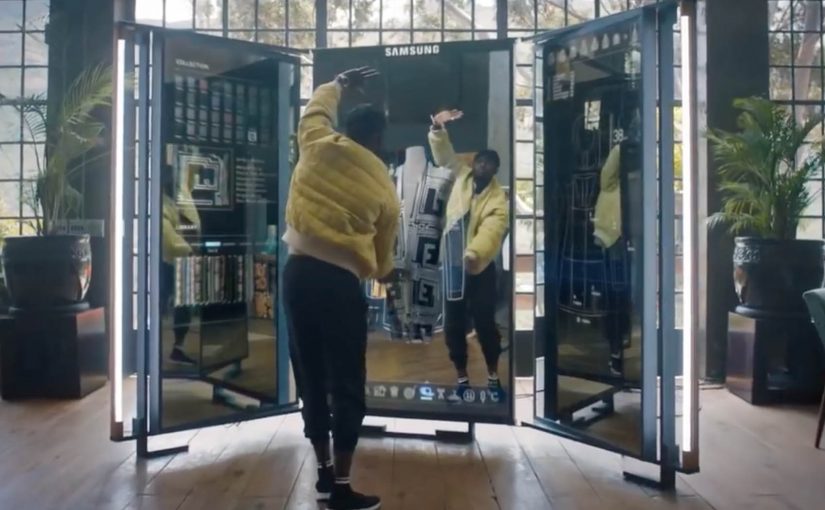
One of the biggest problems brick-and-mortar retailers face these days is that many consumers prefer the convenience of shopping online. So Klépierre, a European specialist in shopping center properties, decided to give customers a unique and personal window shopping experience that simultaneously advertised multiple brands available in its shopping center.

To enable this, body scanning technology was used to identify the customer and generate a selection of recommended products based on real-time inventory. The curated selection was then displayed on the walls around and the customer could simply tap the items to add them to their personal shopping list. In the end, the selections were synced with the Klépierre mobile app, which then geo-located the products within the mall.