
Giraffas: The Goal Screen

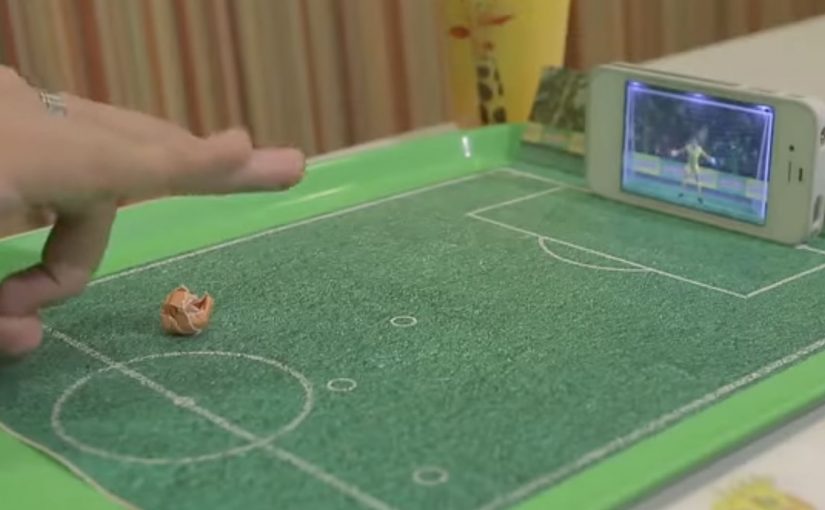
To capitalize on the lead up to the 2014 FIFA World Cup, Brazilian fast food chain Giraffas creates a mobile game that turns their tray papers into a virtual soccer field. To play, consumers rip the side of the paper tray, make a paper ball, and flick it into their mobile screens.

7 million tray papers are printed, and the game is made possible by using the smartphone camera to recognize the ball distance, the accelerometer to identify the trajectory of the kick, and the microphone to recognize the area of impact.

A game that bridges paper and screen

The mechanism is a simple physical ritual, meaning a repeatable action with objects already on the tray, that unlocks a digital experience. The tray liner provides the “pitch”. The paper ball provides the input. The phone turns sensors into a referee, translating distance, direction, and contact into gameplay.

That matters because the tray liner and paper ball remove setup friction, so the leap from noticing the idea to trying it stays almost instant.

In quick-service restaurants, the strongest interactive ideas add value during the waiting and eating moment, without requiring staff training or extra hardware at the counter.

The real question is how little effort a brand can ask of people before play feels easier than ignoring it.

Why it lands

The strongest part of the idea is not the World Cup tie-in. It is the packaging mechanic that makes play feel native to the meal. This works because it turns a disposable surface into a reason to play, and it makes participation feel immediate. It is not “download an app for later”. It is “play right now, with what you already have, while you are here”. The World Cup context supplies motivation, but the in-store simplicity supplies repeatability.

Extractable takeaway: When you want in-the-moment engagement, design a physical trigger that is already in the customer’s hands, then use the phone only as the translator. The fewer steps between curiosity and action, the more people actually try it.

What to borrow from this tray-to-screen mechanic

  • Use packaging as the interface. If your brand owns a surface (tray liners, cups, wrappers), it can become the entry point.
  • Make the first attempt effortless. Rip, roll, flick. Three verbs. No instructions wall required.
  • Exploit phone sensors, not novelty tech. Camera, accelerometer, and microphone are scalable because they are already everywhere.
  • Anchor to a cultural moment, but keep it evergreen. The event creates urgency, the mechanic creates habit.

A few fast answers before you act

What is “The Goal Screen” for Giraffas?

It is an in-store mobile game that turns Giraffas tray papers into a virtual soccer field, using a paper ball that customers flick into their phone screen.

Why does the paper tray matter to the experience?

The tray paper acts as the physical “pitch” and the trigger for play, making the game feel native to the restaurant moment.

How does the phone detect the kick?

The setup is described as using the camera for distance, the accelerometer for trajectory, and the microphone for impact area.

What is the marketing objective behind this kind of mechanic?

To make the in-store visit more entertaining and memorable, and to create a reason to interact with the brand during the meal.

What is the transferable lesson for other brands?

Turn a ubiquitous brand touchpoint into a play surface, then use the phone as a lightweight sensor hub that makes the interaction feel “magical” without added hardware.
The future of Augmented Reality

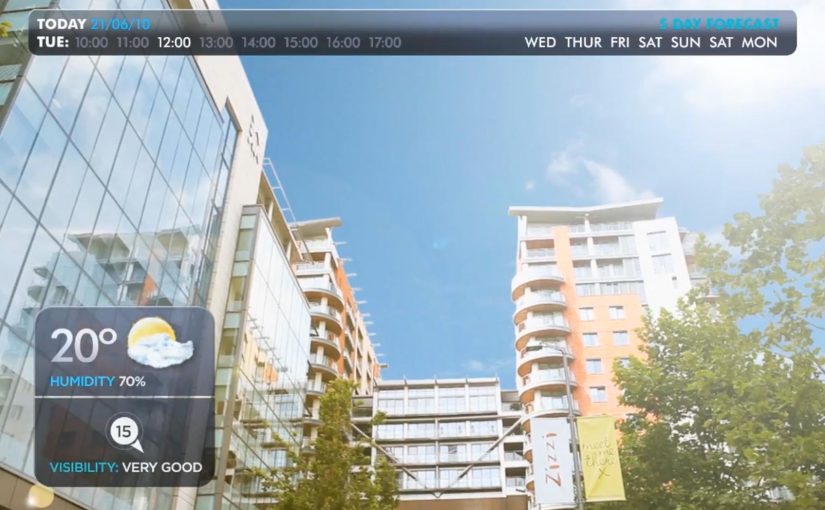
You point your phone at the world and it answers back. In Hidden Creative’s video, a mobile device scans what’s around you and returns live, on-the-spot information. The same AR layer lets you preview change before you commit to it, by virtually rearranging furniture or trying colours in a real space.

Utility AR: the phone becomes a real-time lens

The value is not “wow.” It is utility. The device behaves like a real-time lens you can use in the middle of a decision:

  • Scan surroundings and get contextual information immediately.
  • Overlay objects into physical space to plan renovations or layout changes.
  • Configure colours virtually before making real-world changes.

What the mechanic actually is

At its simplest, the camera feed becomes the interface. The device recognises elements in the scene, then anchors relevant information and virtual objects to the real world so you can act on what you see. When overlays reliably “stick” to reality, the experience stops feeling like a gimmick and starts behaving like a tool you can trust.

In consumer retail and home-improvement scenarios, AR becomes habitual only when it works predictably across devices and requires near-zero setup beyond opening the camera.

Why this kind of AR lands

People do not adopt AR because it is impressive. They adopt it when it reduces uncertainty in a moment that matters, like “Will this fit?”, “Will this look right?”, or “What is this thing in front of me?”. Campaign AR often optimises for novelty. Everyday AR has to optimise for reliability, speed, and repeatability.

Extractable takeaway: If AR does not reduce a real decision into a faster yes or no, it will stay a one-off experience, even if engagement looks great in the first week.

The real question is standardisation, not creativity

Augmented Reality is already active in brand campaigns around the world, mainly because it creates high engagement and talk value. Yet it still does not play an everyday role in most people’s lives because the experience is fragmented across ecosystems.

Before daily-life AR becomes normal, platform owners and developers need to standardise the experience across their ecosystems. Apple, Google, and Microsoft/Nokia each move in their own direction, and the result is fragmentation.

By “a standard AR experience,” I mean a consistent base layer for recognition, anchoring, lighting, scale, and interaction patterns so users do not have to relearn AR every time they switch apps or devices.

One master app vs. an app store full of one-offs

Right now the app stores are cluttered with many Augmented Reality apps, each doing a slice of the job. One cross-platform “master app,” or at least a consistent base layer, is a plausible starting point for making AR feel like an always-available capability instead of a novelty download.

The stance: AR becomes mainstream when it is treated like a standard capability layer, not a series of isolated one-off apps.

What to steal for your next AR decision

  • Design for repeat use. Pick a high-frequency decision moment, not a “shareable” moment.
  • Reduce setup friction. If the experience needs a special download for a single task, adoption will stall.
  • Make reliability visible. Use cues that show tracking and anchoring are stable so users trust what they see.
  • Define the base layer you depend on. Be explicit about which platform capabilities you require and what breaks without them.

A few fast answers before you act

What does the Hidden Creative video demonstrate?

It shows a phone scanning a real environment, returning contextual information in real time, and overlaying virtual objects into the scene for practical tasks like planning and previewing changes.

What is the core AR mechanic described here?

The camera feed becomes the interface. The device recognises the scene and anchors information or objects to it so the overlay stays aligned with the real world while you move.

Why does AR still feel like a campaign tool in most cases?

Because many AR experiences optimise for novelty and short-term engagement, not for reliability and repeat use. Fragmentation across platforms also prevents a consistent everyday habit.

What does “a standard AR experience” mean in practice?

It means consistent behaviour across devices and apps for recognition, anchoring, scale, lighting, and interaction patterns so users do not have to relearn AR each time.

What is meant by a “base layer” or “master app” for AR?

A shared foundation that reduces fragmentation. Instead of dozens of one-off AR apps, users get a consistent AR capability that multiple experiences can plug into.

What is the simplest next step if a brand team wants AR to drive real adoption?

Target one repeatable decision moment and design the experience to work quickly and predictably with minimal setup. If it does not reduce uncertainty, it will not become a habit.

Nokia: Mixed Reality interaction vision

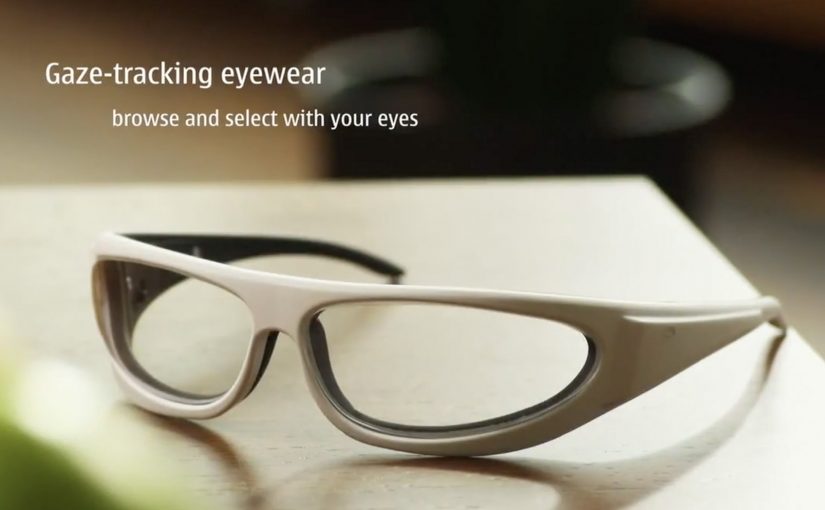
A glimpse into Nokia’s crystal ball comes in the form of its “Mixed Reality” concept video. It strings together a set of interaction ideas: near-to-eye displays (glasses-style screens close to the eye), gaze direction tracking (sensing where you look), 3D audio (spatial sound), 3D video, gesture, and touch.

The film plays like a day-in-the-life demo. Interfaces float in view. Sound behaves spatially. Attention (where you look) becomes an input. Hands and touch add another control layer, shifting “navigation” from menus to movement.

Future-vision films bundle emerging interaction modalities into a single, easy-to-grasp story.

What this video is really doing

It is less a product announcement and more a “stack sketch”, meaning a quick story that layers several interaction technologies into one routine. Concept films are useful for alignment, but they are not validation until the interaction is prototyped and tested.

The mechanism: attention as input, environment as output

The core mechanic is gaze-led discovery. If your eyes are already pointing at something, the system treats that as intent. Gesture and touch then refine or confirm. 3D audio becomes a navigation cue, guiding you to people, objects, or information without forcing you to stare at a map-like UI. This works because it turns existing attention into a low-effort selection signal, then uses deliberate actions to reduce accidental activation.

In product and experience teams building hands-free, glanceable interfaces, this shift from menu navigation to attention-led cues is the core design trade-off.

Why it lands: it reduces “interface effort”

By “interface effort” I mean the mental and physical work of hunting through apps and menus. Even as a concept, the appeal is obvious. It tries to remove that friction by bringing information to where you are looking, and actions feel closer to how you already move in the world. The real question is whether you can make attention-led interfaces feel stable and trustworthy in everyday use.

Extractable takeaway: The fastest way to communicate a complex interaction future is to show one human routine and let multiple inputs, gaze, gesture, touch, and audio, naturally layer into it without heavy explanation.

That is also the risk. If a system reacts too eagerly to gaze or motion, it can feel jumpy or intrusive. The design challenge is making the interface feel calm while still being responsive.

What Nokia is positioning

This vision implicitly reframes the phone from “a screen you hold” into “a personal perception layer”, meaning a persistent interface that sits closer to your senses than a handset UI. It suggests a brand future built on research-led interaction design rather than only on industrial design or hardware specs.

What to steal for your own product and experience work

  • Design around one primary input. If gaze is the lead, make gesture and touch supporting, not competing.
  • Use spatial audio as a UI primitive. Direction and distance can be an interface, not just a soundtrack.
  • Show intent, then ask for confirmation. Let the system suggest based on attention, but require an explicit action to commit.
  • Keep overlays purposeful. Persistent HUD clutter kills trust. Reveal only what helps in the moment.
  • Prototype the “feel,” not just the screens. Latency, comfort, and social acceptability decide whether this works in real life.

A few fast answers before you act

What is Nokia “Mixed Reality” in this context?

It is a concept vision of future interaction that combines near-to-eye displays with gaze tracking, spatial audio, gesture, and touch to make navigation feel more ambient and less menu-driven.

What does “near-to-eye display” mean?

A near-to-eye display sits close to the eye, often in glasses-style hardware, so digital information can appear in your field of view without holding up a phone screen.

How does gaze tracking change interface design?

It lets the system infer what you are attending to, so selection and navigation can start from where you look. Good designs still require a secondary action to confirm, to avoid accidental triggers.

Why include 3D audio in a mixed reality interface?

Because sound can guide attention without demanding visual focus. Directional cues can help you locate people, alerts, or content while keeping your eyes on the real environment.

What is the biggest UX risk with gaze and gesture interfaces?

Unwanted activation. If the interface reacts to normal eye movement or casual gestures, it feels unstable. The cure is clear feedback plus deliberate “confirm” actions.