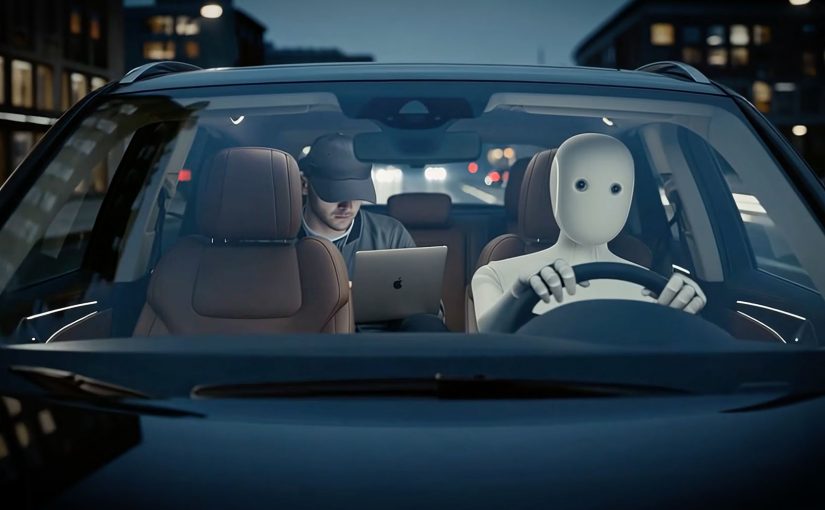
AI will impact everything in 2026, from your fridge to your finances. The interesting part is not “more AI features”. It is AI becoming an execution layer that can decide and act across systems, not just advise inside a chat box. That shift matters because once AI can execute, throughput and experience depend less on prompts and more on integration, permissions, and policy.
The nine trends below are a useful provocation. I outline each shift, then add the operator lens: what is realistically visible in the market this year, and what still needs a breakthrough proof point before it goes mainstream.
The 9 trends, plus what you can realistically expect to see this year
Trend 1: AI will buy from AI
We move from “people shopping with AI help” to agents transacting with other agents, purchasing that is initiated, negotiated, confirmed, and tracked with minimal human intervention. This shows up first inside high-integration ecosystems. Enterprise procurement, marketplaces, and platforms with clean APIs, strong identity controls, and policy layers. Mass adoption needs serious integration across catalogs, pricing, budgets, approvals, payments, and compliance, so this needs high-profile integration before it becomes mainstream behavior.
Trend 2: Everything gets smart
Not just more connected devices, but environments that sense context, adapt, and coordinate, from home energy to health to kitchen routines. You will start seeing this more clearly, but it requires consumers to spend money to upgrade. The early phase looks like pockets of “smart” inside one ecosystem because upgrade cycles are slow and households hate complexity. It will be visible this year, but it is gated by consumer investment.
Trend 3: Everyone will have an AI assistant
The tangible version is not a chatbot you consult. It is a persistent layer that can take actions across your tools: triage inbox, draft and send, schedule, summarize, file, create tasks, pull data, and nudge you when a decision is needed. This year, the realistic signals are assistants embedded in software people already live in, email, calendar, docs, messaging, CRM. You will see “do it for me” actions that work reliably inside one suite. You will not yet see one universal assistant that flawlessly operates across every app and identity boundary, because permissions and integration are still the hard limit.
Trend 4: No more waiting on hold
AI takes first contact, resolves routine requests, and escalates when needed. This is one of the clearest near-term value cases because it hits cost, speed, and experience. Expect fast adoption because the workflows are structured and the economics are obvious. The difference between “good” and “painful” will be escalation design and continuous quality loops. Otherwise you just replace “waiting on hold” with “arguing with a bot”.
Trend 5: AI agents running entire departments
Agents coordinate end-to-end processes across functions, with humans supervising outcomes rather than executing every task. Mainstream is still a few years out. First we need a high-profile proof of concept that survives audit, risk, and operational messiness. This year, the credible signal is narrower agent deployments: specific workflows, explicit boundaries, measurable KPIs. By “agentic workflows” I mean systems that can plan a sequence of steps and take tool actions, within explicit boundaries, to complete a task. “Entire departments” comes later, once governance and integration maturity catch up.
Trend 6: Household AI robots
Robots handle basic household tasks. The near-term reality is that cost and reliability keep this premium and limited for now. This year you may see early adopters, pilots, and narrow-function home robots and services. Mainstream needs prices to fall significantly, plus safety, support, and maintenance models to mature. This is expensive investment until it gets cheaper.
Trend 7: AI robots will drive your car
This spans autonomous driving and even robots physically operating existing cars. The bottleneck is public safety, liability, and regulation. Mainstream is still some years away largely due to government frameworks and insurance constraints. The earlier signals show up in controlled environments, private roads, campuses, warehouses, and geofenced routes where risk can be bounded.
Trend 8: AI-powered delivery
Automation expands across delivery chains, from warehouse robotics to last-mile drones and ground robots. Adoption will be uneven. You will see faster rollout where regulation is lighter or clearer, and in constrained zones like campuses and planned communities. More regulated markets will follow slowly, which means this trend will look “real” in some countries earlier than others.
Trend 9: Knowing AI = career advantage
AI literacy becomes a baseline advantage. Prompting is table stakes. The career advantage compounds when you can move from using AI to integrating it into repeatable workflows with governance and measurable impact. The speed of that shift, from “use” to “integrate”, determines how quickly this advantage becomes visible at scale.
The real question is whether you are treating AI as a feature add-on, or as an execution layer with integration, explicit permissions, and measurement.
If you want durable advantage in 2026, build the integration and guardrails first, then scale the “do it for me” moments.
In enterprise and consumer ecosystems, the practical winners are the organizations that treat AI as an execution layer with integration, governance, and measurement built in.
2026 is a signal year, not an endpoint
Do not treat these nine trends as predictions you must “believe”. Treat them as signals that AI is moving from assistance into action.
Extractable takeaway: When AI starts taking action, advantage shifts to teams that can connect systems, grant permissions safely, and prove outcomes with measurement.
Some shifts will show up quickly because the economics are clean and the workflows are structured. Others need a breakthrough proof point, cheaper hardware, or regulatory clarity. The leaders who pull ahead this year will be the ones who build integration, guardrails, and measurement early, so when the wave accelerates, they are scaling from a foundation, not improvising in a panic.
What to operationalize from these 2026 shifts
- Pick a few workflows, not “AI everywhere”. Start with bounded tasks where inputs, approvals, and outputs are clear.
- Make permissions and escalation explicit. Define what the assistant can do, when it must ask, and how humans take over cleanly.
- Invest in integration and data hygiene. Catalogs, identity, policies, and reliable APIs are what make “do it for me” work.
- Measure the delta. Track cycle time, resolution quality, and error handling so automation improves instead of drifting.
A few fast answers before you act
What are the biggest AI trends to watch in 2026?
The nine shifts to watch are agent-to-agent buying, smarter consumer tech, mainstream AI assistants, AI-first customer service, narrower agent deployments in business functions, household robots, autonomous driving progress, AI-powered delivery, and AI literacy becoming a career differentiator.
Which AI trends will show visible adoption this year?
Customer service automation (no more waiting on hold) will scale fastest because the workflows are structured and the economics are clear. You will also see clearer signals in “smart everything” and AI assistants, mainly inside closed ecosystems and major software suites.
What will slow down “AI buying from AI”?
Integration and policy. Autonomous purchasing needs clean product data, pricing, payments, approvals, identity, and compliance across multiple systems. Expect early signals in high-integration marketplaces and enterprise procurement before mass adoption.
Are “AI agents running entire departments” realistic in 2026?
You will see more narrow, high-impact agentic workflows. Department-level autonomy is likely still a few years out because it needs high-profile proof points that survive audit, risk, and real operational complexity.
When will robots in homes and cars become mainstream?
Not yet. The early phase is expensive and limited. Mainstream adoption depends on price drops, reliability, safety standards, and support models, plus regulation, liability, and insurance frameworks that make autonomy feel dependable at scale.
Why does AI literacy become a career advantage in 2026?
Because advantage compounds when people move from using AI to integrating it into repeatable workflows with governance and measurable impact. Prompting helps. Integration changes throughput and business outcomes.