
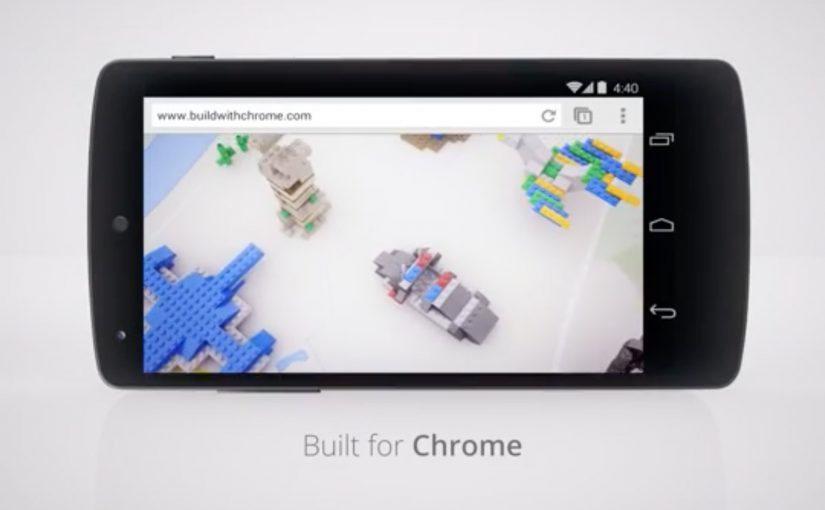
Build with Chrome: LEGO Chrome Experiment

Google earlier this week released their latest Chrome Experiment in partnership with LEGO called “Build with Chrome”. In this case, a Chrome Experiment is a browser-based interactive demo built to show what Chrome can do.

Now anybody who visits www.buildwithchrome.com via their Chrome browser can use their mouse or touchscreen to build something out of the virtual LEGO bricks and share them directly on Google+.

Why this is a smart Chrome Experiment

This is a simple product demonstration disguised as play. It shows off what the browser can do by putting it in service of something people already understand. Building with LEGO.

Extractable takeaway: when you want people to remember a platform capability, attach it to a familiar action so the technology explains itself through use.

The real question is whether the experience makes the browser capability memorable by turning it into something people instantly know how to do.

  • Low learning curve. If you can drag and drop, you can participate.
  • Touch-ready by design. Mouse and touchscreen both make sense for “building”.
  • Social distribution baked in. Sharing is part of the experience, not an afterthought.

For digital teams building interactive brand work, the useful pattern is to turn a technical capability into a familiar act people want to repeat and share.

What Google is really demonstrating here

The business intent is bigger than a playful LEGO build. Google is using a familiar creative act to position Chrome as a browser that feels interactive, responsive, and socially connected without needing to make that case through technical claims.

That matters because people rarely remember feature lists, but they do remember the tool that let them make something quickly and show it to others. The mechanism works because the act of building becomes the proof of the platform.

What to take from this if you are building interactive brand work

This is worth stealing because the experience stays focused on one clear behavior, then lets that behavior carry the product story.

  1. Make the capability tangible. Don’t explain performance. Let people feel it.
  2. Choose a familiar metaphor. Familiar mechanics reduce friction and increase time spent.
  3. Design sharing as a natural next step. If the output is personal, people want to show it.
  4. Keep the experience single-purpose. One clear activity beats a feature kitchen sink.

A few fast answers before you act

What is “Build with Chrome”?

It is a Google Chrome Experiment built with LEGO that lets people create virtual LEGO models in the browser using a mouse or touchscreen, then share them online.

Why partner with LEGO?

Because LEGO is an instantly understood building system. It makes the digital interaction feel intuitive, playful, and worth sharing.

What is the core marketing mechanic here?

Hands-on participation. The experience turns a browser capability into a personal creation that people can publish socially.

What makes a Chrome Experiment effective?

It demonstrates a technology through an interaction people enjoy, without requiring explanation, and it encourages sharing through an output people feel ownership of.

What is the transferable lesson for digital teams?

If you want people to remember a platform capability, wrap it in a simple activity that creates something personal and shareable.
Cheetos Mix-Ups: Cheetahpult Dual-Screen Game

In March I had written about how Google had inspired developers to convert mobile phones and tablets into remote controls for desktop browsers via a simple mobile URL. Now Cheetos, an American brand of cheese-flavored puffed cornmeal snacks, has successfully tapped this technology to engage with viewers as they watch a regular TV commercial on YouTube.

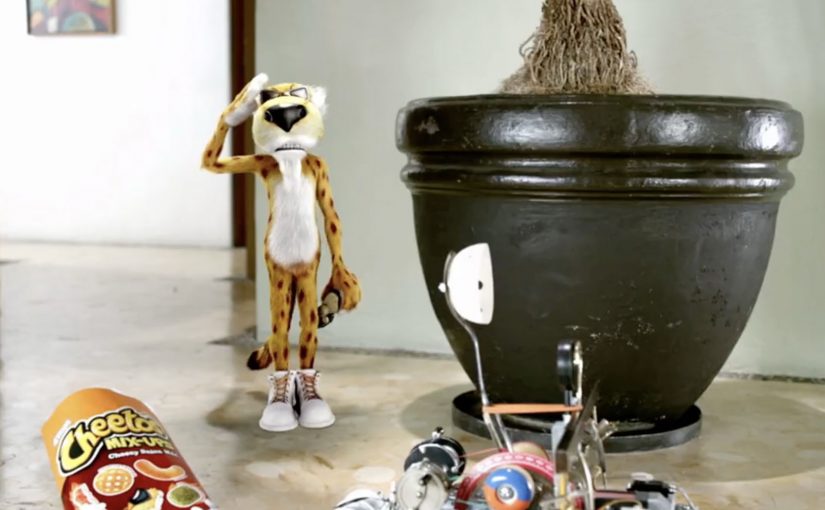
Viewers watching the Cheetos Mix-Ups ad on YouTube get a dual-screen experience. They can fling the new Cheetos Mix-Ups snacks from their phone into a video playing on their desktop. The campaign creates a new way to engage with the ad, and to get to know the product’s new shapes and colors through play.

At this point, the video is reported to have reached 8.5 million views on YouTube. People who played the game are reported to have stayed for an average of 7 minutes and 17 seconds, and flung an average of 56 Cheetos per game.

A YouTube ad that behaves like a game

The trick is simple and surprisingly scalable. Your desktop stays on YouTube, playing the film. Your phone becomes the controller via a lightweight URL experience, so interaction happens in your hand while the “world” of the ad stays on the big screen.

How the dual-screen catapult works

Instead of treating the mobile device as a companion banner, the experience treats it as an input device. You aim, fling, and see the result immediately in the desktop video frame, which turns passive viewing into a loop of action, feedback, and repeat.

In global FMCG launches, second-screen interactivity works best when it turns product attributes into gameplay, and makes “learning the product” feel like time well spent.

Why this lands while people are “just watching YouTube”

It hijacks a familiar behavior. People already watch ads on desktop while their phone is in hand. Cheetahpult converts that split attention into viewer control, and uses physics and repetition to teach what Mix-Ups actually is, in a way a standard product shot cannot. The real question is whether the interaction helps people understand Mix-Ups faster than a normal product shot would. In this case, it does, because the mechanic turns product variety into something people learn by doing.

Extractable takeaway: If your product is hard to describe in one sentence, let people handle it. Build a micro-game where the mechanic is the product benefit, and the reward is comprehension.

What Cheetos is really buying here

This is product education disguised as entertainment. The intent is to turn a new SKU with multiple shapes and flavors into something memorable, then associate that memory with the brand, so the next shelf moment feels familiar.

What Cheetos teaches about interactive video

  • Design for the device people already hold. Dual-screen works when the phone is the controller, not an afterthought.
  • Make the mechanic teach the product. If the game can be reskinned for any brand, it is not specific enough.
  • Keep the loop short and replayable. Fast rounds create “just one more try” behavior, which is where learning happens.
  • Use the main video as the stage. The desktop frame should feel like the real world, and the phone should feel like the tool.

A few fast answers before you act

What is Cheetahpult?

Cheetahpult is a dual-screen YouTube experience that turns a Cheetos Mix-Ups video into a simple physics-style game, with the phone acting as the controller and the desktop video acting as the playfield.

Why does second-screen interaction help an ad?

It converts passive reach into active time. When people interact, they process product details more deeply, and the ad becomes something they did, not just something they saw.

What makes this different from a typical “interactive ad”?

The interaction is not layered on top as buttons. The phone becomes a controller, and the main video becomes the environment, so the ad and the game feel like one system.

When should a brand use this pattern?

When a launch needs fast product education, and when the product has attributes that benefit from repetition, variation, and play, like shapes, combinations, flavors, or configurations.

What should a brand avoid when copying this idea?

Avoid mechanics that are fun but unrelated to the product. If the interaction does not teach something specific about the item being launched, the brand gets playtime but not product understanding.

Volkswagen Smileage: Road Trips with Google

With the Volkswagen Smileage app, road trips are never going to be the same again. Smileage is the in-app points system you earn from trip activity and social participation. Powered by Google the app is set to socialise road trips world over.

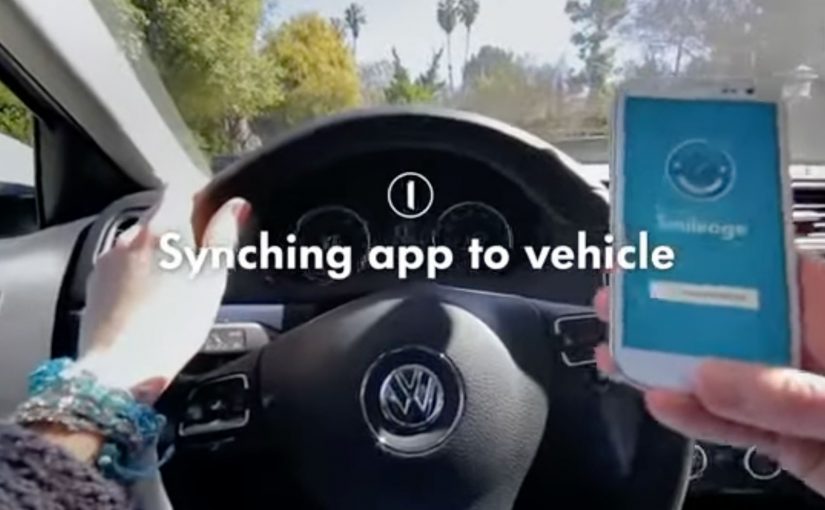
To start earning Smileage you have to pair the app with your car and sign in with your Google account. Once synced, the app automatically connects each time you go for a ride.

Friends can then watch and comment on your journey in real time while you earn Smileage through shared photos, kilometers, checkins, comments, likes and punches, the app’s name for quick in-app interactions from other nearby Volkswagens.

The car becomes a social object

The concept here is not just “tracking”. It is making the trip legible and interactive for people who are not in the car. Because spectators can react and contribute in real time, the drive becomes more shareable and more repeatable than a private commute.

  • Automatic connection. Pair once, then the app connects when you drive.
  • Live participation. Friends can watch and comment in real time.
  • Gamified reward loop. Points are earned through trip activity and social interactions.

Why the Google sign-in matters

In global automotive and mobility brands, the growth lever is turning driving time into something other people can see and join in.

The real question is whether your product turns real-world activity into something other people can participate in, not just something you can track.

Signing in with a Google account signals that this is more than a standalone app. It is built to plug into existing identity, location, and potentially mapping behavior. That is what enables a smoother experience and a more connected ecosystem around the trip. This is the right trade when you want engagement to extend beyond the driver.

Gamification that is tied to behavior

The points system is not abstract. It is linked directly to what happens on a trip. Photos, kilometers, check-ins, comments, likes, and even “punches” from nearby Volkswagens. The incentives are designed to encourage both movement and sharing.

Extractable takeaway: When rewards map to real-world actions and make those actions socially visible, the loop feels earned and keeps paying out after the trip ends.

  1. Drive. Kilometers and check-ins create baseline progress.
  2. Share. Photos create moments worth reacting to.
  3. Engage. Comments and likes add social energy.
  4. Connect. Nearby Volkswagens add community and surprise.

In connected consumer products, engagement grows fastest when real-world activity, identity, and social participation are designed as one loop.

What to take from this if you build connected experiences

  1. Reduce setup friction. Pair once. Auto-connect later.
  2. Design for spectators. The audience is part of the experience, not just the driver.
  3. Reward real activity. Gamification works best when points map to meaningful behavior.
  4. Use social to extend usage. Trips become more memorable when others can join in.

A few fast answers before you act

What is Volkswagen Smileage?

It is an app that pairs with your Volkswagen and Google account to make road trips social, letting friends follow and comment live while you earn points for trip activity and engagement.

How do you start earning Smileage?

You pair the app with your car and sign in with your Google account. Once synced, it connects automatically each time you go for a ride.

How do you earn points in the app?

Through shared photos, kilometers, check-ins, comments, likes, and “punches” from other nearby Volkswagens.

What is the main experience benefit for users?

Road trips become shareable in real time, turning the drive into a live story that friends can react to and participate in.

What is the transferable lesson for connected products?

If you combine automatic sensing with social participation and rewards tied to real behavior, you can turn routine usage into a repeatable engagement loop.