
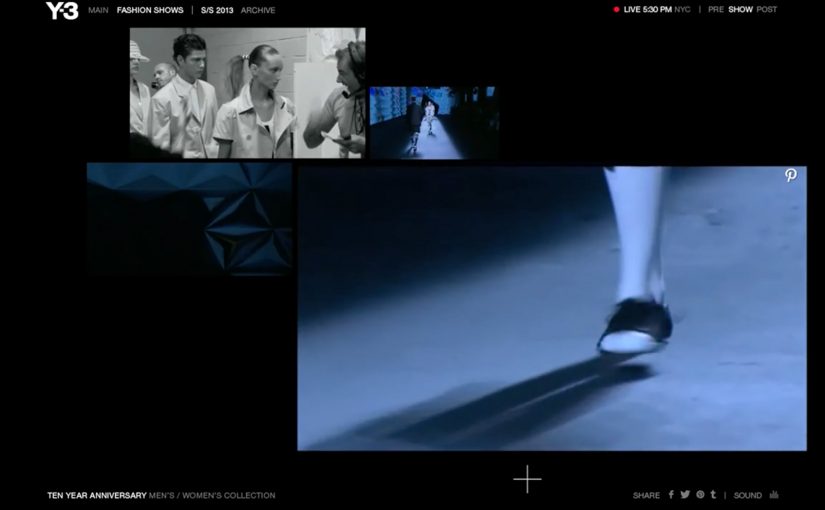
adidas Y-3 Interactive Live Stream

At New York Fashion Week in September 2012, adidas Y-3 revealed its Spring/Summer 2013 collection with an “Interactive Live Stream Experience” built by Acne Production. The online audience got four different runway views, could magnify one view without losing perspective of the show as a whole, and could pin each look to Pinterest.

Since 2010, I have noticed a steady increase in innovations at fashion shows around the world. This execution pushed that trend forward by treating the live stream itself as a designed product, not a passive camera feed.

The context. Y-3 at New York Fashion Week

The show marked the 10th anniversary of adidas’ partnership with Yohji Yamamoto. Athletes, celebrities, and fashion mavens gathered at St John’s Center, which was transformed by Dev Harlan’s 3D projections.

The experience. Four views, one zoomed, full context retained

Acne set up the live stream with four concurrent runway angles. The key interaction was control. Here, control means choosing which runway angle to enlarge while the rest of the show stays visible. Because viewers could focus on one angle without losing the full stage picture, the stream felt curated and intentional rather than fragmented.

Why Pinterest mattered in the flow

Pinning each look turned viewing into collecting. It captured intent at the moment of attention and let the audience take the show with them. One click turned a runway moment into a saved, shareable reference.

Extractable takeaway: When a live format lets people save individual moments without leaving the experience, attention becomes portable and the event keeps working after it ends.

In fashion and brand storytelling, the scalable advantage is not just reach, but designing a live moment so viewers can navigate it, keep pieces of it, and revisit it later.

The business intent is to turn fleeting runway attention into saved looks and shareable references without pulling viewers out of the live moment.

This is a stronger digital show model than a single passive camera feed because it turns viewing, collecting, and sharing into one connected experience.

The real question is how to turn a live stream from a one-time broadcast into a format that creates ongoing attention and reuse.

What fashion brands can lift from this

  • Give viewers control, not just a feed: Multiple camera angles plus a “magnify” interaction keeps a live stream feeling explorable, not passive.
  • Preserve context while zooming in: Let people focus on one view without losing the whole runway. That is the difference between browsing and watching.
  • Make curation the sharing mechanic: “Pin each look to Pinterest” turns the show into a personal collection that naturally travels beyond the event.
  • Use production craft as a multiplier: 3D projections and a transformed venue become part of the story, not just decoration, and they travel well in recaps.
  • Design for the afterlife of the live moment: The live experience creates assets and saved looks that keep circulating after the show ends.

A few fast answers before you act

What was the adidas Y-3 Interactive Live Stream?

It was a multi-angle live stream for the Y-3 Spring/Summer 2013 runway that let viewers zoom one camera view while still keeping the full-show context, and pin looks to Pinterest.

What was the core interaction pattern?

Multi-view streaming with user-controlled emphasis. Viewers chose what to focus on without breaking the narrative of the show.

Why did “keep context” matter in live streaming?

If zoom removed context, viewers felt lost. Keeping the full show visible preserved rhythm and made the experience feel like one coherent event.

Why add Pinterest at the point of viewing?

It turned attention into a saved action immediately. Instead of asking viewers to remember a look later, the stream let them collect it while interest was highest.

What is the practical lesson for digital show formats?

Design the stream like a product. Give the audience simple controls that match how they watch, and offer a frictionless way to save and share what they like.
Ford Escape Routes

Ford wanted to launch the new Escape in a way that would give people something they had never experienced before in branded entertainment. Billed as an industry first, Ford took the small screen to the second screen by combining TV with social media and mini-gameplay to create a prime time Social TV show called Escape Routes. Here, “second screen” means a synchronized phone, tablet, or laptop layer that runs alongside the broadcast.

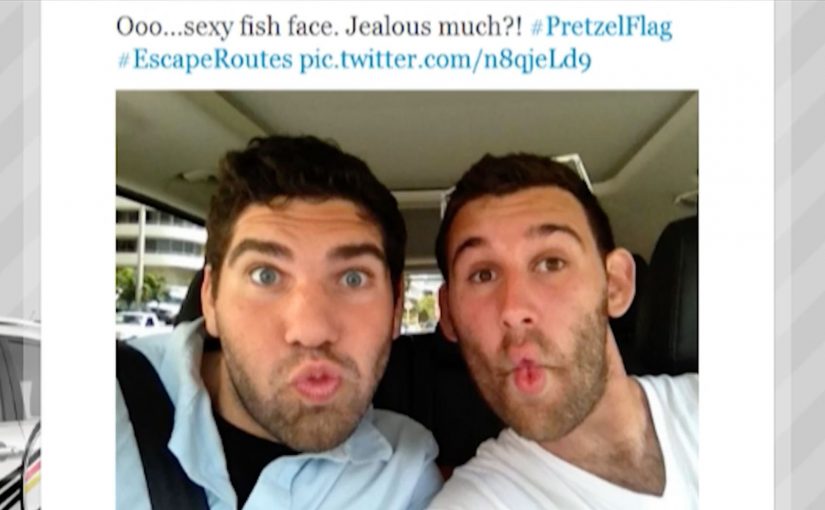
Six teams took on daredevil stunts while enlisting online fans as Virtual Teammates (VTMs), whose real-time support helped determine who crossed the finish line each week. Viewers did not just watch. They participated, recruited, chatted, and played along, with the online layer shaping outcomes and amplifying the show’s moments.

How the mechanic works

Escape Routes is structured like a competitive reality series. The TV episode delivers the narrative and the physical challenge. The second screen delivers the leverage. Fans act as VTMs and influence teams through live participation, social activity, and interactive challenges running alongside the broadcast.

The “branded” part is not only the vehicle on screen. The product story gets embedded into the stunts, the travel, and the weekly goals, so the car becomes the enabling tool inside the format, not a separate ad break.

In mass-market automotive launches, Social TV formats can convert broadcast reach into participation, and participation into measurable signals of demand.

The real question is whether the second screen can change what happens on TV, not just what people do while watching.

This kind of format is worth building only when those contributions are visible, time-boxed, and tied to the episode’s stakes.

Why it lands

It gives people viewer control without asking them to leave the entertainment. Participation is optional, but the invitation is clear and time-boxed. If you want to help your team, you can. If you want to just watch the show, you still get a complete experience.

Extractable takeaway: Second-screen launches win when the extra layer stays inside the story and gives people a named role with consequences they can see.

It also creates a natural social engine. Teams are selected and rewarded for building a following, so they have an incentive to mobilize fans every week. That turns the audience into a distribution channel, not a passive rating.

What the brand is really buying

The business intent is pre-launch momentum at scale. A primetime run delivers reach. The second-screen layer delivers engagement, social lift, and a sustained reason to talk about the Escape over multiple weeks.

Ford’s own reporting at the time described the social buzz as exceeding benchmarks, including a reported 1,033% increase in @FordEscape Twitter followers and a 50% increase in Facebook Likes.

Later trade coverage around awards credited Escape Routes with broader volume metrics across the run, including 7.65 million viewers, 64 million Facebook impressions, more than 65,000 Facebook Likes, and 3.4 million incremental user-generated video views, alongside the claim that it boosted share of voice in the small SUV segment with large-scale social activity.

Steal this reach plus action pattern

  • Design a format where the audience can matter. If participation cannot change anything, it will not sustain across weeks.
  • Make the second screen additive, not distracting. Keep actions short, timed, and tied to moments people already care about.
  • Give participants a role name. “Virtual Teammates” is a simple identity hook that makes participation feel legitimate.
  • Build weekly arcs. Multi-episode structure creates repeat engagement and compounding social momentum.

A few fast answers before you act

What is a Social TV show in marketing terms?

A Social TV show is a broadcast format that is designed to be experienced with a second screen, where social participation and interactive actions are part of the content loop, not a separate campaign layer.

What does “second screen” mean here?

It means the viewer uses a phone, tablet, or laptop while watching TV, and that device provides live interactions like voting, mini-games, chats, or challenges that are synchronized to the broadcast.

Why do “virtual teammate” mechanics work?

They turn spectators into contributors. Helping a team win creates emotional investment, repeat behavior, and social recruiting, because your participation has a clear purpose.

What is the biggest failure mode of second-screen activations?

Over-complexity. If the interaction takes too long, needs too much explanation, or competes with the main story, people drop it and the second screen becomes noise.

What metrics matter beyond views?

Registration and repeat participation per episode, share of voice during airtime windows, audience conversion into followers or opted-in communities, and any downstream indicators tied to shopping intent.

Tokyo Shimbun: AR Reader App for Kids

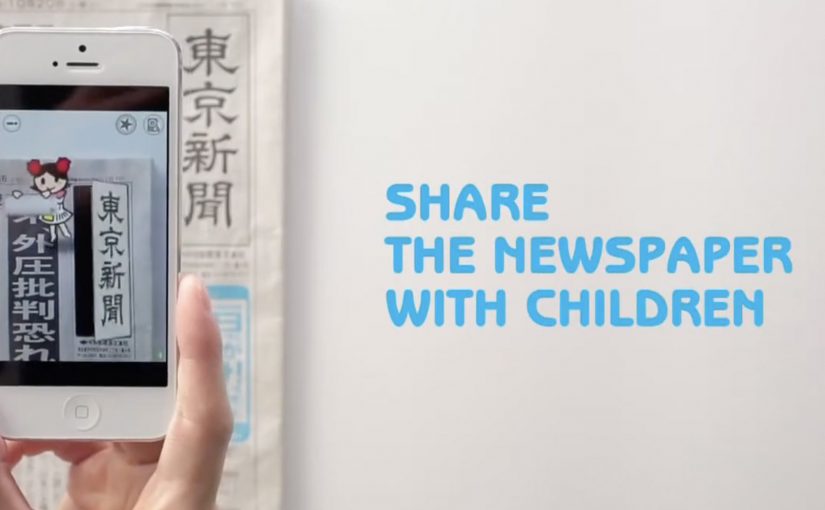
A kid points a smartphone at a newspaper article and the page starts “talking back”. Characters pop up, headlines simplify, and the story becomes easier to understand without leaving print.

Connected devices such as smartphones and tablets have contributed to an explosion in digital media consumption. As these devices gain adoption, print newspapers around the world are seen suffering from declining readership and revenue. To combat this, Tokyo Shimbun, along with Dentsu Tokyo, came up with a new way to connect with readers. An augmented reality reader app brings the newspaper to life by overlaying educational, kid-friendly versions of selected articles.

How the newspaper becomes a “teaching layer”

The mechanism is straightforward. The app uses the phone camera to recognize specific articles, then overlays animated commentary, simplified explanations, and visual cues on top of the printed page so kids can follow along. Here, “teaching layer” means this AR overlay that translates the printed article into simpler language and guided visuals. Because the overlay sits directly on the printed article, kids do not have to leave the page to get context, which lowers friction and keeps attention on the story.

In publishing and media brands that still rely on print touchpoints, augmented reality can turn paper into an entry point for younger audiences without abandoning the physical ritual of reading.

Why this lands with parents and kids

It respects the newspaper as a shared household object, but removes the comprehension barrier for children. The child gets a friendly “translator”. The parent gets a moment of joint attention that feels educational, not like more screen time for its own sake.

Extractable takeaway: If you want kids to adopt a legacy touchpoint, use the digital layer to reduce comprehension friction first and add spectacle second.

What the business intent looks like

This is not only a novelty layer. It is a retention and habit play. If children can engage with a paper alongside adults, the newspaper has a better chance of staying present in the home and staying relevant as a family product.

The real question is whether the AR layer builds repeat, family co-reading habits, not whether it feels novel the first time.

Practical moves for print-plus-AR translation

  • Overlay explanation, not just effects. Make the digital layer add clarity, not only animation.
  • Choose a narrow trigger set. Start with selected stories that benefit most from translation and context.
  • Design for “family co-use”. Make it easy for a parent to participate without taking over the phone.
  • Keep the print object central. The magic works best when the page remains the interface.

A few fast answers before you act

What does the Tokyo Shimbun AR reader app do?

It lets kids scan selected newspaper articles with a smartphone and see animated, kid-friendly explanations layered on top of the print page.

Why pair augmented reality with a newspaper at all?

Because the newspaper is still a household touchpoint. AR can lower comprehension barriers for kids while keeping the shared reading ritual intact.

Is this mainly entertainment or education?

The strongest value is educational translation. The animations act as attention hooks, but the real utility is simplifying and explaining complex topics.

What makes this different from sending kids to a website?

The entry point stays on the printed page. The experience is anchored in the article the family is already holding, which supports shared attention.

What is the biggest execution risk?

If scanning is finicky or the overlays feel gimmicky, kids will not repeat the behavior and parents will not recommend it.