
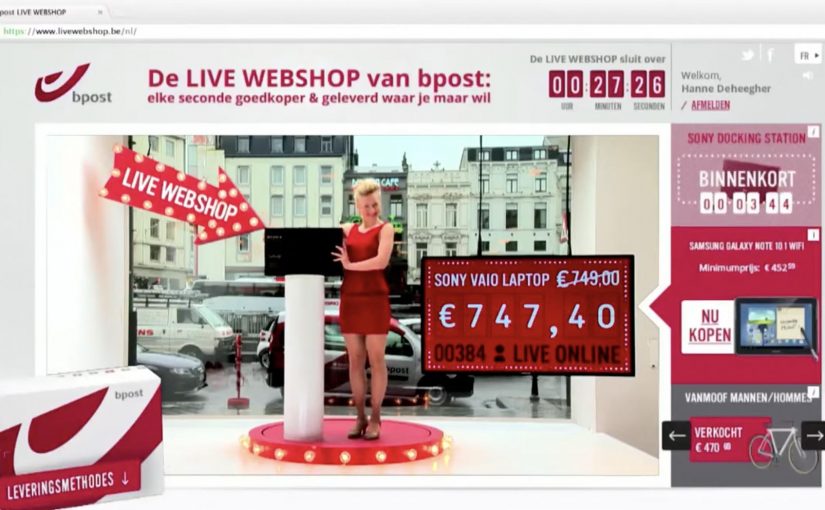
bpost Live Webshop: Every second cheaper

bpost is Belgium’s postal operator. To prove their ability to deliver, and to fend off new contenders in the delivery market, they open a pop-up store right in central Brussels that you can watch like a shop window.

A range of must-have items is put on display, from smartphones to designer coffee makers. The twist is that the only way to buy them is through a special online auction where the price of every product drops every second.

People have to act fast to catch an item before someone else does. Once sold, the item is picked up by a postman right in front of the webcam and delivered to the winning bidder, so everyone watching can see how quick and reliable the service is.

In European parcel and delivery markets, the hardest promise to prove is speed and reliability, so public demonstrations often land harder than product claims.

The real question is how you make a service promise visible enough that people trust it without having to take your word for it.

As a result, awareness of bpack, the delivery service being promoted, is reported as rising to 65%. In 6 days, 260,000 unique visitors are reported. For every hour the shop is online, bpost is reported as selling 8 products on average.

A webshop you can watch, not just click

The pop-up window makes the online mechanic tangible. People see the products in real life, then experience the purchase as a live moment, with delivery turning into the proof point rather than a line in the footer.

Why the “dropping price” mechanic creates urgency

A price that decreases every second builds a clear trade-off: wait for a better deal, or buy now before someone else does. Because the price is visibly falling, hesitation becomes a risk you can feel. That tension is the game. It keeps attention locked and makes the checkout decision feel like winning, not spending.

Extractable takeaway: Use a visible, fast-moving trade-off so waiting feels costly and acting feels like progress, not purchase.

What bpost is really selling with bpack

The service story is simple: “wherever you are, we deliver.” The activation turns that into something visible, with a postman dispatching the parcel immediately after purchase. The product is delivery confidence. Proof beats claims when reliability is the benefit.

Service-proof moves worth reusing

  • Make the benefit observable. If your promise is speed, show speed in public.
  • Use a mechanic that explains itself. A visible countdown beats a paragraph of copy.
  • Build in a live “receipt”. The moment of dispatch is the proof people remember.
  • Design for spectators. If watching is entertaining, the audience becomes the distribution layer.

A few fast answers before you act

What is the bpost Live Webshop?

It is a pop-up retail window in Brussels where products can only be bought via a live webshop auction, with prices dropping every second and delivery shown on camera to prove service speed.

How does the “price drops every second” auction work?

Each product starts at a set price and continuously decreases over time. The first person to click and buy wins the item at that moment’s price.

Why show a postman picking up the parcel live?

Because it turns a delivery claim into visible proof. The dispatch moment demonstrates reliability and speed better than messaging can.

What is bpack in this campaign?

bpack is positioned as the delivery service being promoted. The activation is designed to raise awareness and trust in that specific service.

What is the main lesson for brands selling services?

When trust is the barrier, do not just explain the promise. Stage it so people can watch the promise being kept.
Coca-Cola: Chok Chok

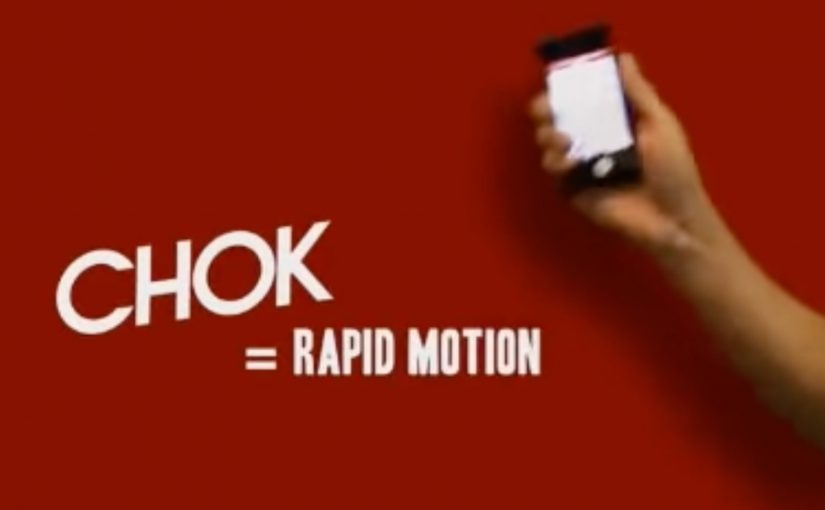
Mobile and creative thinking can come together to create really compelling marketing campaigns. In this example, Coca-Cola Hong Kong created a “Chok Chok” mobile app that turned the viewer’s smartphone into a remote control for their TV ad.

To collect the Coca-Cola bottle caps that appeared on the TV screen, viewers had to swing their phones when the ad came on. Those who successfully managed to swing and collect were instantly rewarded with prizes that included cars, sports apparel, credit card spend value, travel coupons and movie tickets.

As a result the campaign was seen by 9 million people and the app got over 380,000 downloads.

The real question is whether your second-screen idea creates a one-step action people can do instantly when the media moment appears.

For those wondering, the bottle cap collection was enabled through the audio signal of the ad, which triggered the application and synced the user’s motion with the ad. The accelerometer in the phone was also used to assess the quality of the motion. Together they were used to catch the bottle caps virtually.

However as far as I know, Honda in the UK was the first to pioneer this kind of an interactive TV ad, even though it did not receive results like Coca-Cola.

In mass-reach consumer campaigns where TV attention and smartphone use overlap, audio-synced interactivity can turn a passive spot into a short participation window.

Why this works so well

It works because it gives the viewer control in a way TV usually does not. Here, “viewer control” means one deliberate physical action that directly drives what you get from the ad. Because the ad’s audio triggers the app and the accelerometer judges motion quality, the “catch” feels causally tied to the on-screen moment instead of feeling random.

Extractable takeaway: If you want participation in real time, design a one-second action that maps cleanly to an on-screen event, then make the feedback and reward immediate.

  • Viewer control is the hook. The ad is not just watched. It is “played” through a simple physical action.
  • Timing creates urgency. You have to act when the ad is live, which turns media time into a moment of participation.
  • Feedback is immediate. You swing, you collect, you win. The loop is easy to understand and easy to repeat.

Steal this second-screen loop

Start with a single, unmistakable behavior the viewer can do in one second. Then use a reliable synchronization trigger (here, the ad’s audio) and a sensor input (here, the accelerometer) to connect the phone action to what happens on screen. This is the right level of interactivity for broadcast media: simple action, obvious timing, instant payoff.

  • One-second action. Choose a gesture the viewer can do immediately when the spot starts.
  • Reliable sync trigger. Use a broadcast-carried signal to trigger the experience, such as the ad’s audio.
  • Sensor validation. Use the phone sensor input to assess whether the action quality is good enough to “count”.
  • Immediate feedback. Keep the loop legible: swing, collect, win.

A few fast answers before you act

What is Coca-Cola “Chok Chok”?

It is a Coca-Cola Hong Kong mobile app that synchronizes with a TV ad and lets viewers swing their phones to collect on-screen bottle caps for prizes.

How did the app sync with the TV ad?

The app used the audio signal of the ad as the trigger, then aligned the on-screen moments with the user’s motion so “collection” happened at the right time.

What role did the accelerometer play?

The accelerometer assessed the quality of the swinging motion, helping determine whether the viewer “caught” the bottle caps virtually.

What is the main takeaway for interactive TV and second-screen work?

Make participation effortless, tie it to a tight timing window, and reward the action immediately so the viewer feels impact in the moment.

Tokyo Shimbun: AR Reader App for Kids

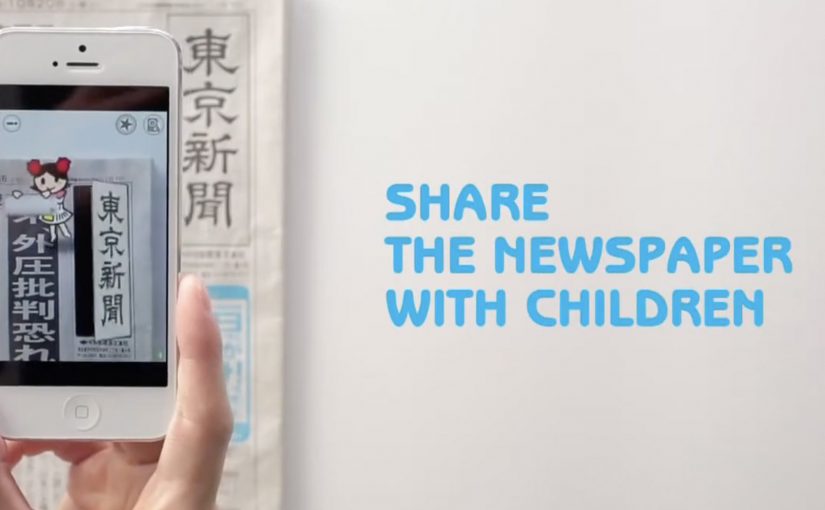
A kid points a smartphone at a newspaper article and the page starts “talking back”. Characters pop up, headlines simplify, and the story becomes easier to understand without leaving print.

Connected devices such as smartphones and tablets have contributed to an explosion in digital media consumption. As these devices gain adoption, print newspapers around the world are seen suffering from declining readership and revenue. To combat this, Tokyo Shimbun, along with Dentsu Tokyo, came up with a new way to connect with readers. An augmented reality reader app brings the newspaper to life by overlaying educational, kid-friendly versions of selected articles.

How the newspaper becomes a “teaching layer”

The mechanism is straightforward. The app uses the phone camera to recognize specific articles, then overlays animated commentary, simplified explanations, and visual cues on top of the printed page so kids can follow along. Here, “teaching layer” means this AR overlay that translates the printed article into simpler language and guided visuals. Because the overlay sits directly on the printed article, kids do not have to leave the page to get context, which lowers friction and keeps attention on the story.

In publishing and media brands that still rely on print touchpoints, augmented reality can turn paper into an entry point for younger audiences without abandoning the physical ritual of reading.

Why this lands with parents and kids

It respects the newspaper as a shared household object, but removes the comprehension barrier for children. The child gets a friendly “translator”. The parent gets a moment of joint attention that feels educational, not like more screen time for its own sake.

Extractable takeaway: If you want kids to adopt a legacy touchpoint, use the digital layer to reduce comprehension friction first and add spectacle second.

What the business intent looks like

This is not only a novelty layer. It is a retention and habit play. If children can engage with a paper alongside adults, the newspaper has a better chance of staying present in the home and staying relevant as a family product.

The real question is whether the AR layer builds repeat, family co-reading habits, not whether it feels novel the first time.

Practical moves for print-plus-AR translation

  • Overlay explanation, not just effects. Make the digital layer add clarity, not only animation.
  • Choose a narrow trigger set. Start with selected stories that benefit most from translation and context.
  • Design for “family co-use”. Make it easy for a parent to participate without taking over the phone.
  • Keep the print object central. The magic works best when the page remains the interface.

A few fast answers before you act

What does the Tokyo Shimbun AR reader app do?

It lets kids scan selected newspaper articles with a smartphone and see animated, kid-friendly explanations layered on top of the print page.

Why pair augmented reality with a newspaper at all?

Because the newspaper is still a household touchpoint. AR can lower comprehension barriers for kids while keeping the shared reading ritual intact.

Is this mainly entertainment or education?

The strongest value is educational translation. The animations act as attention hooks, but the real utility is simplifying and explaining complex topics.

What makes this different from sending kids to a website?

The entry point stays on the printed page. The experience is anchored in the article the family is already holding, which supports shared attention.

What is the biggest execution risk?

If scanning is finicky or the overlays feel gimmicky, kids will not repeat the behavior and parents will not recommend it.